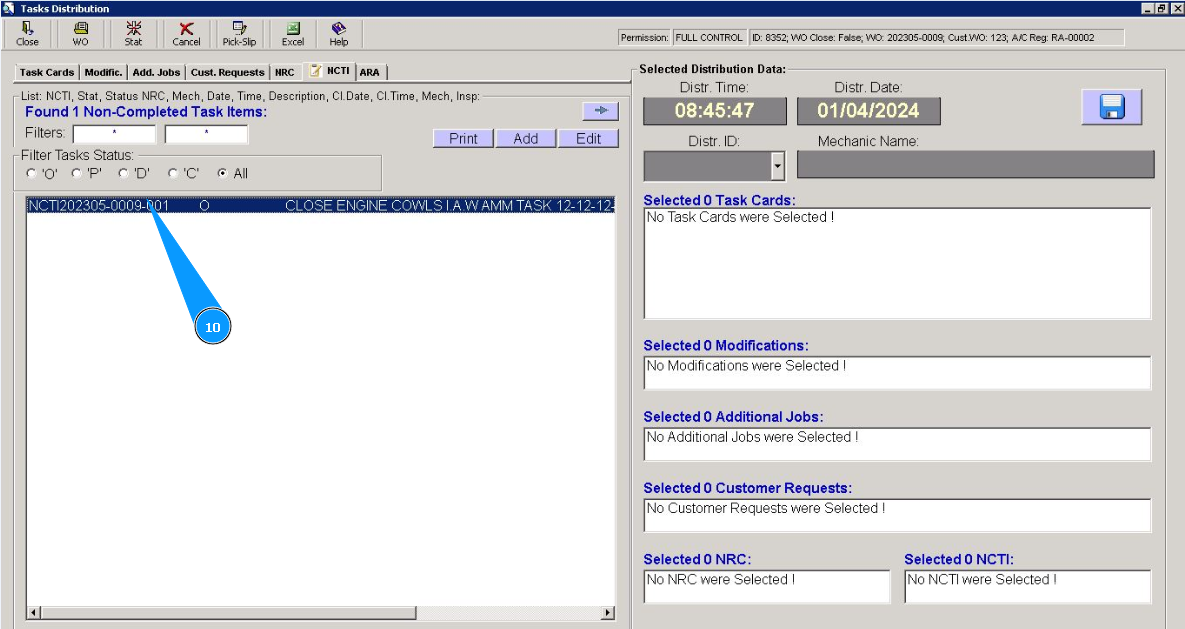
How to create Non-Completed Task Items for WP
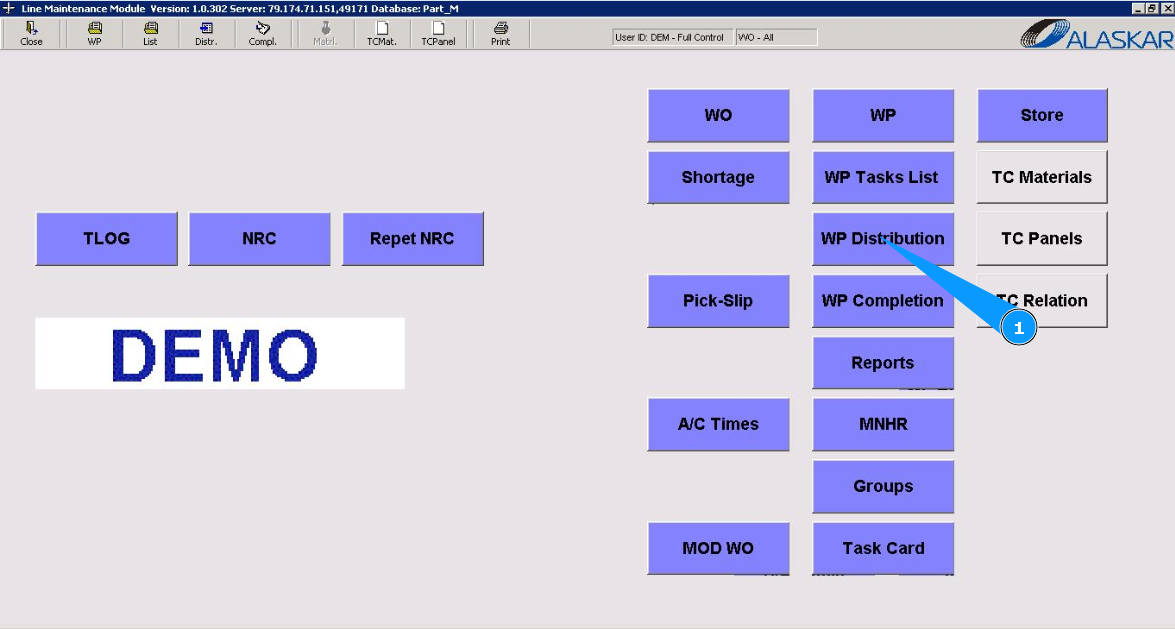
1. To create Non-Completed Task Items for WP, go to the submodule "WP Distribution".
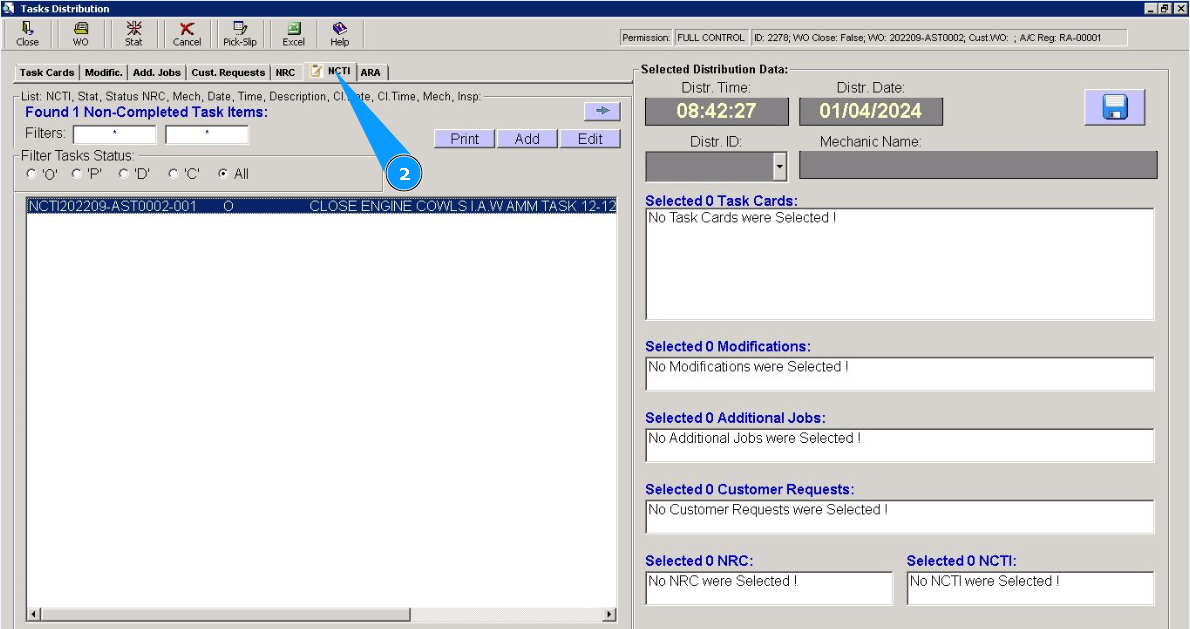
2. Then go to the tab "NCTI".
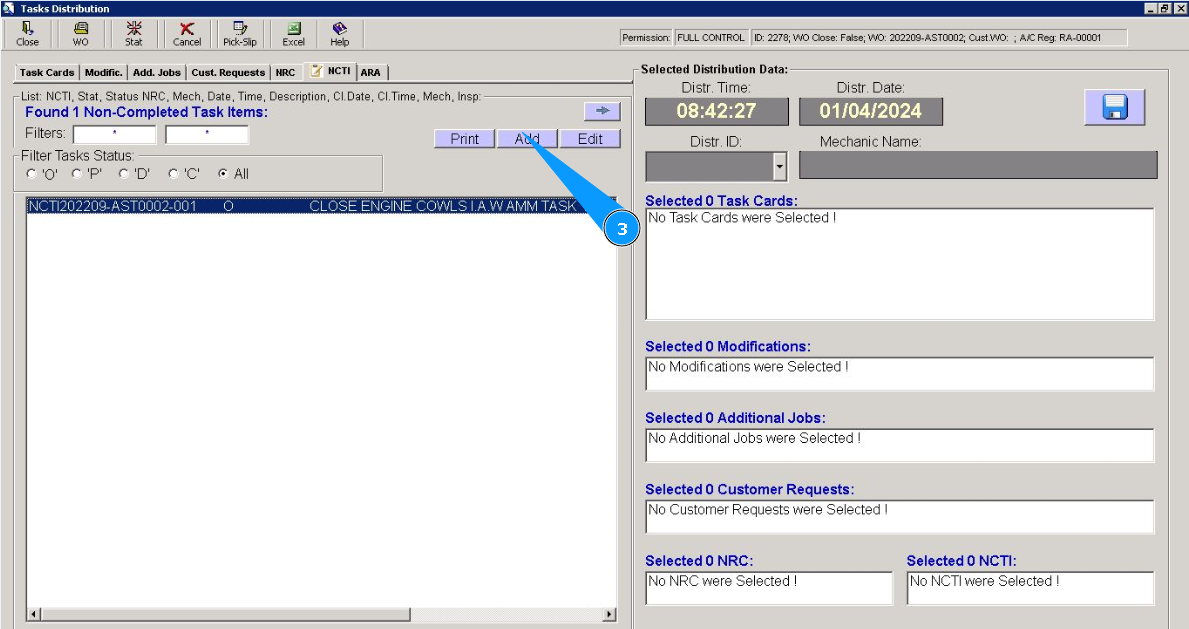
3. Click on the button "Add", to add a new Non-Completed Task Item.
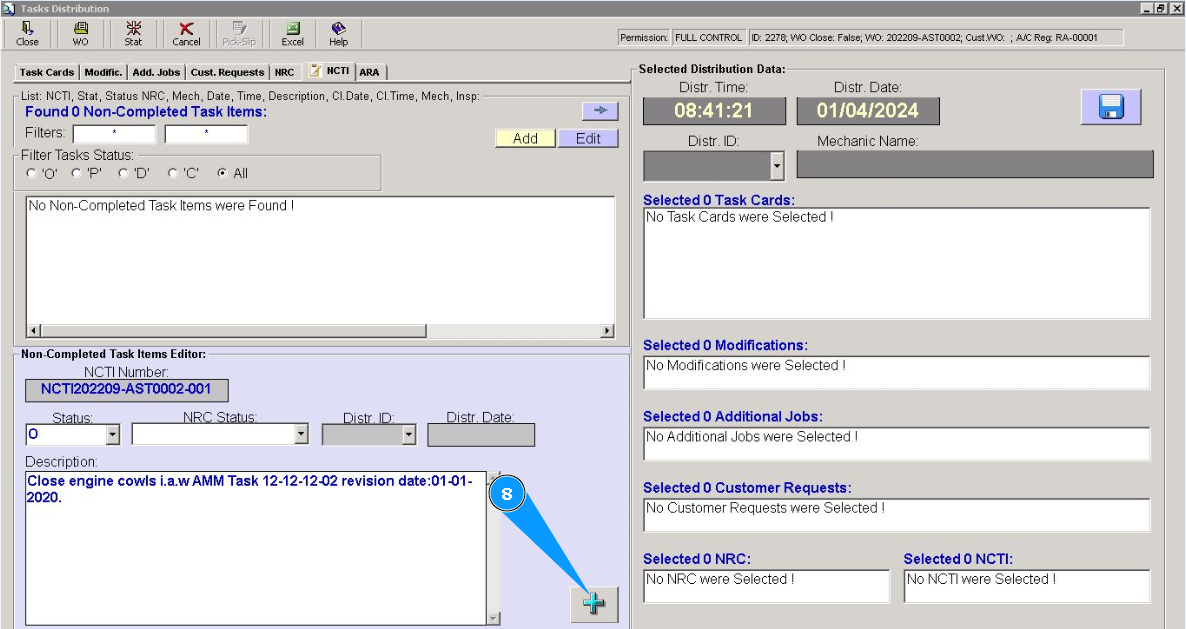
4. Make sure that the Non-Completed Task Item editor is opened in the window "Non-Completed Task Items Editor". Note: Non-Completed Task Items number will be generated automatically.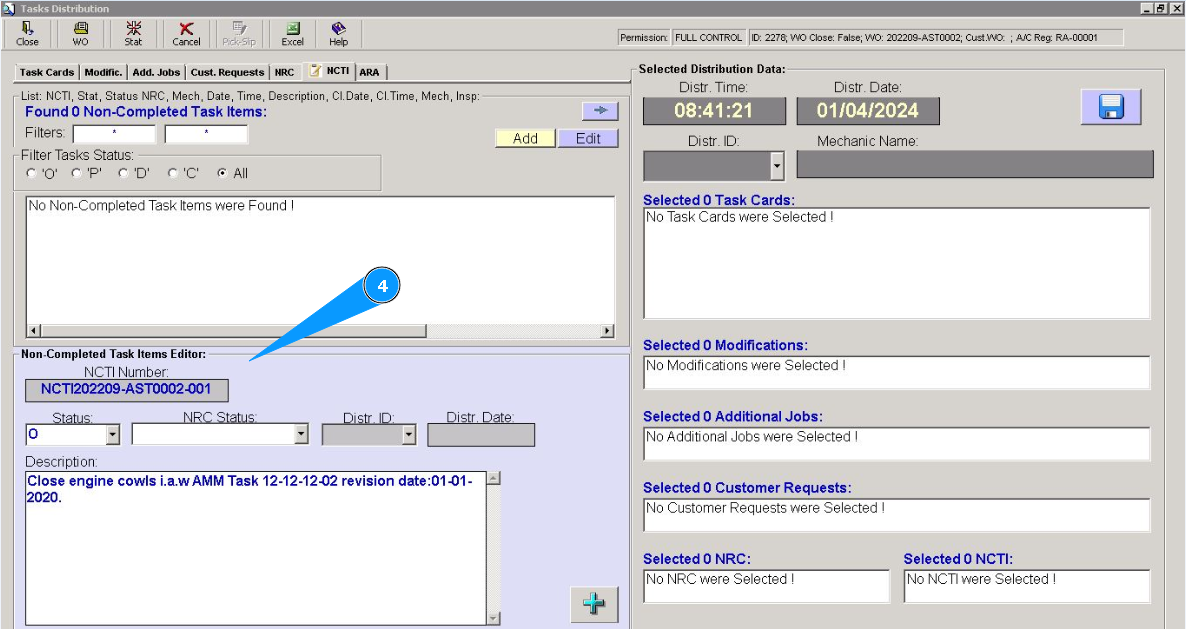
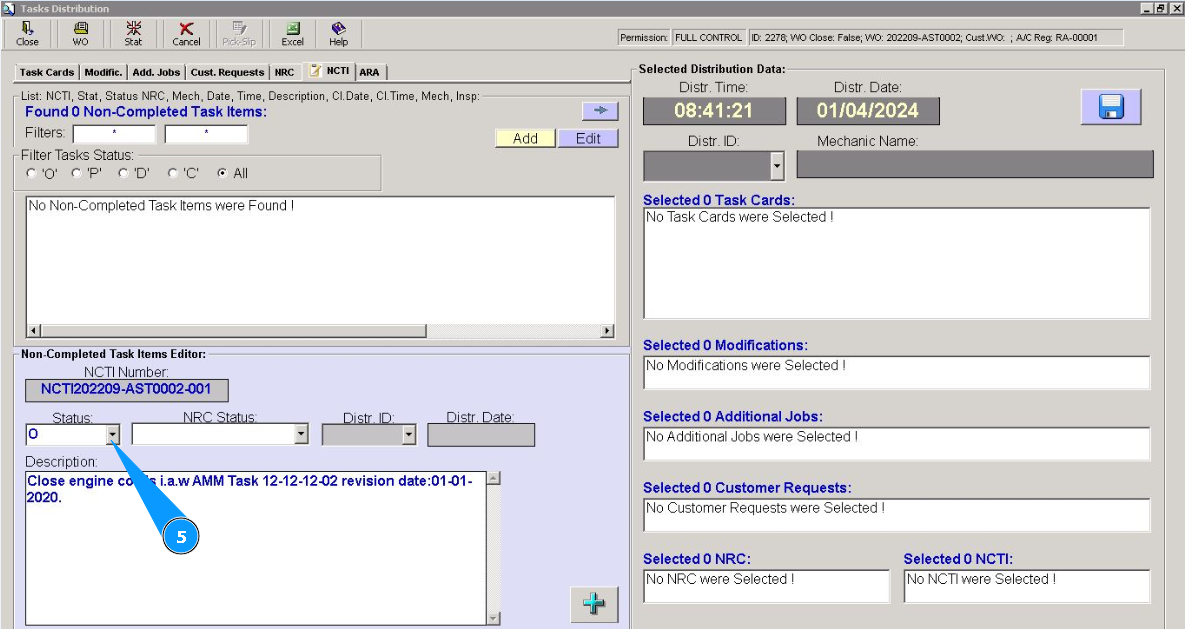
5. Select Non-Completed Task Item status "O - opened" from dropdown list in the field "Status".
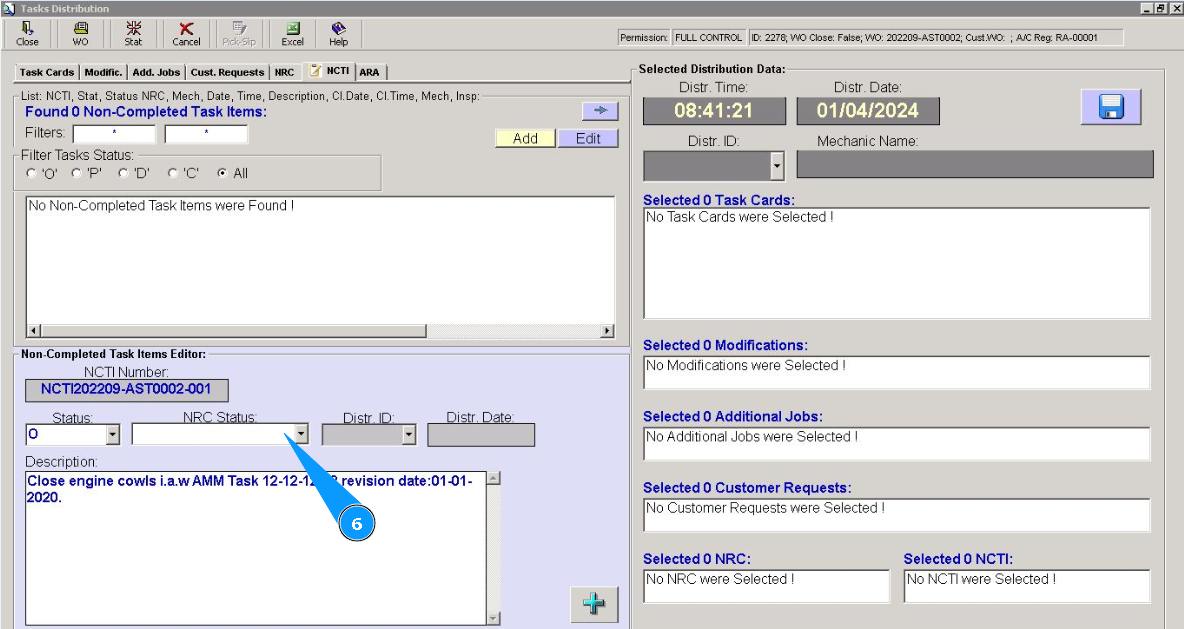
6. If necessary, select NRC status "O - opened" from dropdown list in the field "NRC Status".
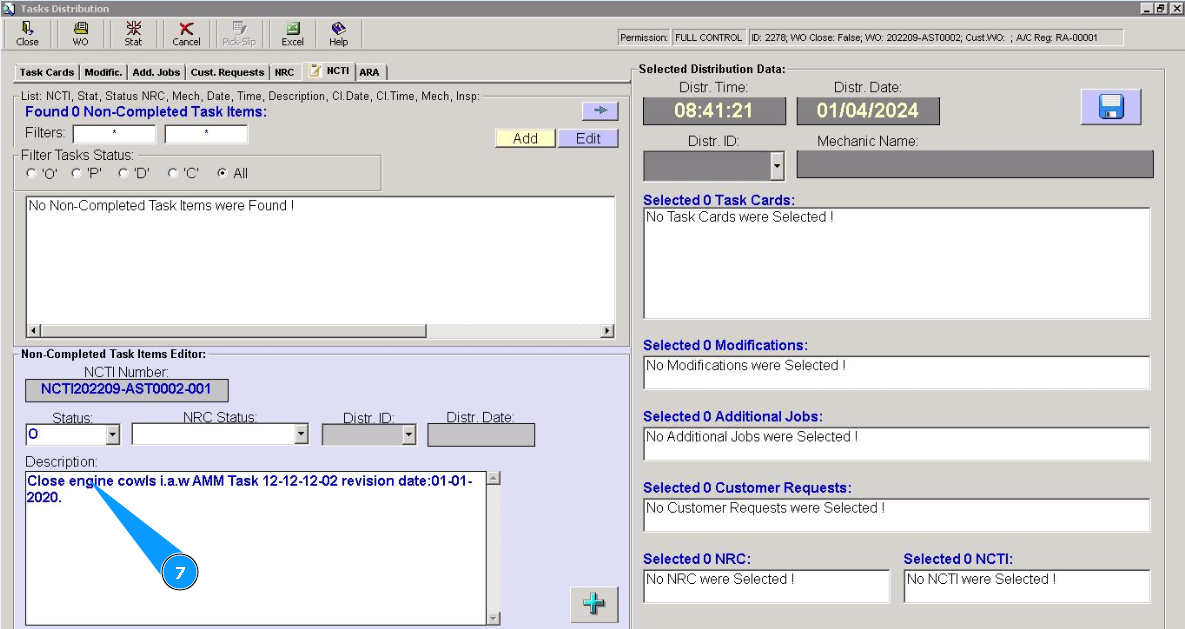
7. Enter the non-Completed Task Item description in the field "Description".
8. Click on the button with a plus to add a newly created NCTI.
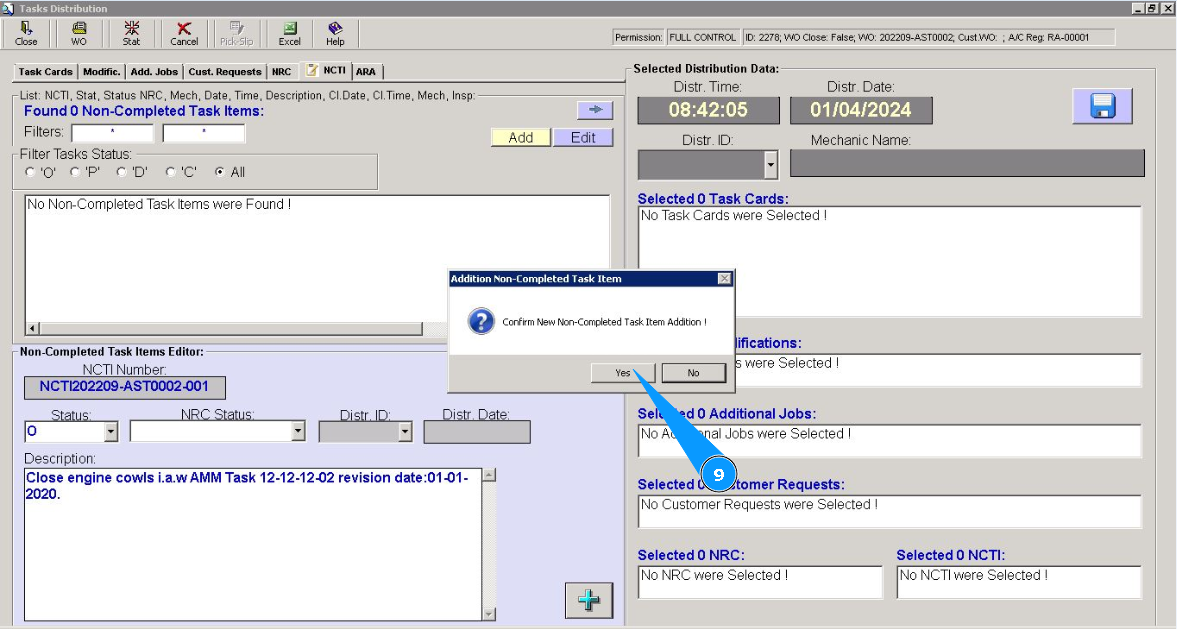
9. Click on the button "Yes", to confirm adding a newly created NCTI to the program.
10. Check that the record about the newly created Non-Completed Task Item is displayed in the window "Non-Completed Task Items".