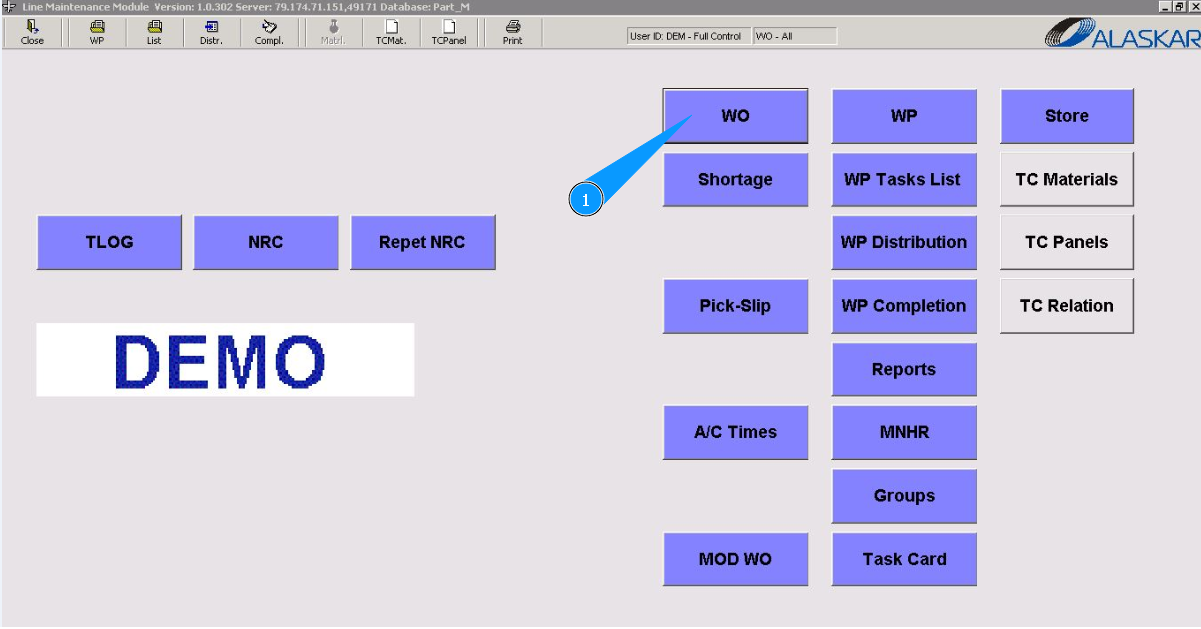
How to create a Line Work Order
1. To create a Line Work order, go to the submodule "WO".
2. Next, go to the tab "Line WO". Note: The WO number will be issued automatically by the program.
3. Click on the button "Refresh", чтобы очистить все поля для заполнения.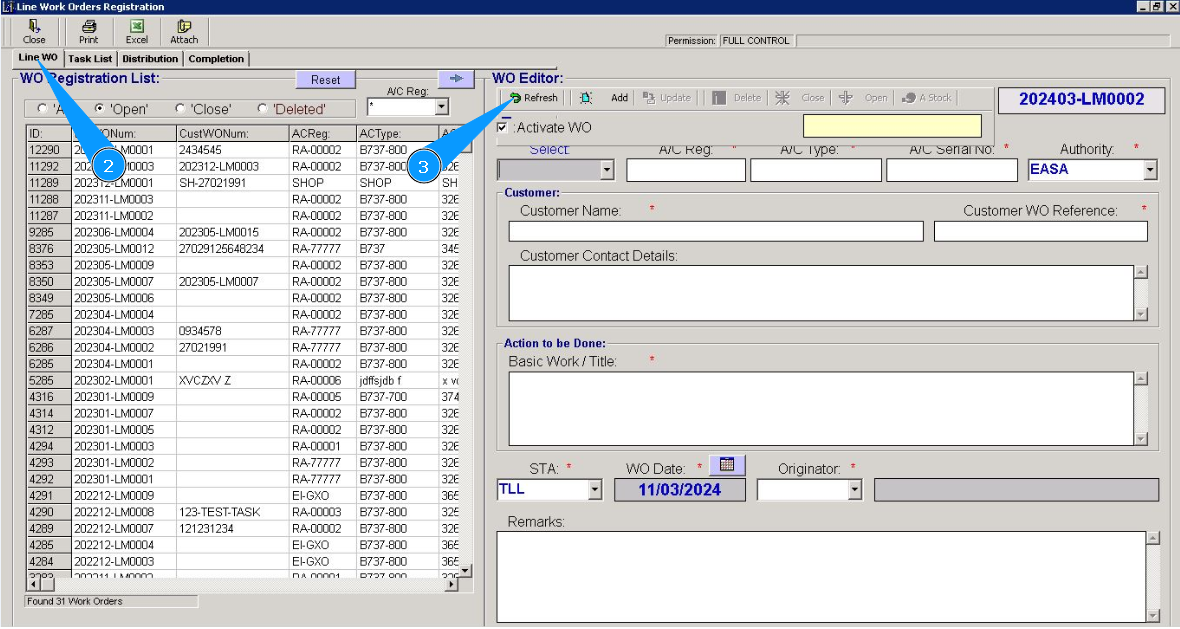
4. Select the aircraft registration number from the dropdown list in the field "Select". Note: Fields: "A/C Reg.", "A/C Type", "A/C Serial №" will be filled in automatically.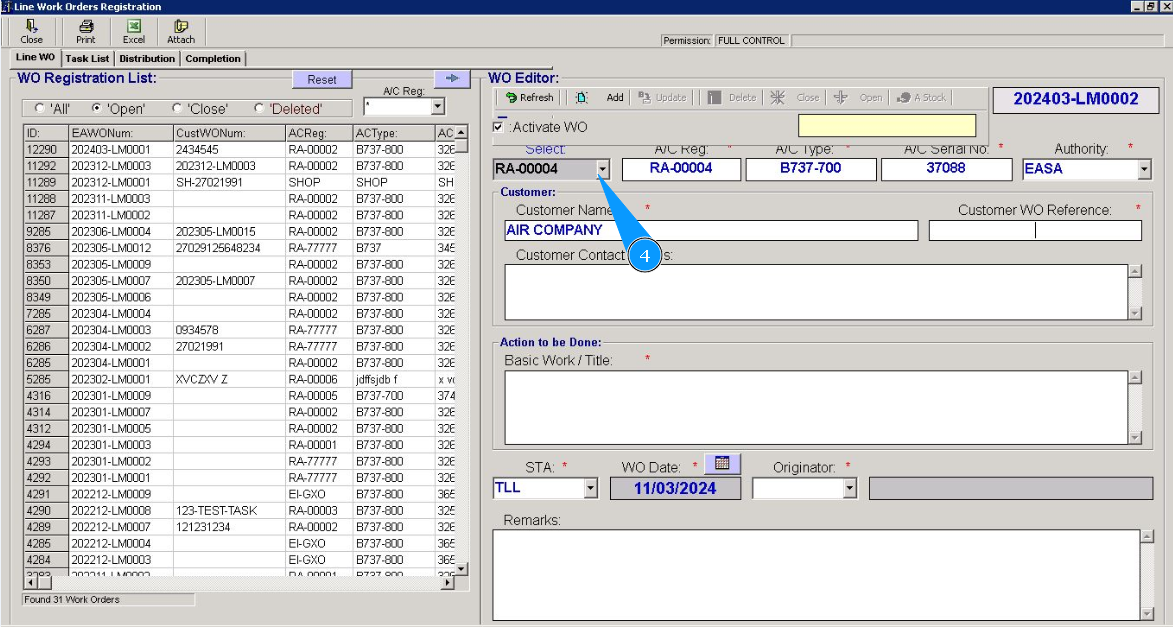
5. Enter the customer's name in the field "Customer Name". Note: If necessary, enter detailed customer and contact information in the field "Customer Contact Details".
6. Enter the customer's WO number in the field "Customer WO Reference".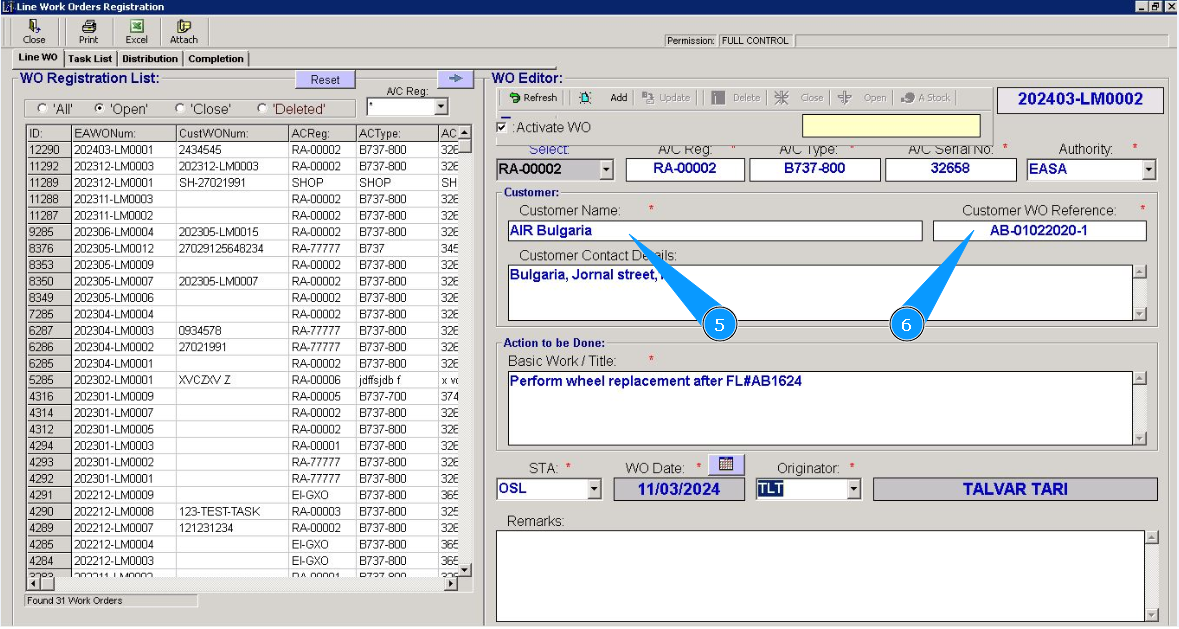
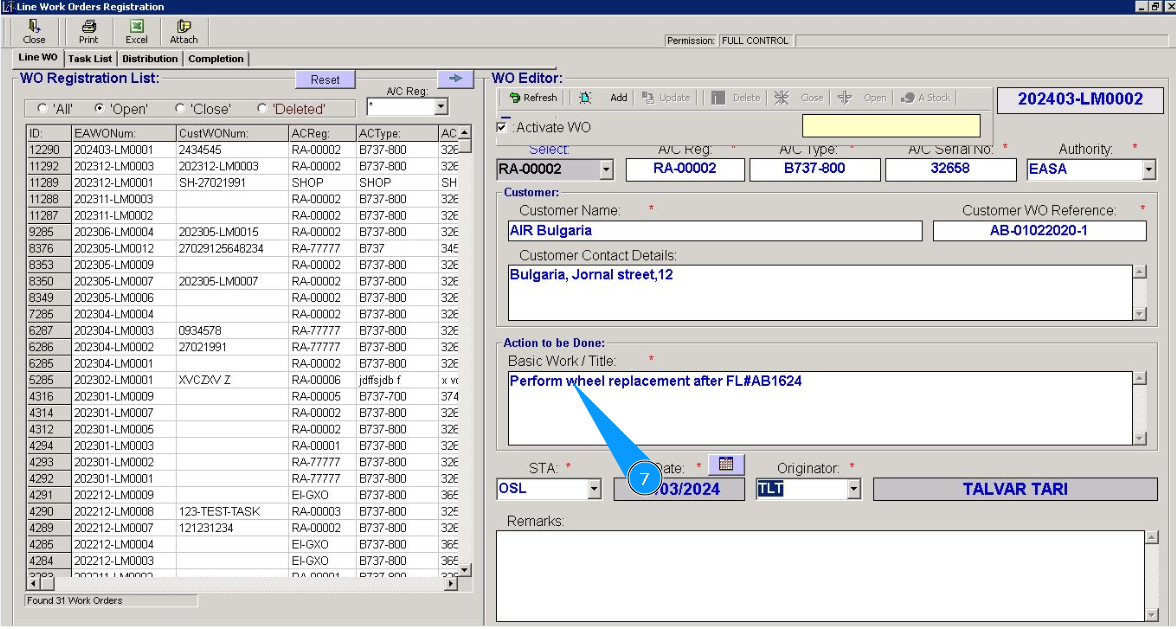
7. Enter information about the necessary work to be performed in the field "Basic Work/Title".
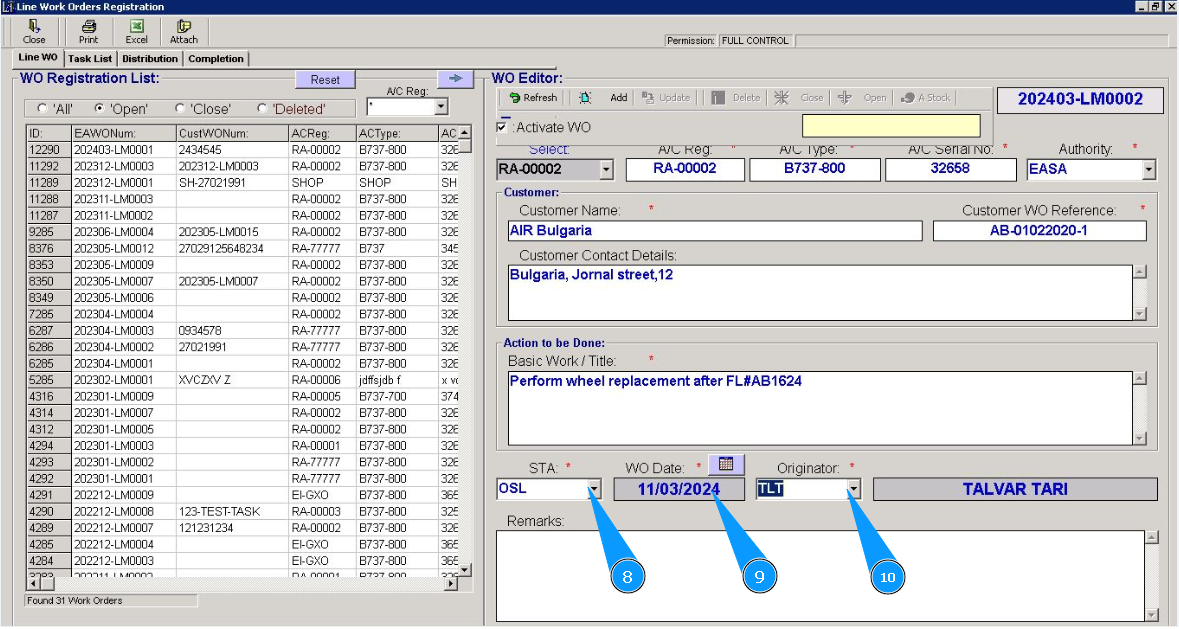
8. Enter the work-performing location in the field "STA" or select from the dropdown list.
9. Enter the date the WO was created in the field "WO Date" or select from the calendar.
10. Enter who created the WO in the field "Originator" or select from the dropdown list.
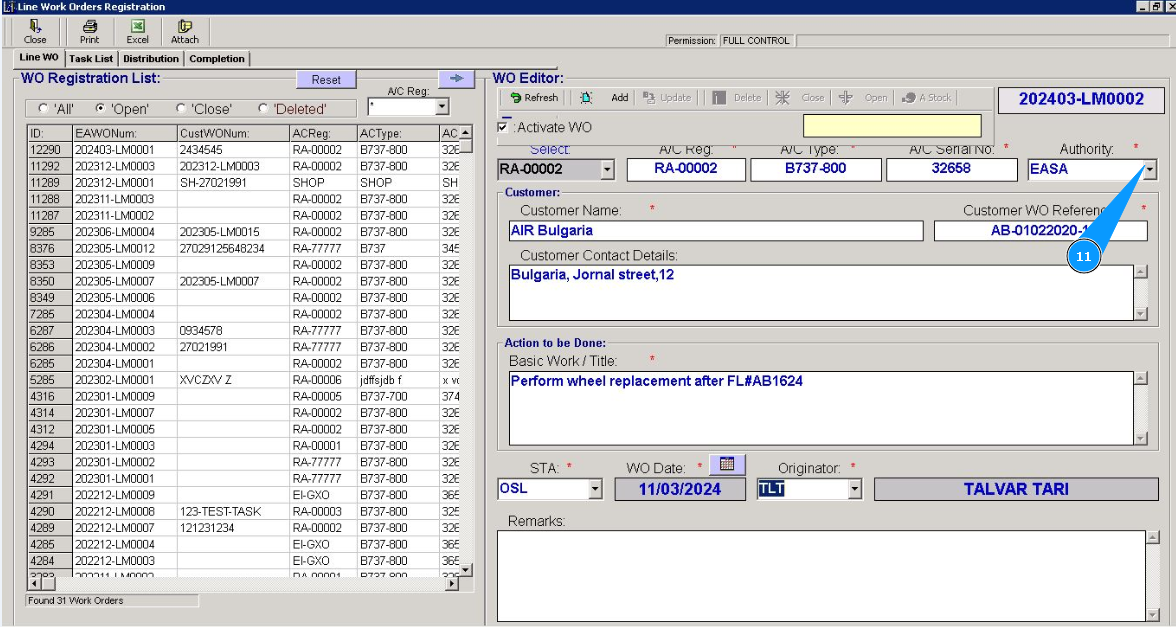
11. Enter the name of the aviation authorities in the field "Authority or select from the dropdown list.
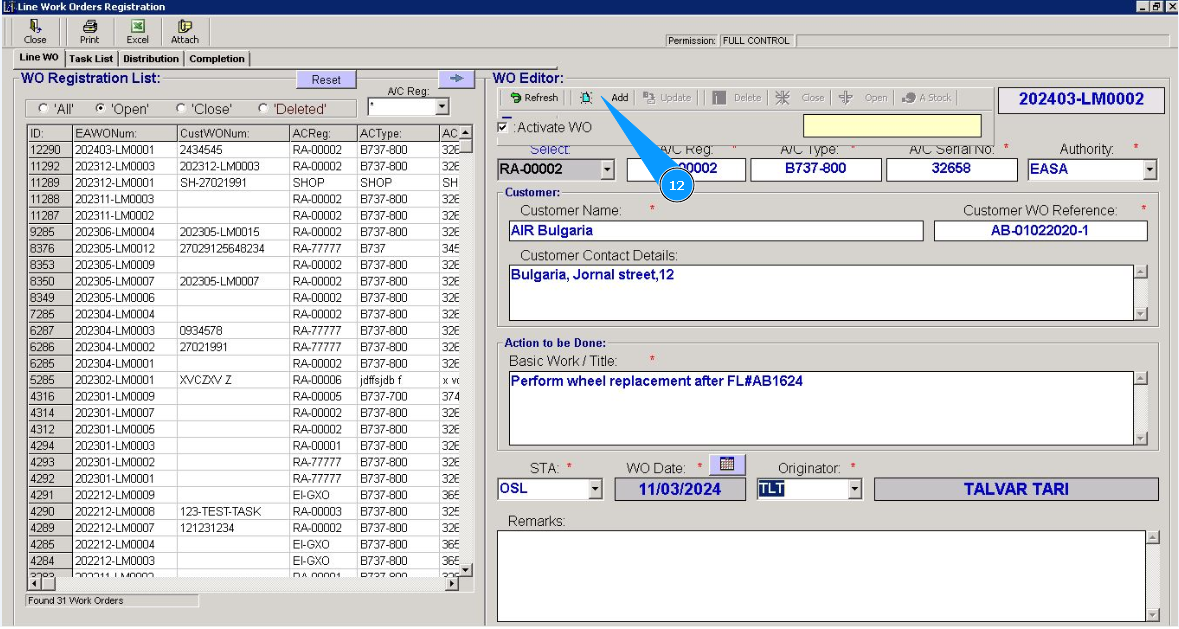
12. Click on the button "Add", to add a work order to the program.
13. Click on the button "Yes", to confirm adding Work Order to the program.
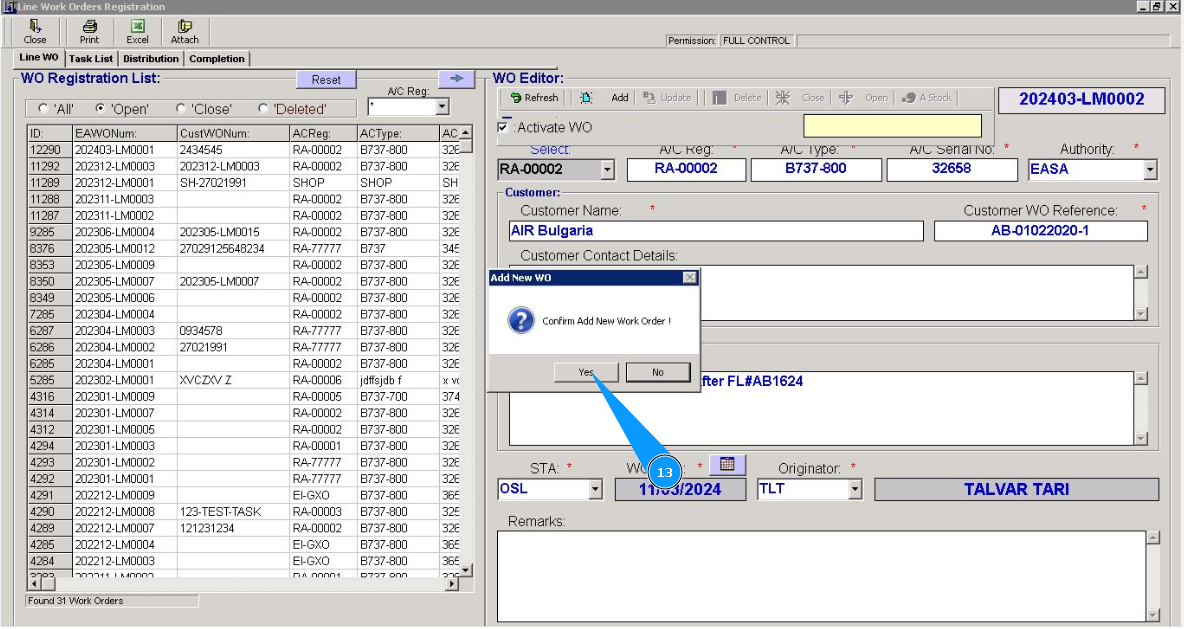
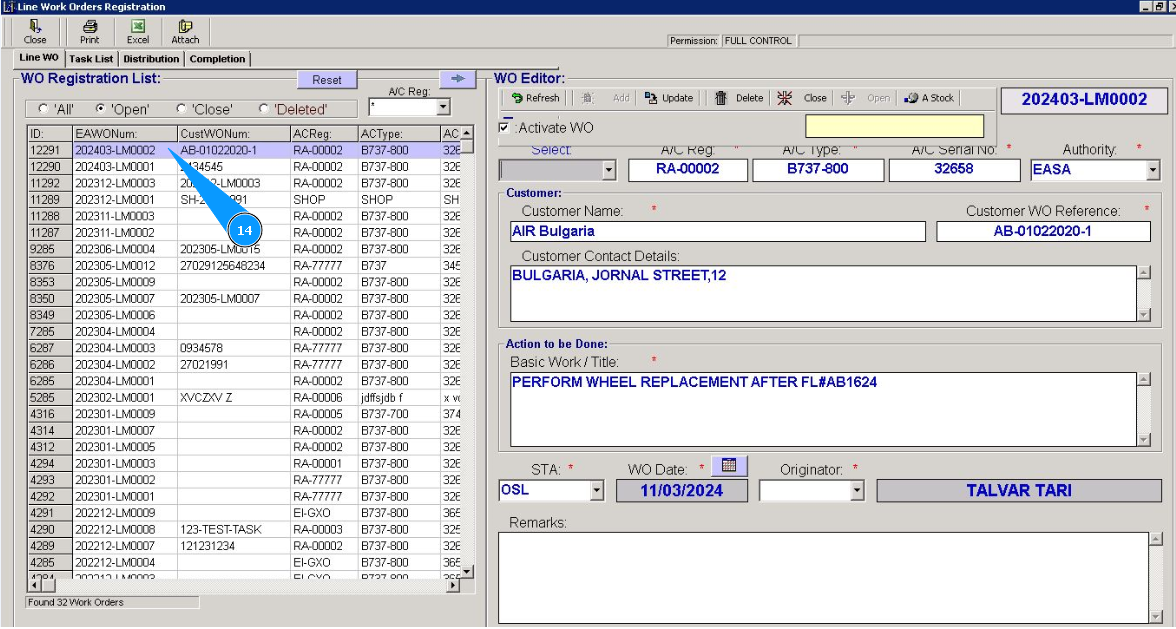
14. Check that the newly created Work Order is displayed in the window "WO Registration List".