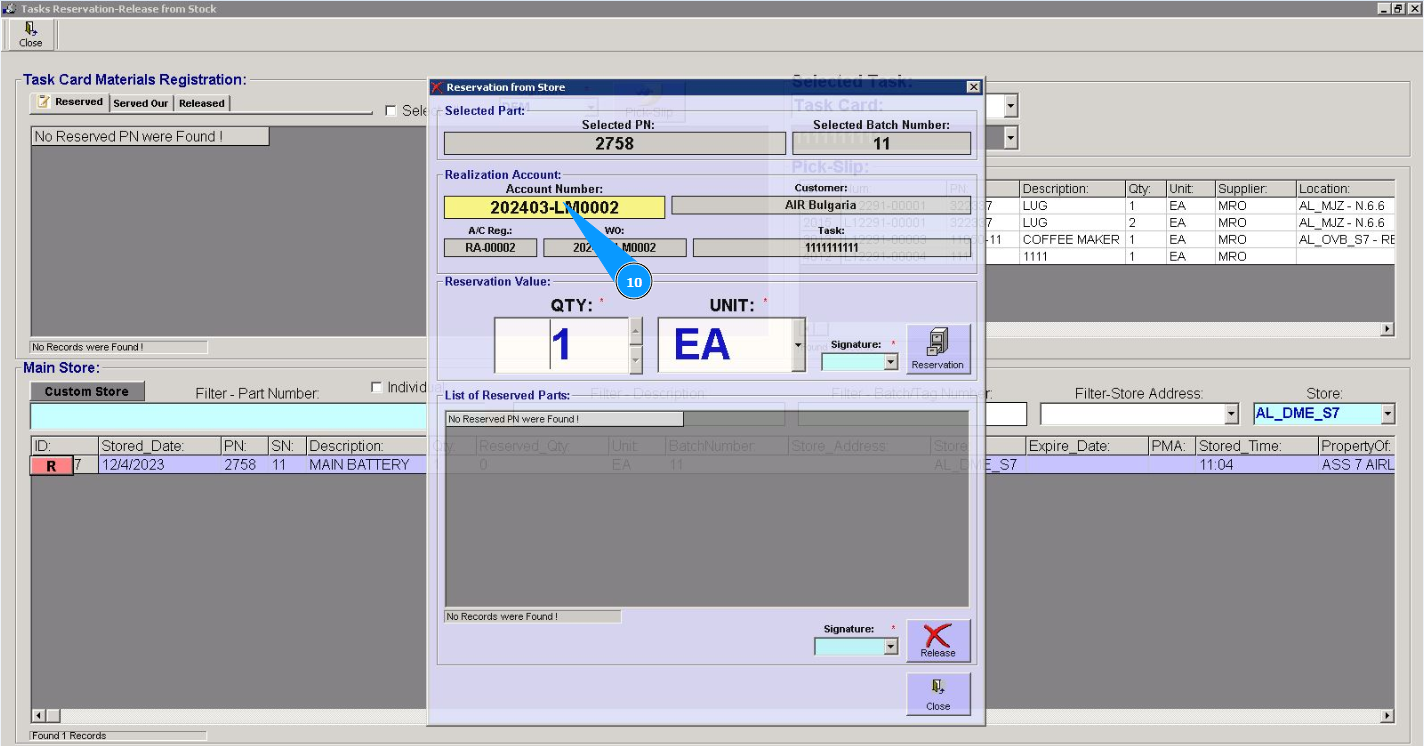
How to create stock account for WO
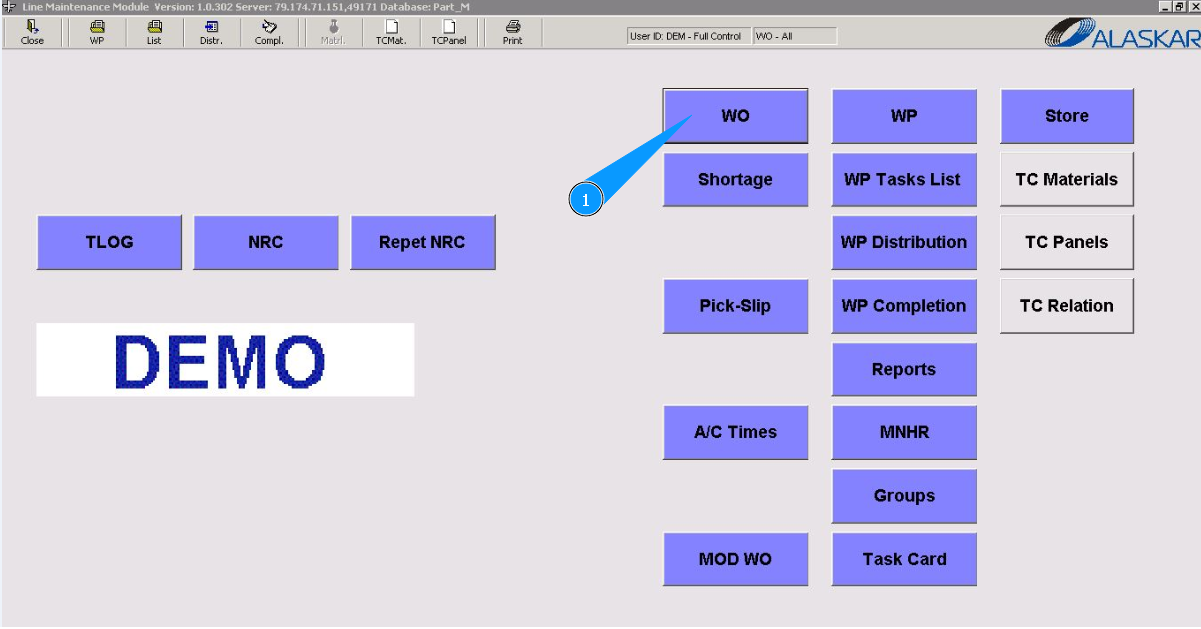
1. In order to create stock account for WO, go to the submodule "WO".
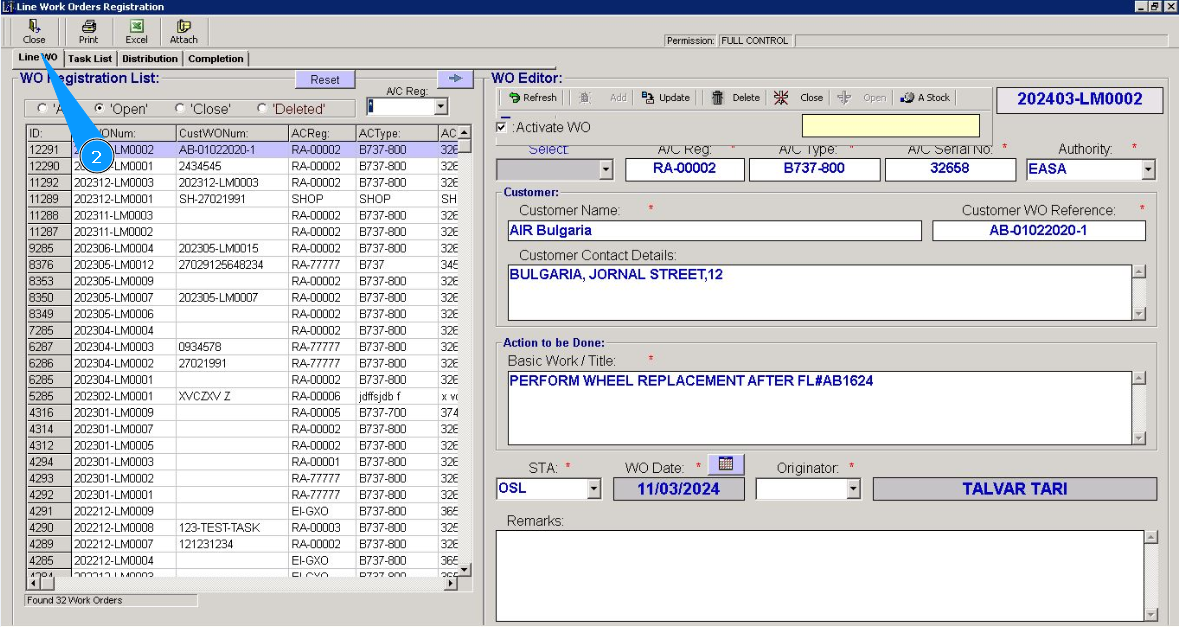
2. Then go to the tab "Line WO".
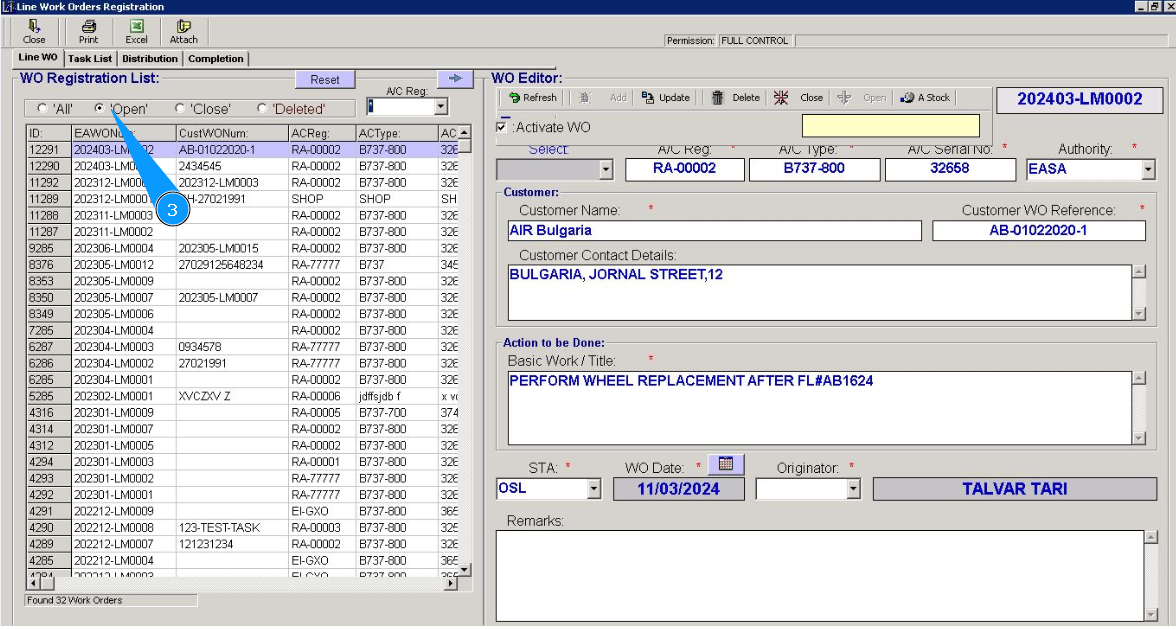
3. Check that the open WO filter is set in the field "Opened".
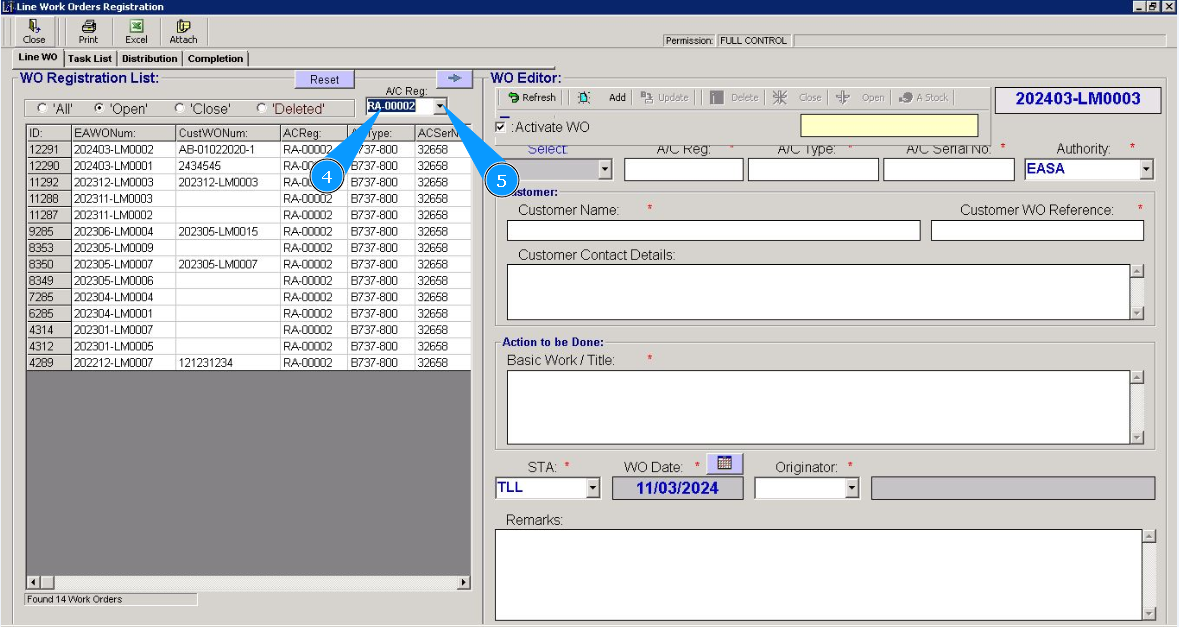
4. Enter the aircraft registration number in the field "A/C Reg:" and press the knob "Enter" on your keyboard.
5. Or select the aircraft registration number from the dropdown list.
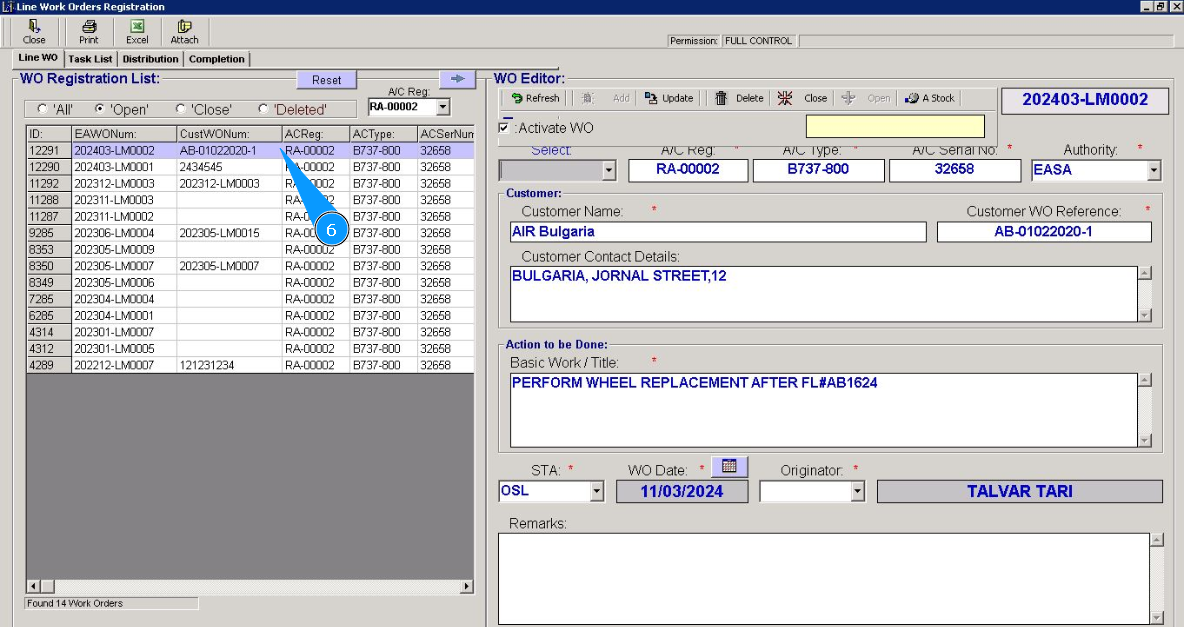
6. Select the WO number required for account creating from the list in the window "WO Registration List". Click on the corresponding line with WO.
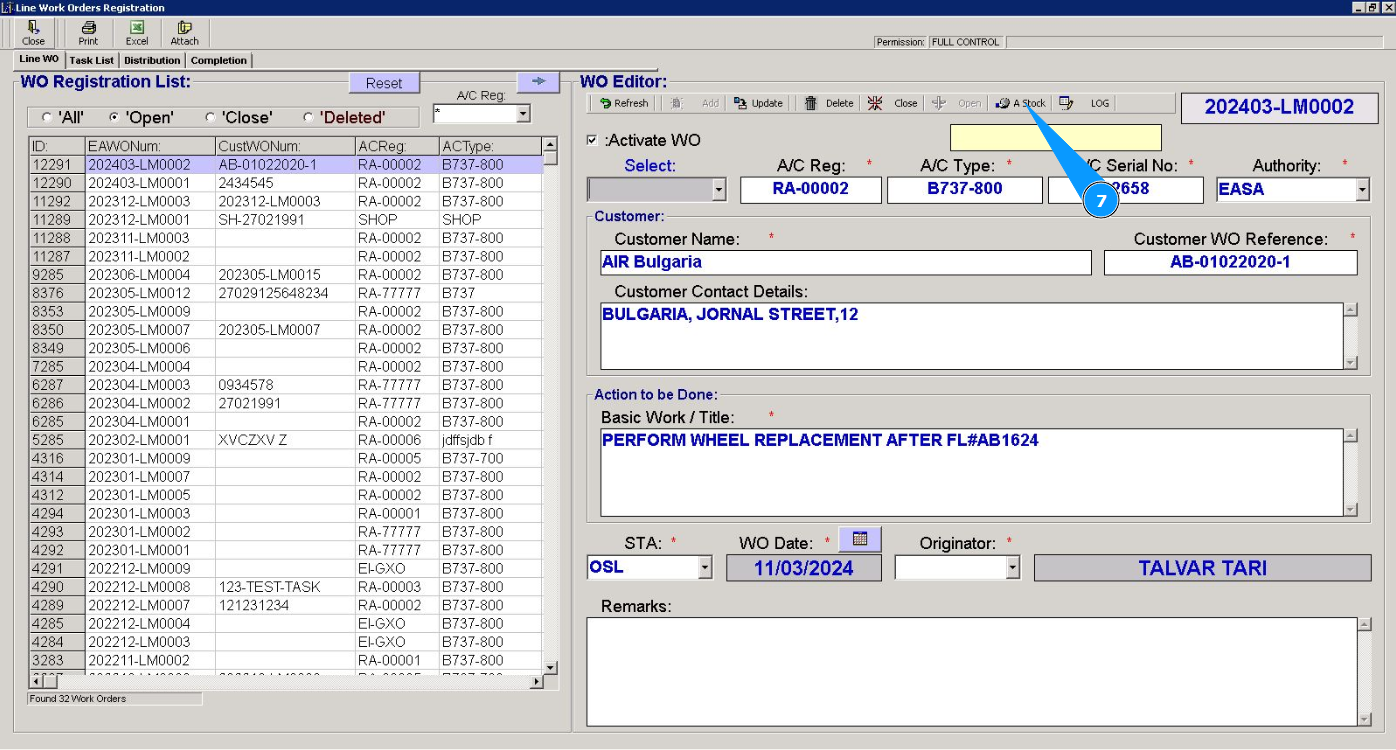
7. Click on the button "A-Stock", to add stock account for this WO to the program.
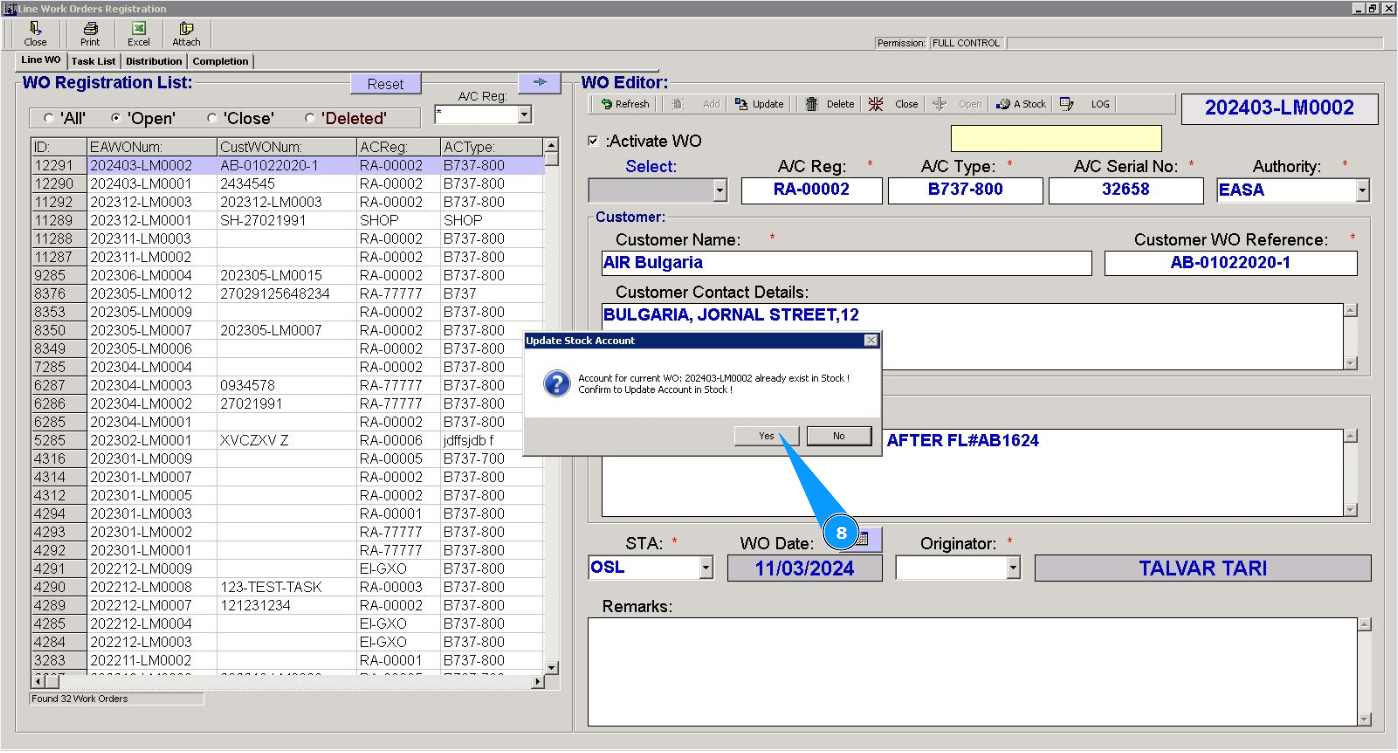
8. Click on the button "Yes", to confirm adding account to the program.
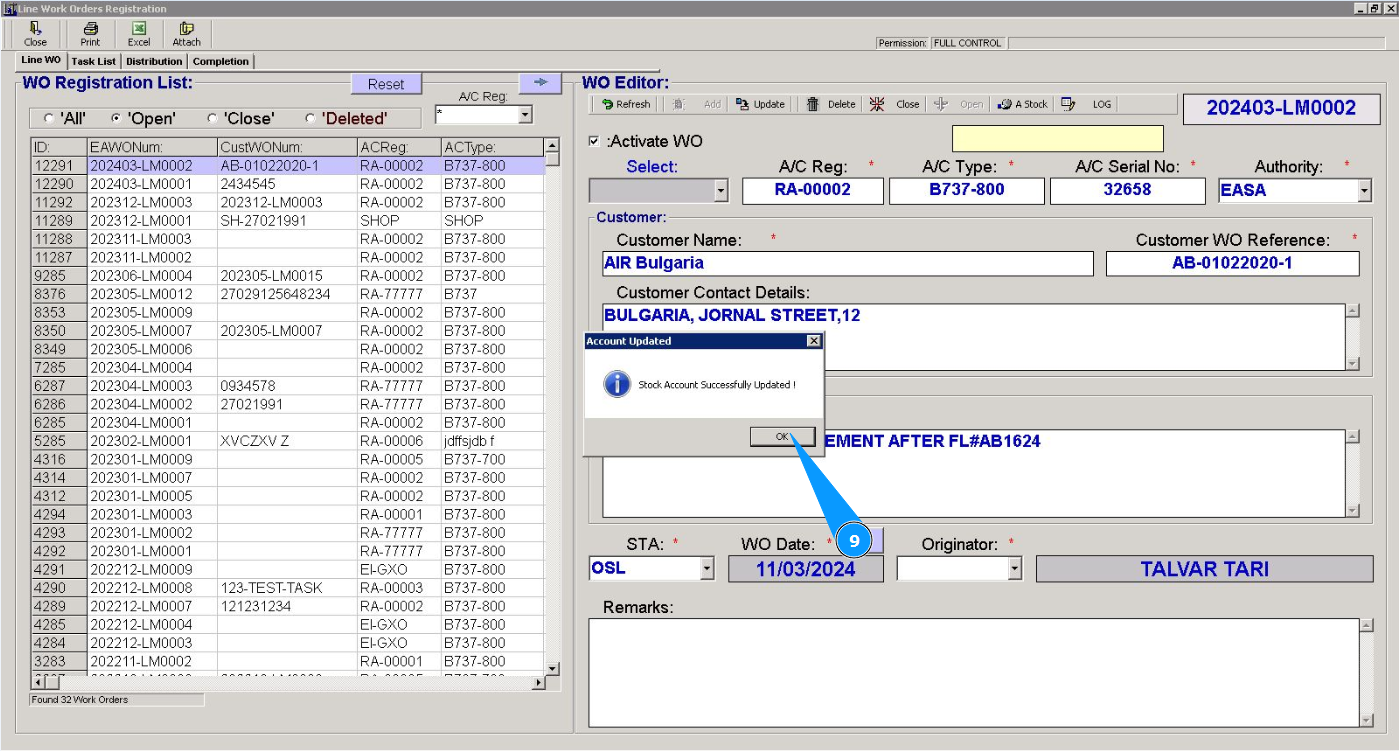
9. Click on the button "Ok", stock account is succesfully added to the program.
10. Now, when we will issue material for this WO, the created account will be automatically displayed in the editor.