How to close Non-Completed Task Item for WO
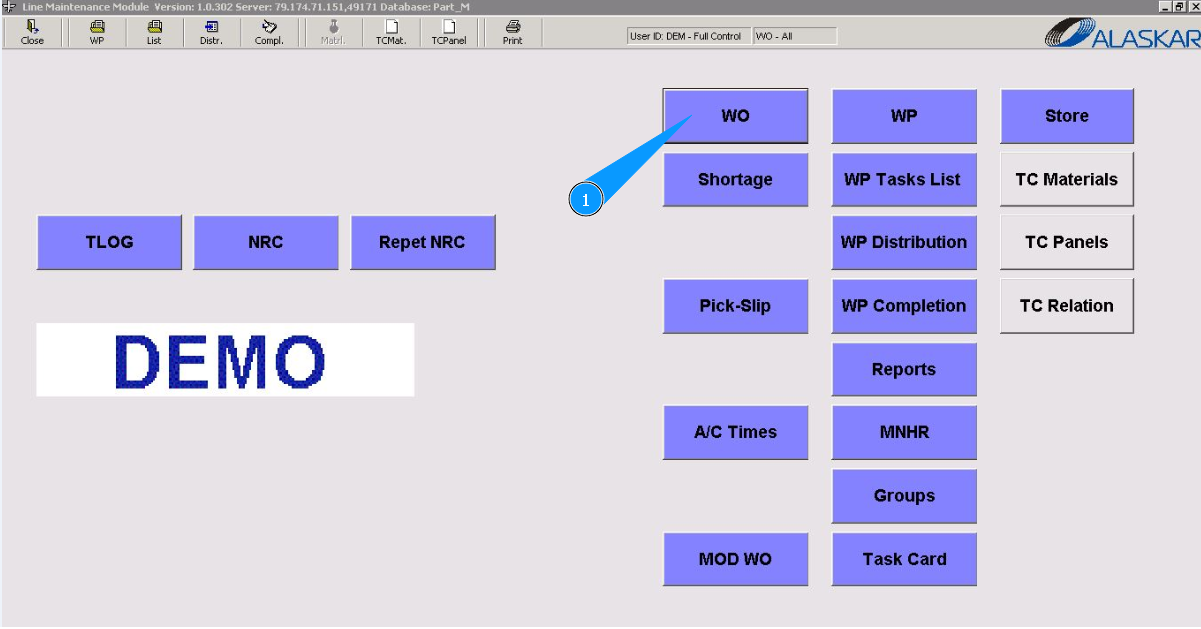
1. In order to close Non-Completed Task Item for WO, go to the submodule "WO".
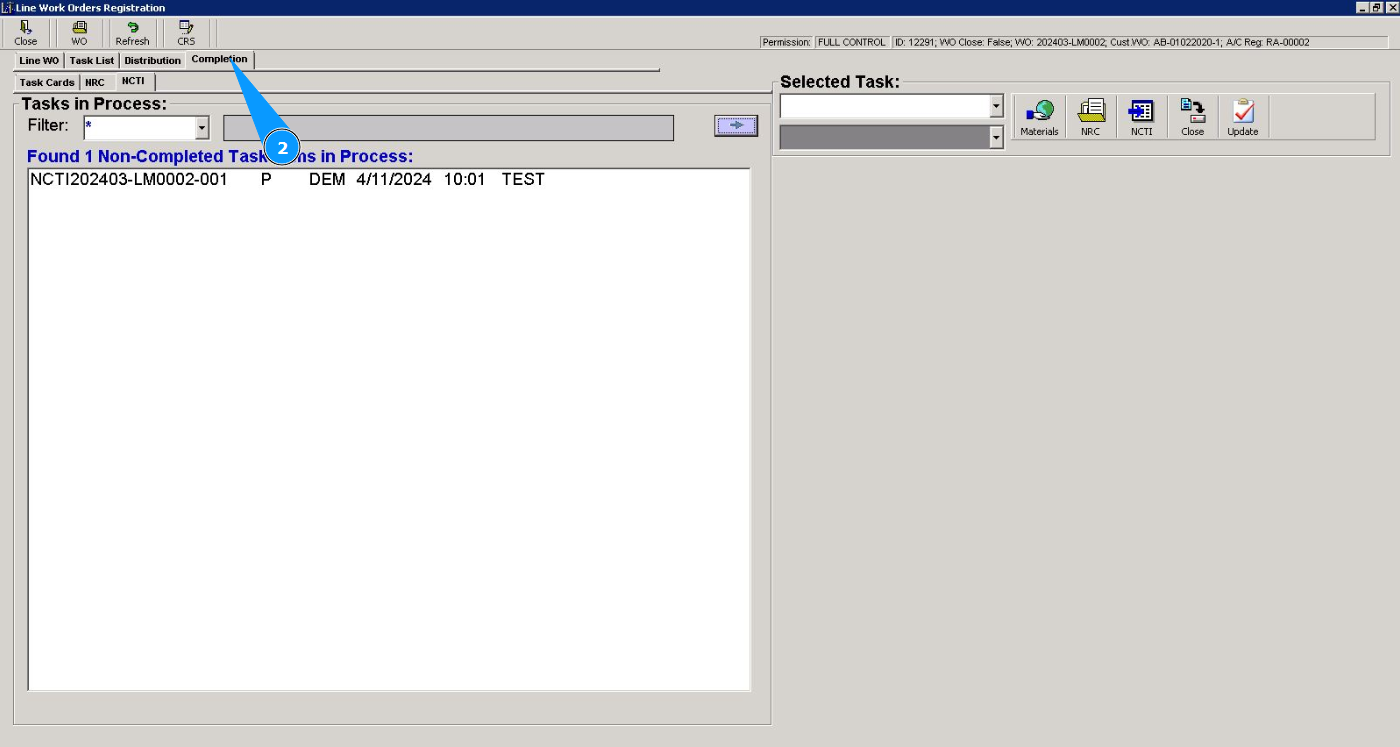
2. Then go to the tab "Completion".
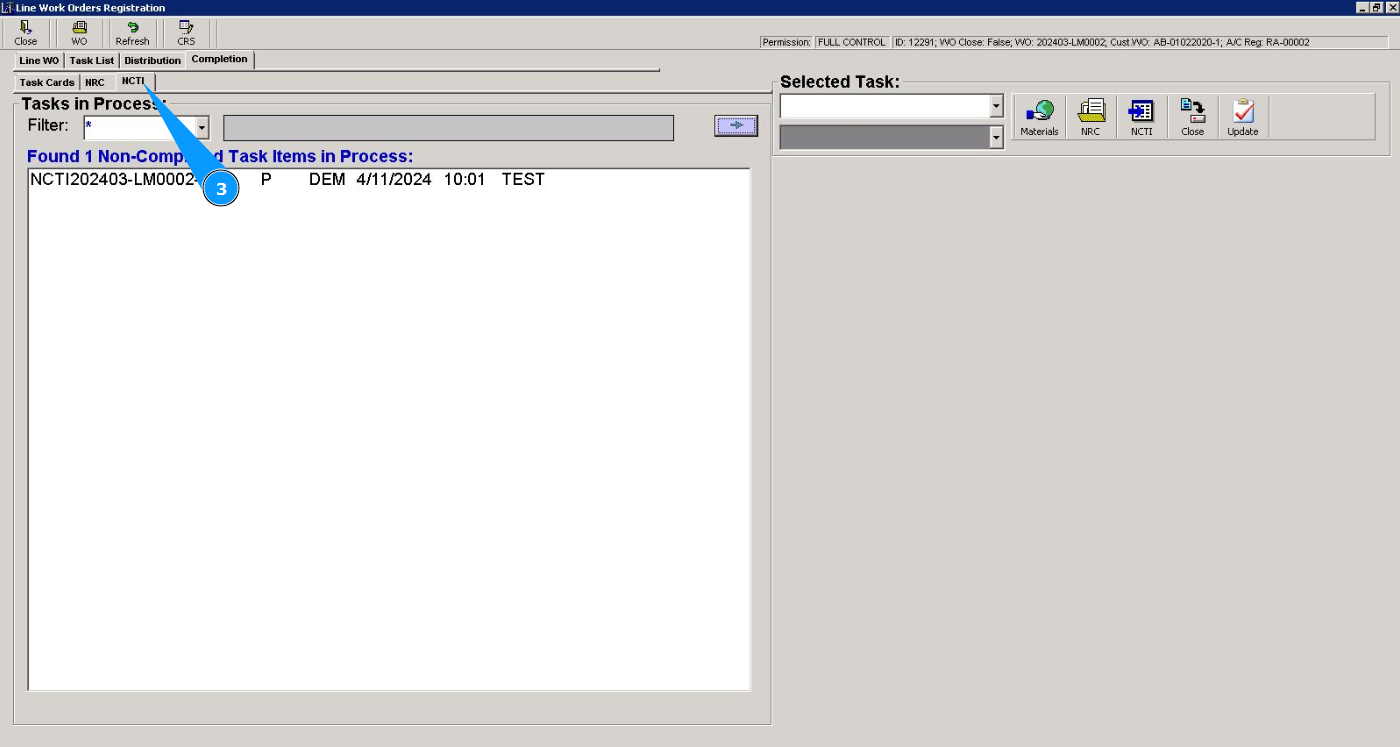
3. Then go to the tab "NCTI".
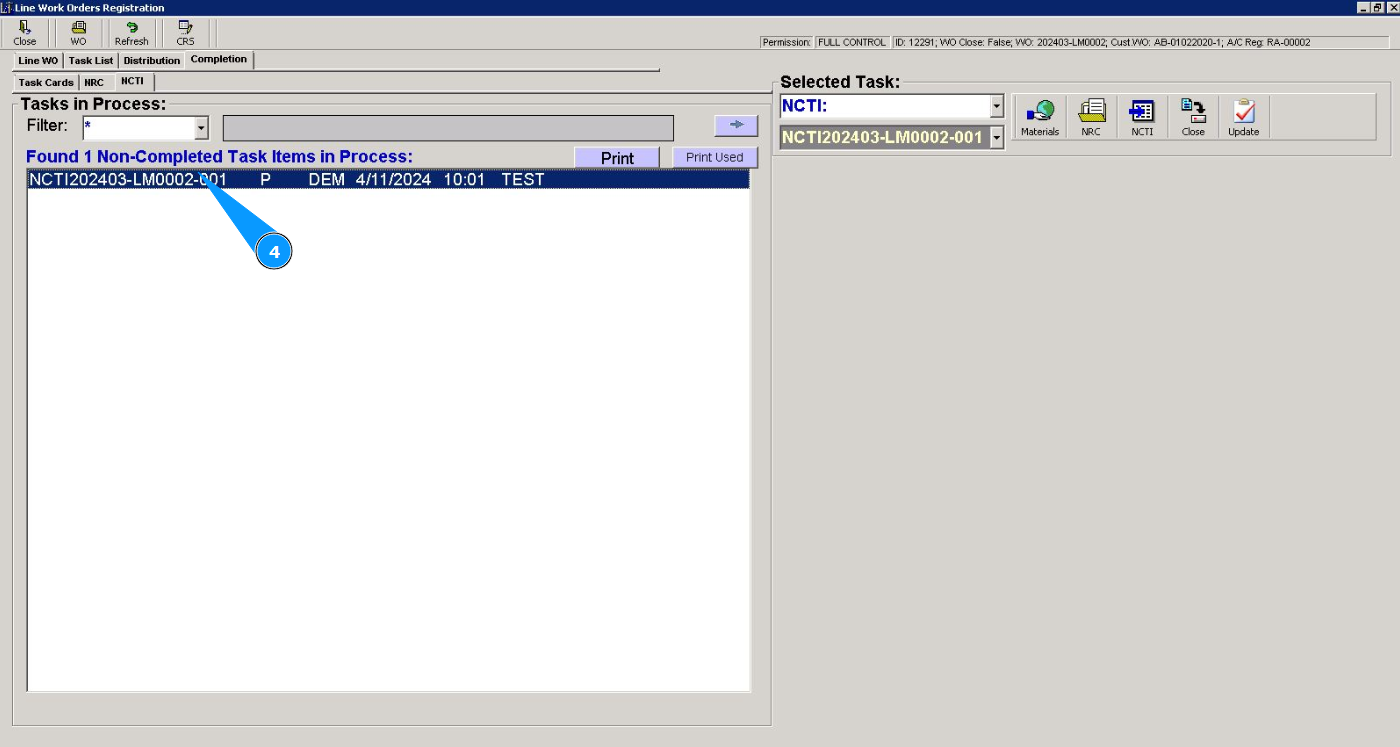
4. Select the required NCTI and click on the coresponding line.
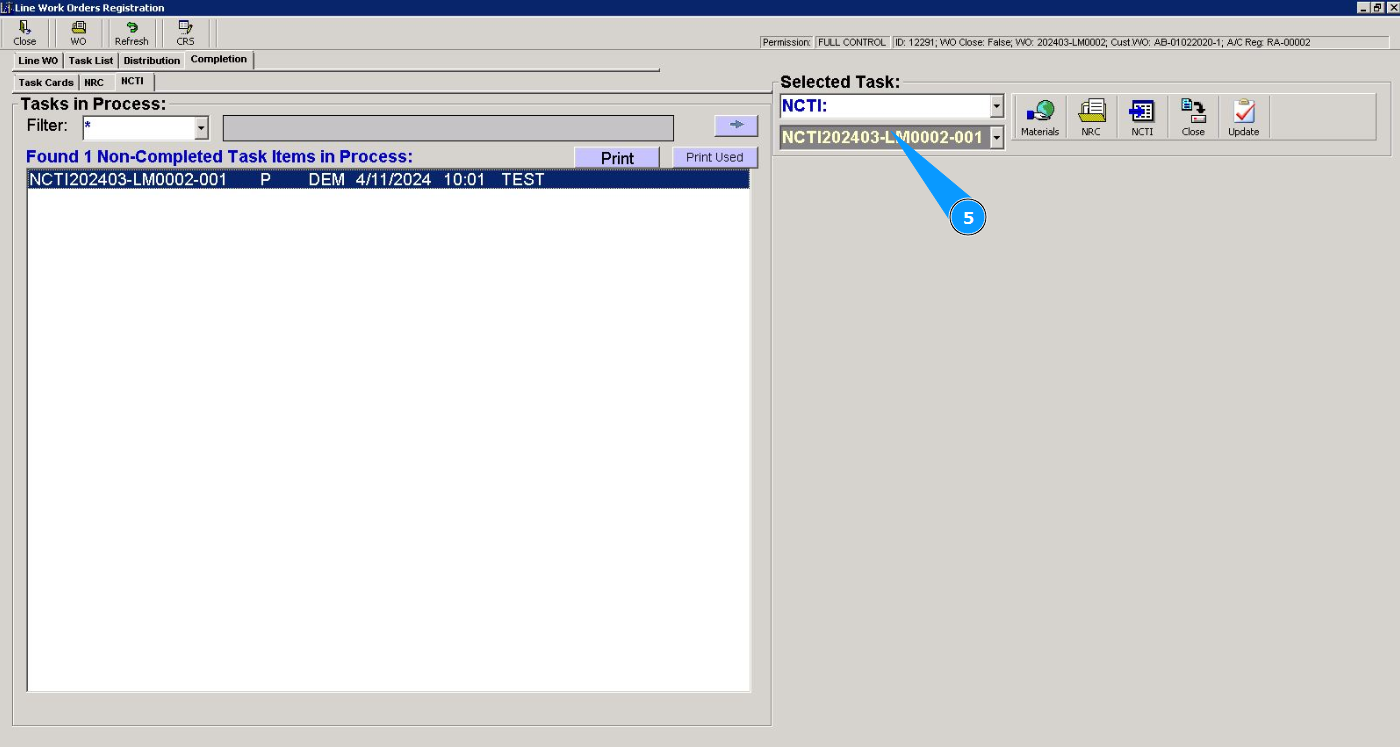
5. Check that the task item number is displayed in the window "Selected Task".
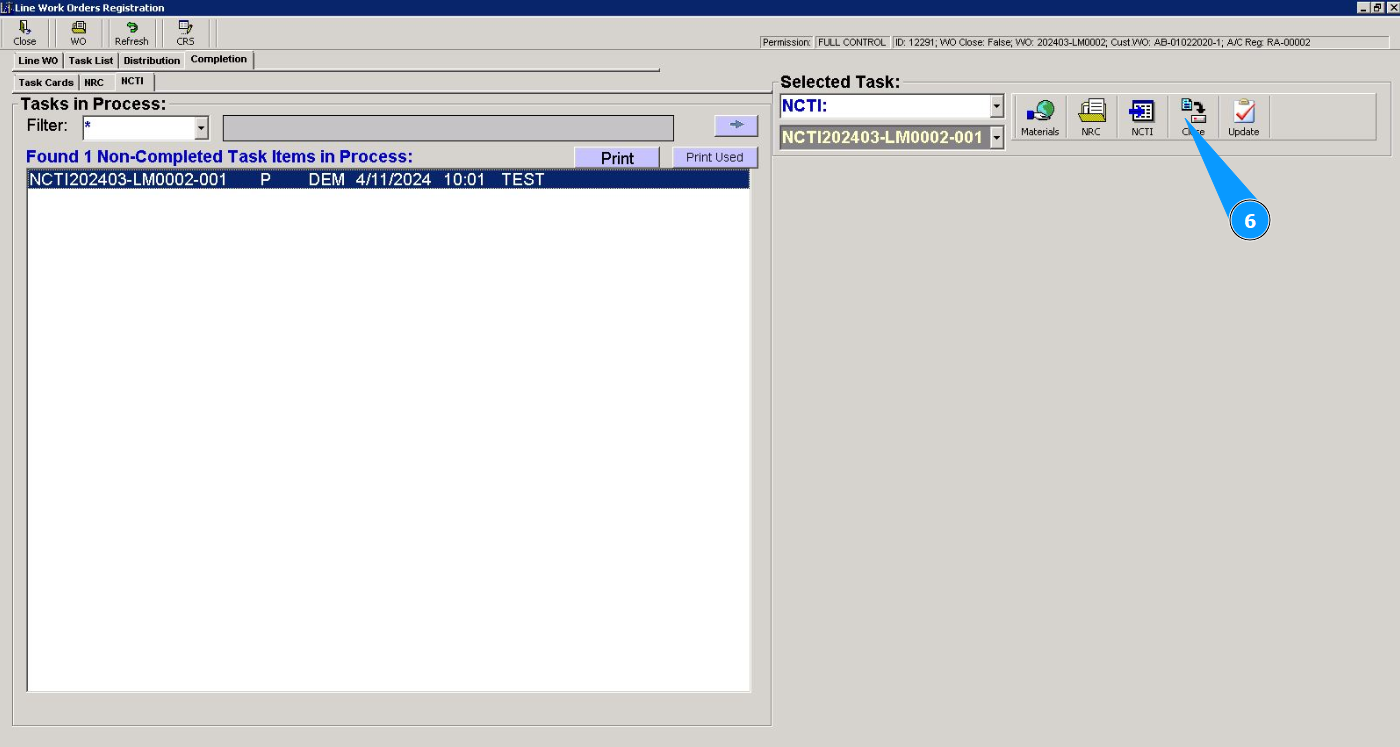
6. Click on the button "Close" to start closing proccess of NCTI.
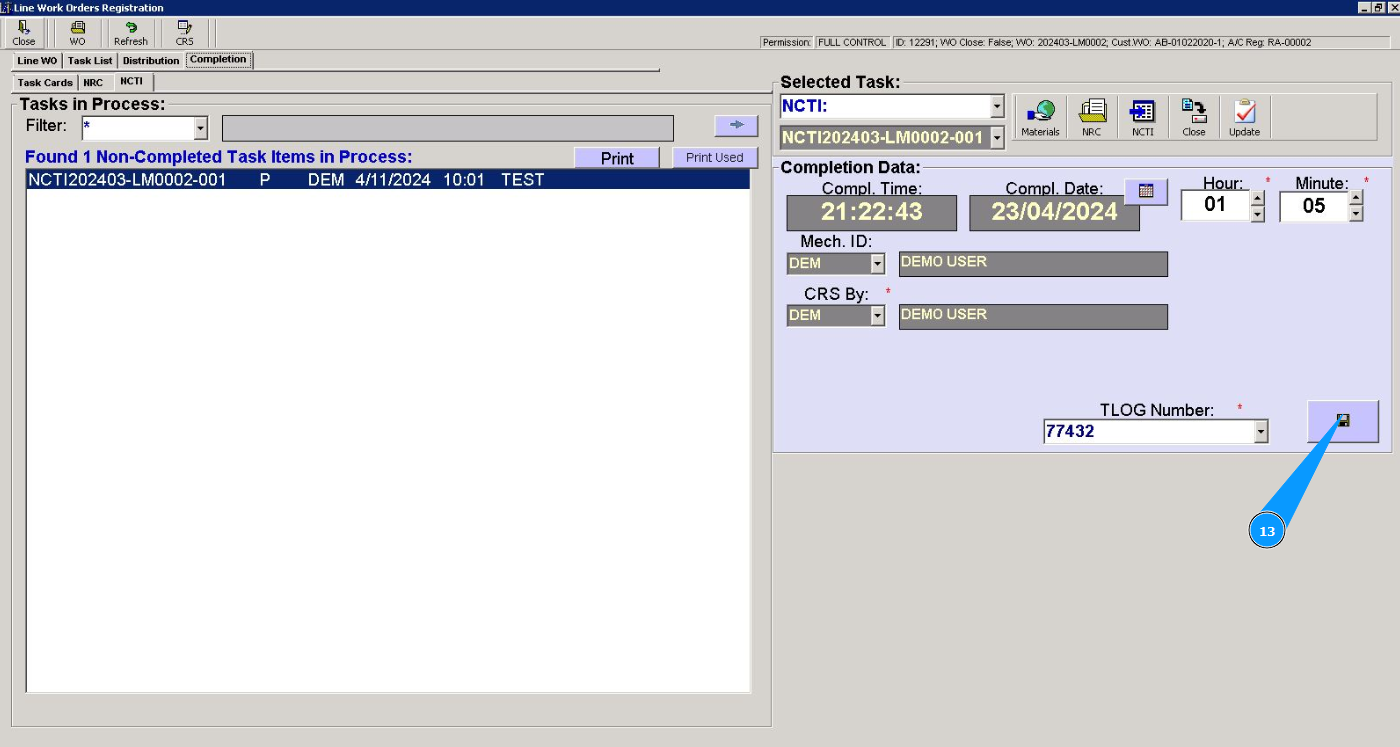
7. Check that the task item editor has opened, window "Completion Data". Note: The time and date fields are filled in automatically when working with the editor. If necessary, you can change the due date.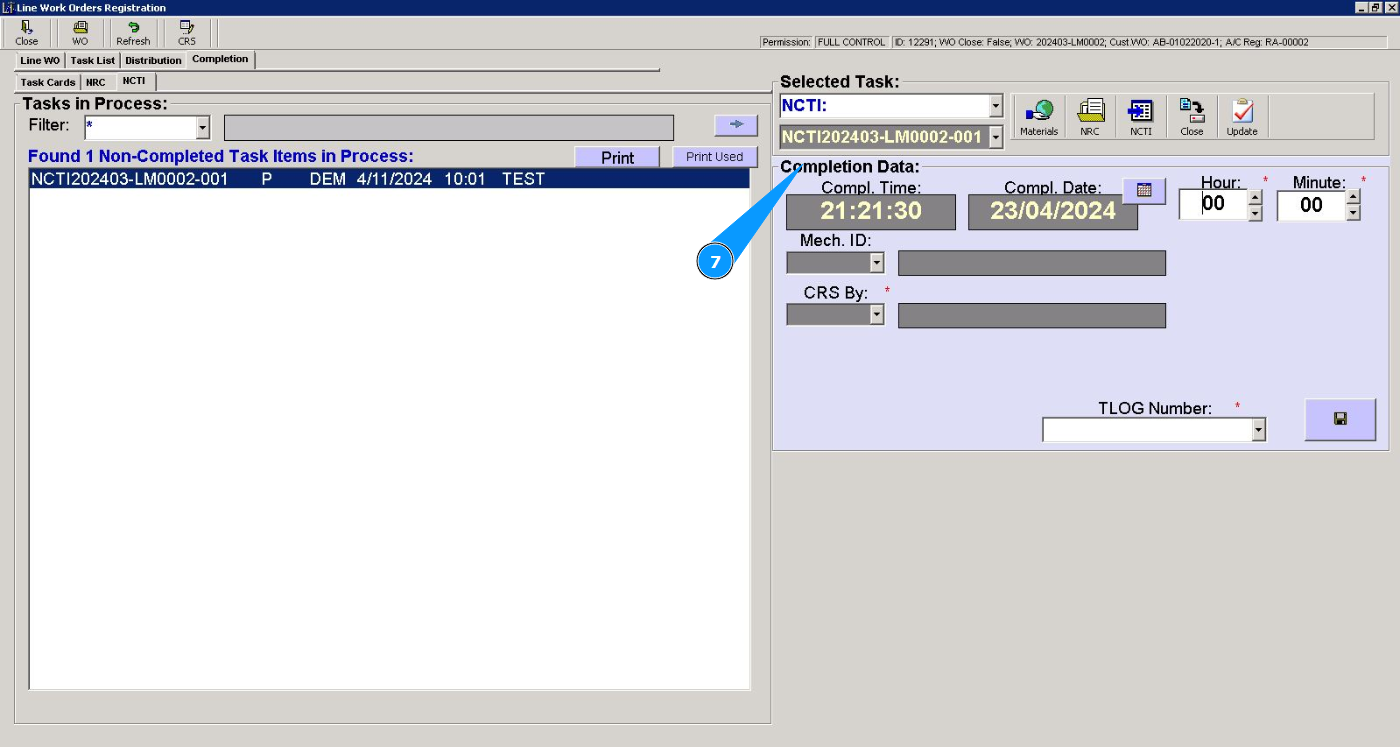
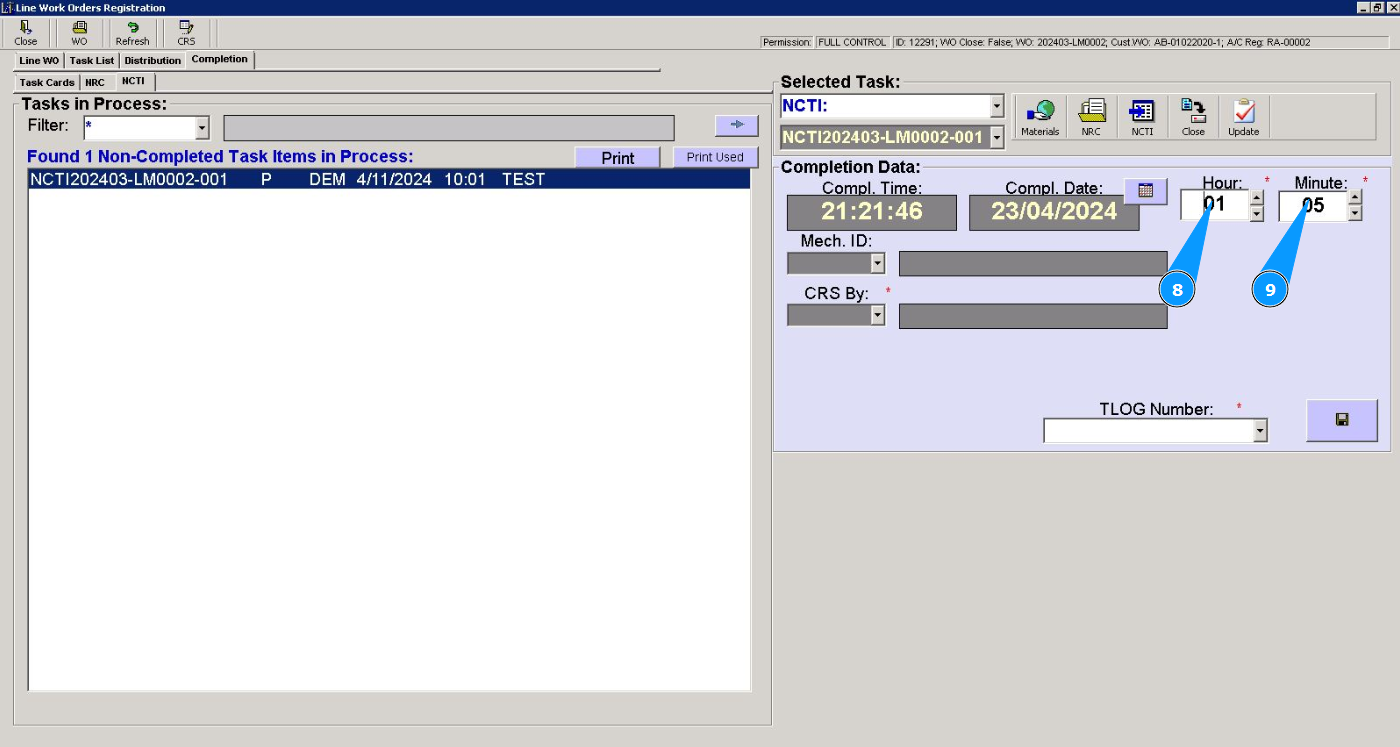
8. Enter information of spent hours in the field "Hour".
9. Enter information of spent minutes in the field "Minute".
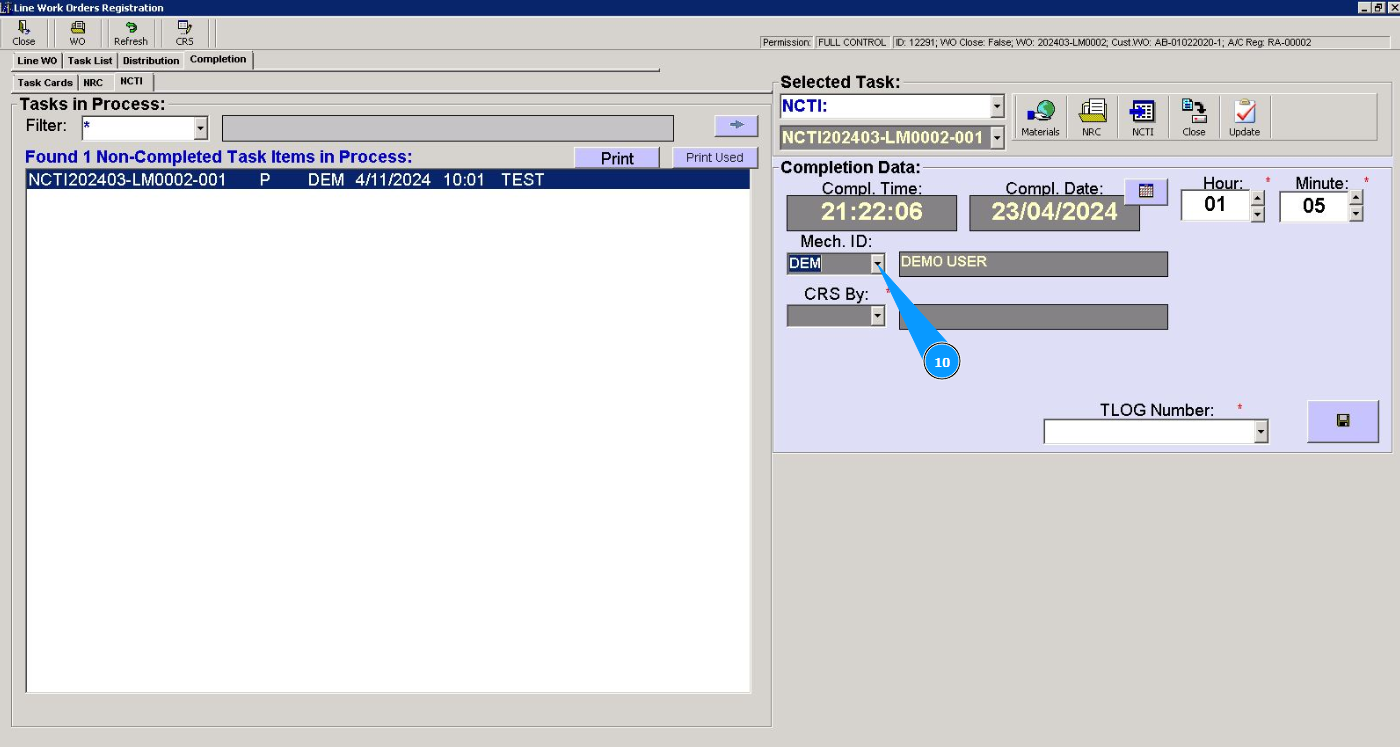
10. Select from the dropdown list the ID of the specialist who completed this NCTI in the field "Mech.ID".
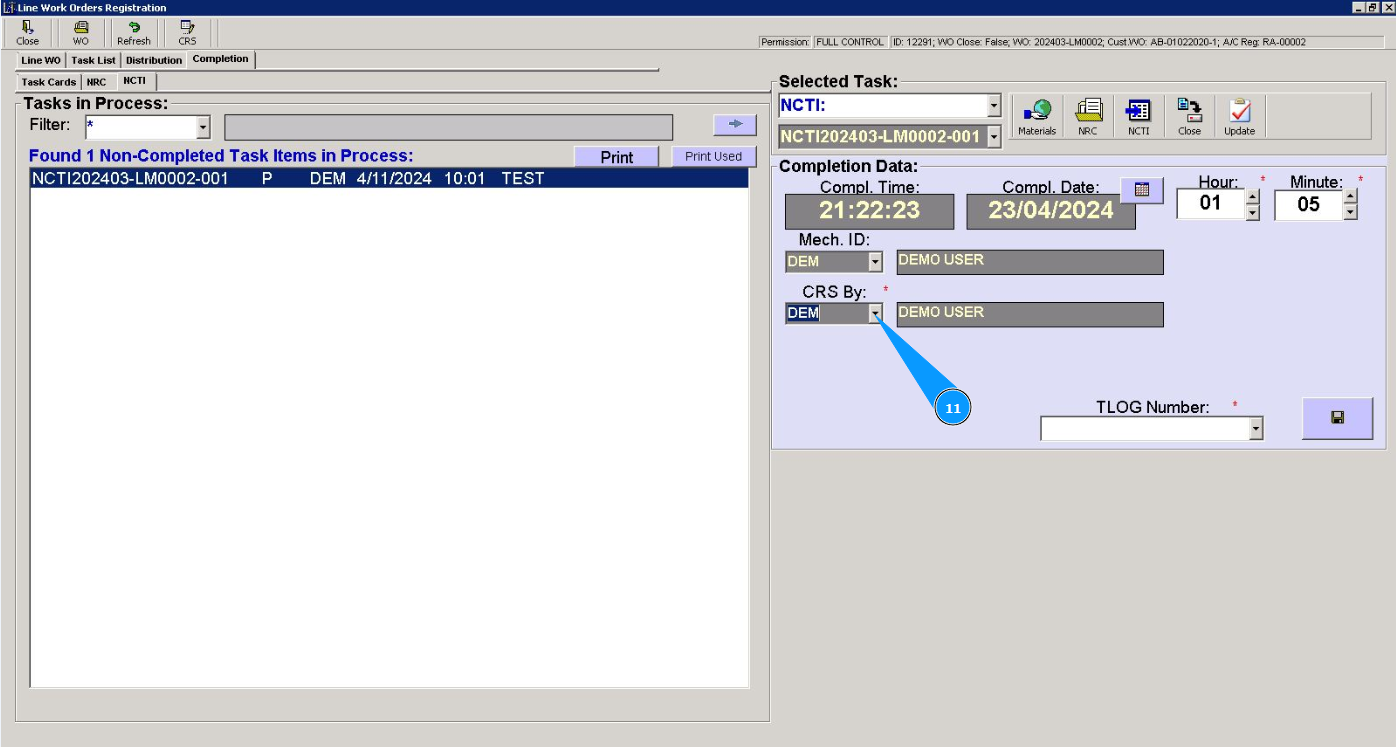
11. Select from the dropdown list the ID of the certifying staff who issued CRS in the field "CRS By".
12. Enter or select from the dropdown list the aircraft logbook number in the field "TLog Number".
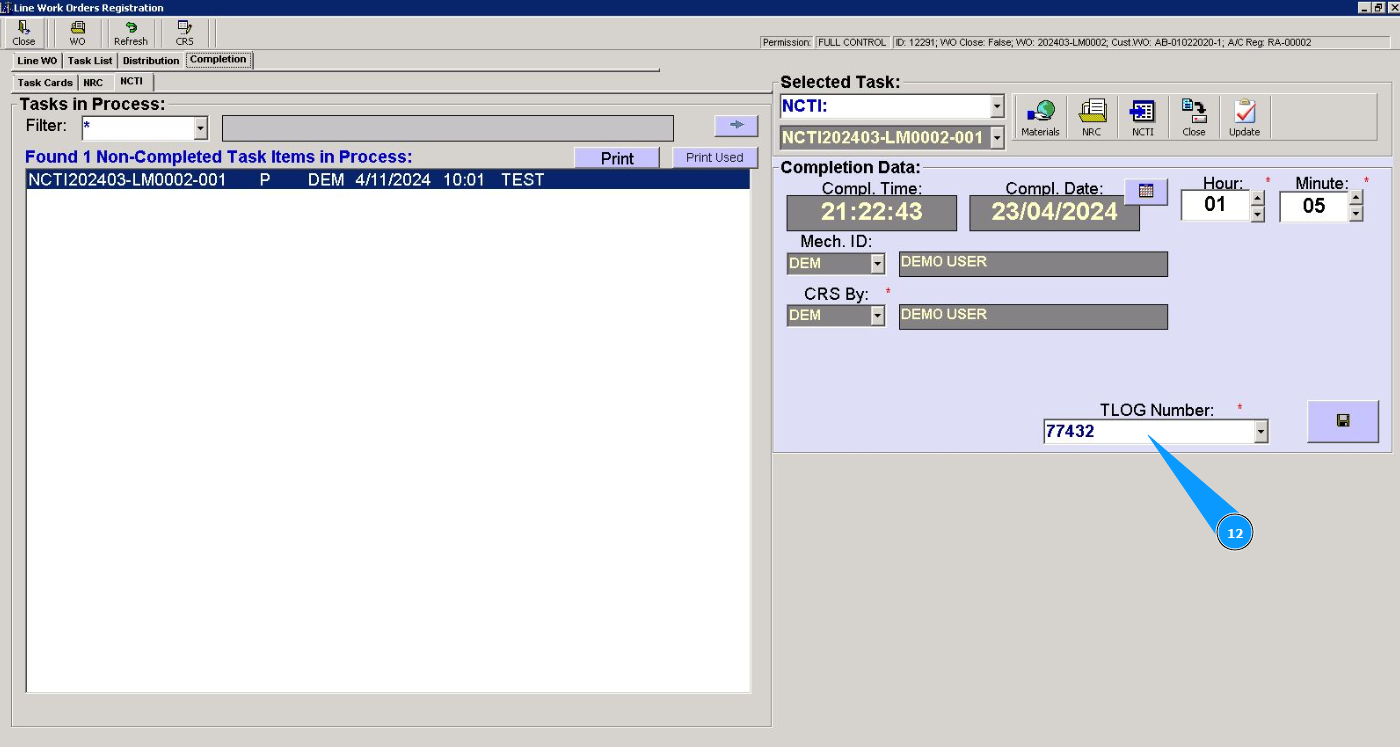
13. Click on the button with a floppy disk symbol to save the completed data of NCTI into the program.
14. Click on the button "Yes", to confirm closing this NCTI.
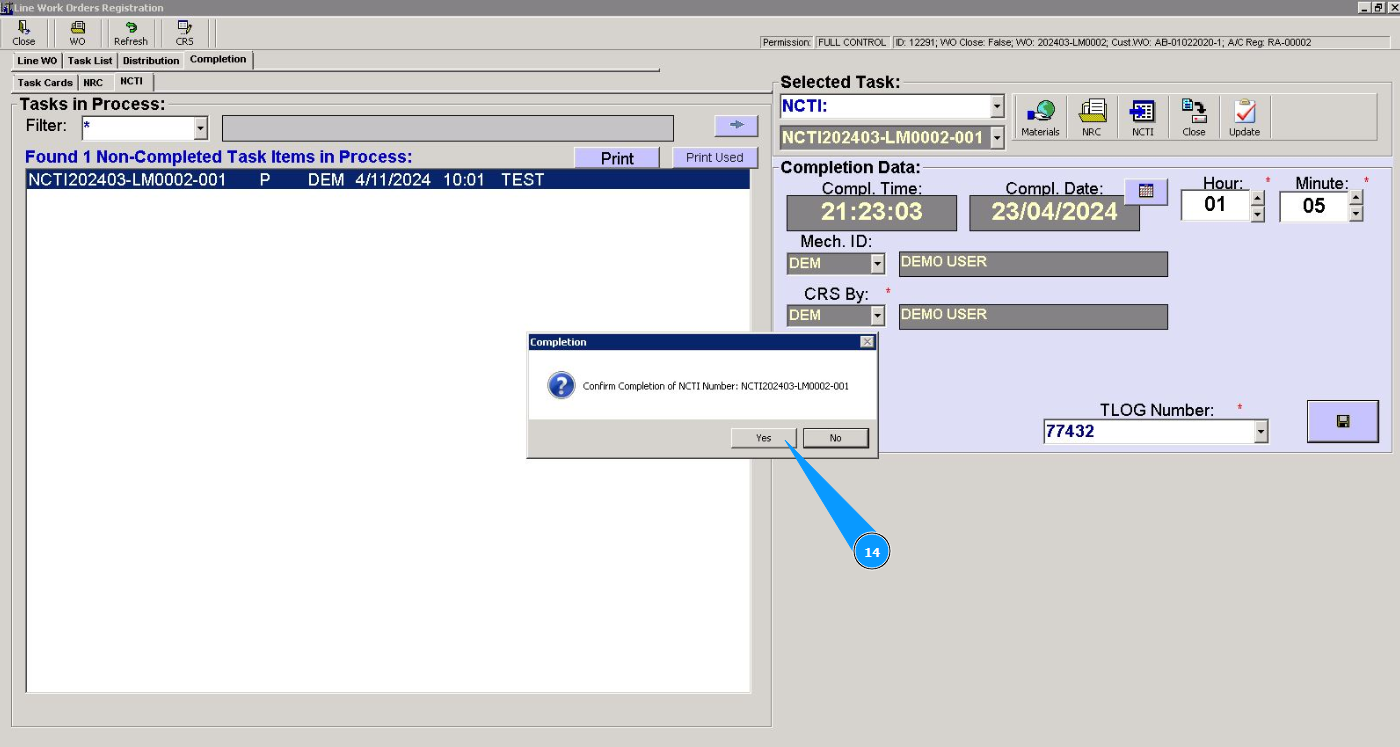
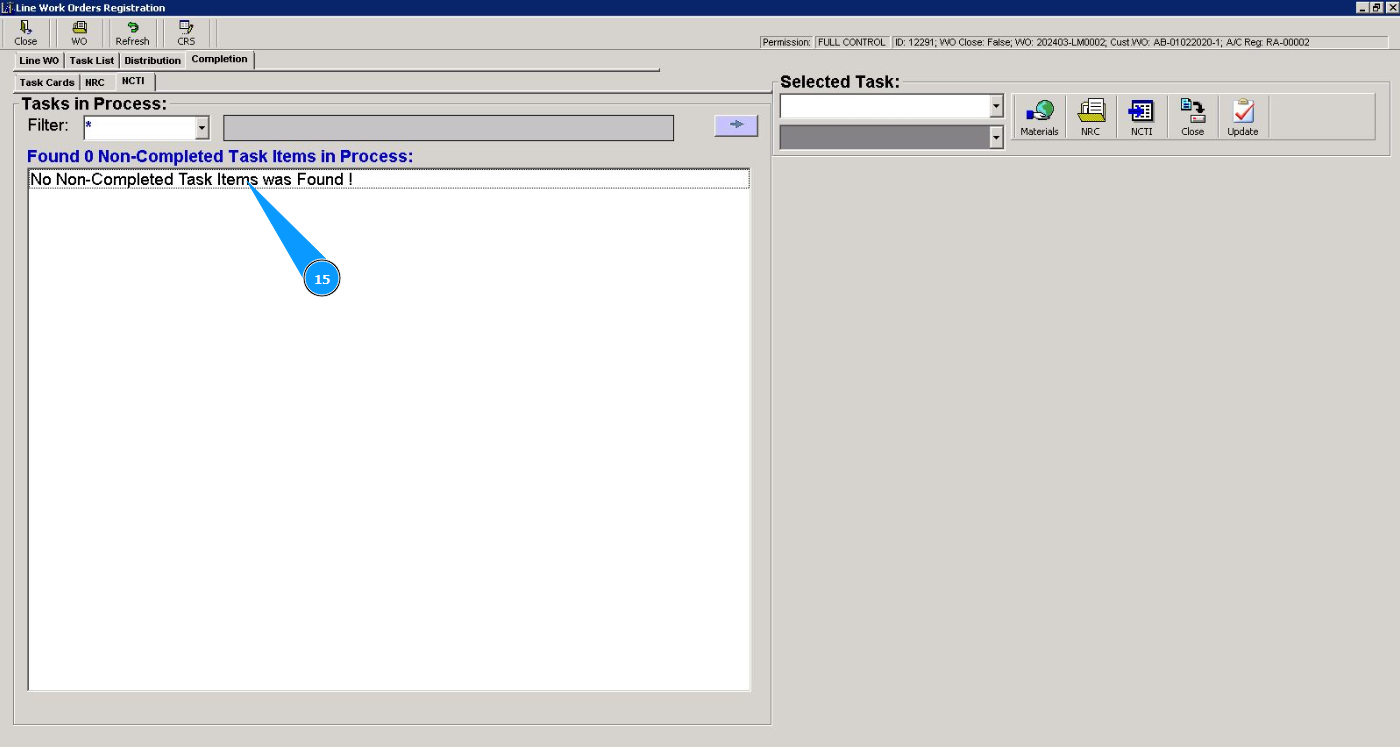
15. Check that the record with the non-completed task item has disappeared from the window "Non-Completed Task Items in proccess".