How to link damage to a component
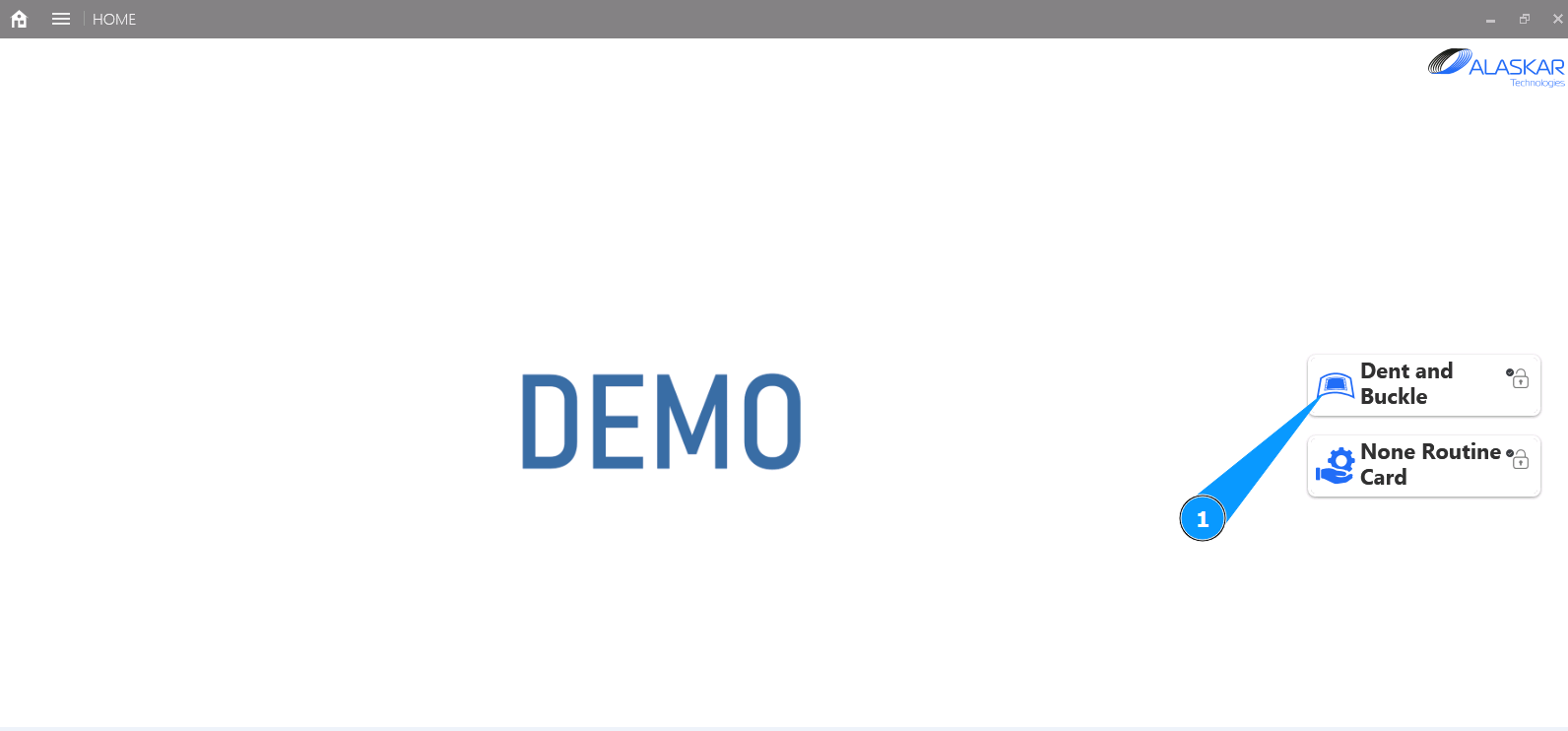
1. In order to link damage to a component, go to the submodule "Dent and Buckle".
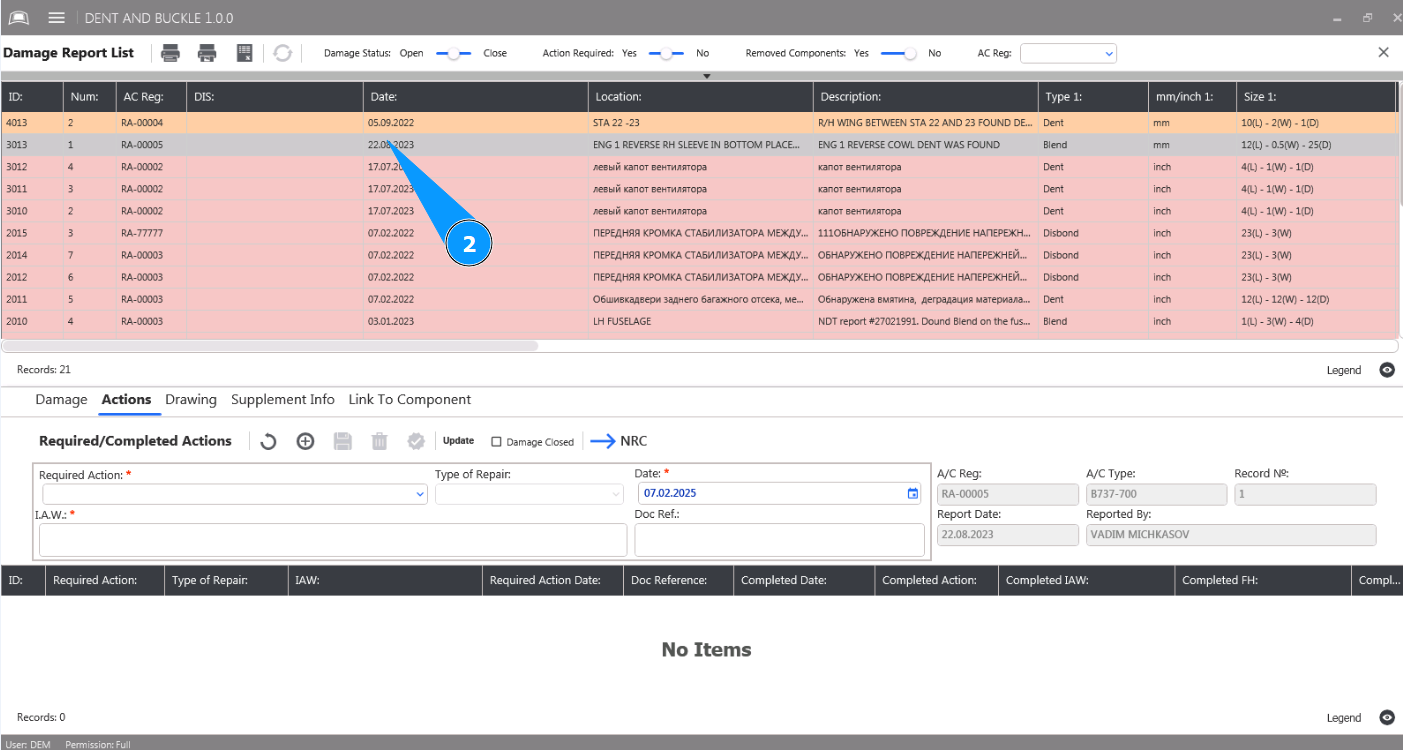
2. Select damage from the list to mark the action and click on the corresponding line in the window "Damage Report List".
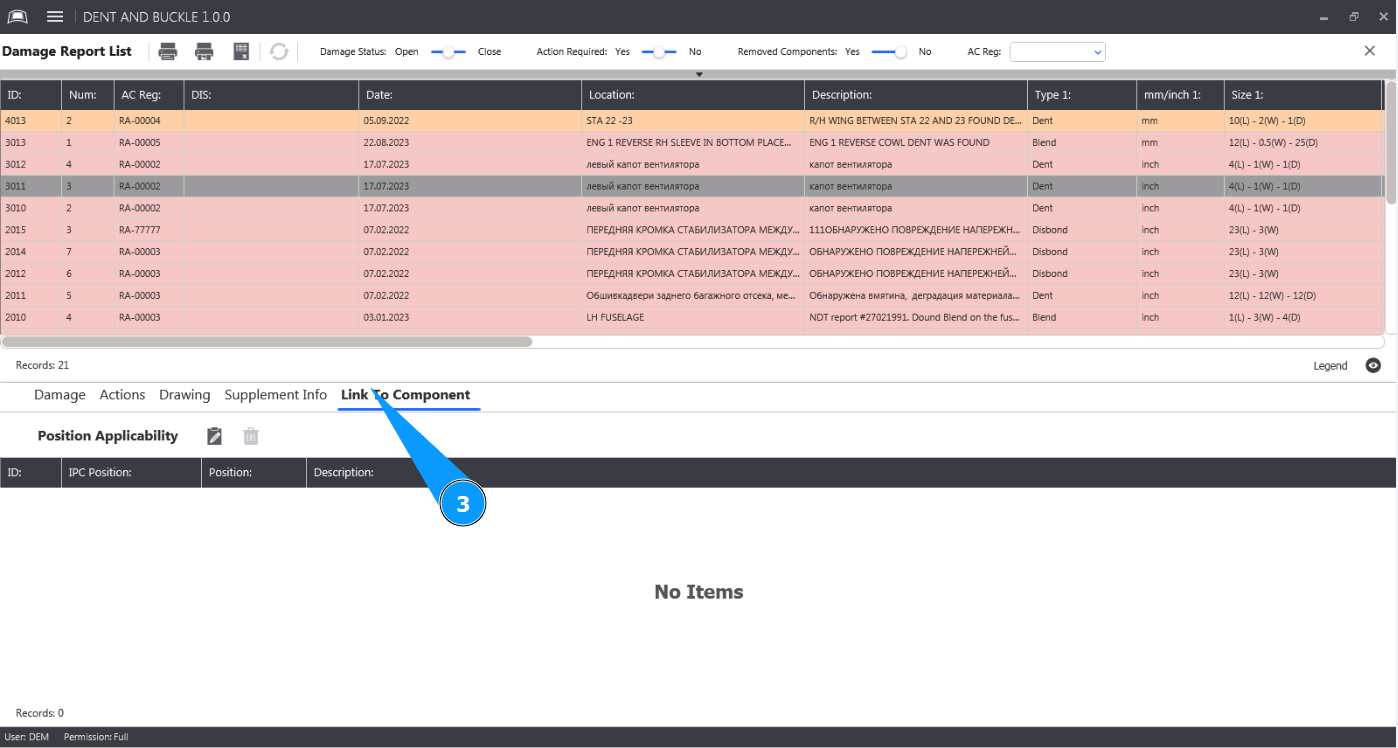
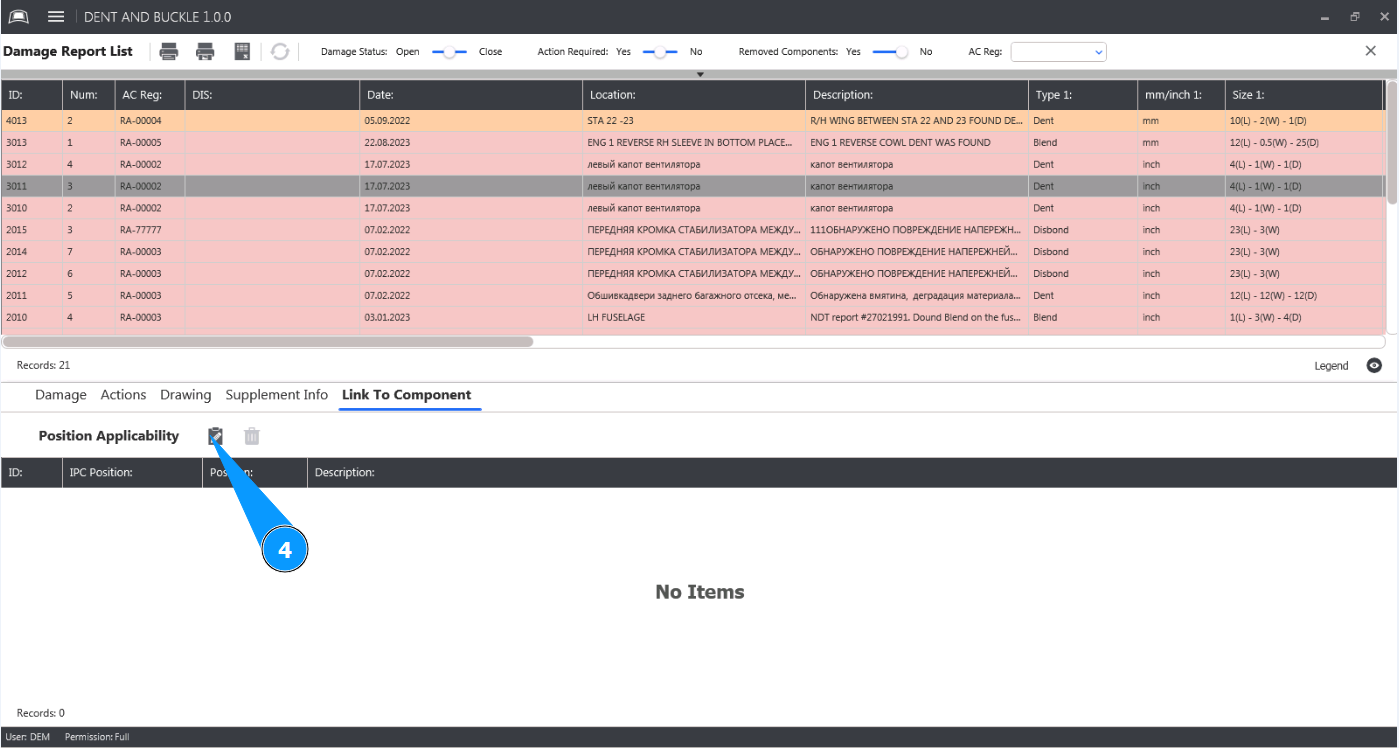
3. Then go to the tab "Link to Component".
4. Click on the button "Open Edit" to open the component link editor.
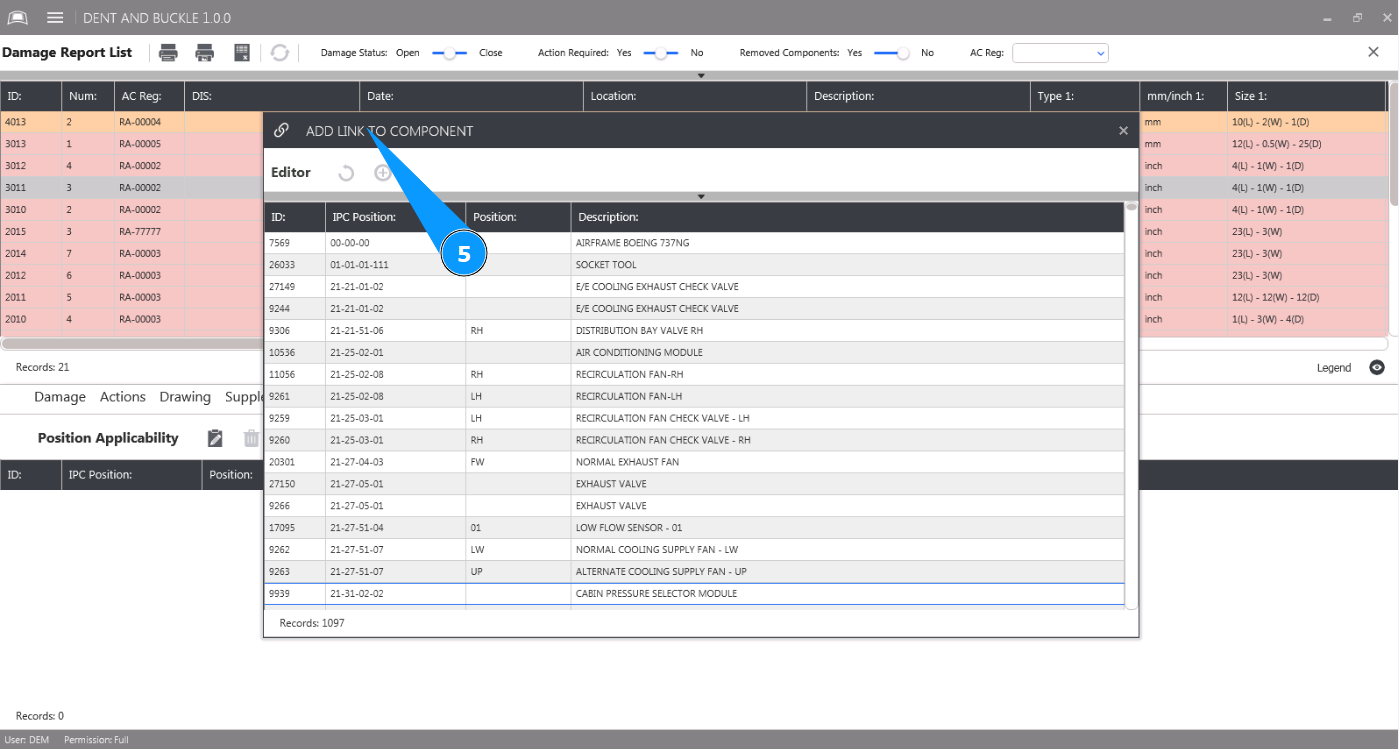
5. Make sure the component link editor is open in the window "Add Link to Component".
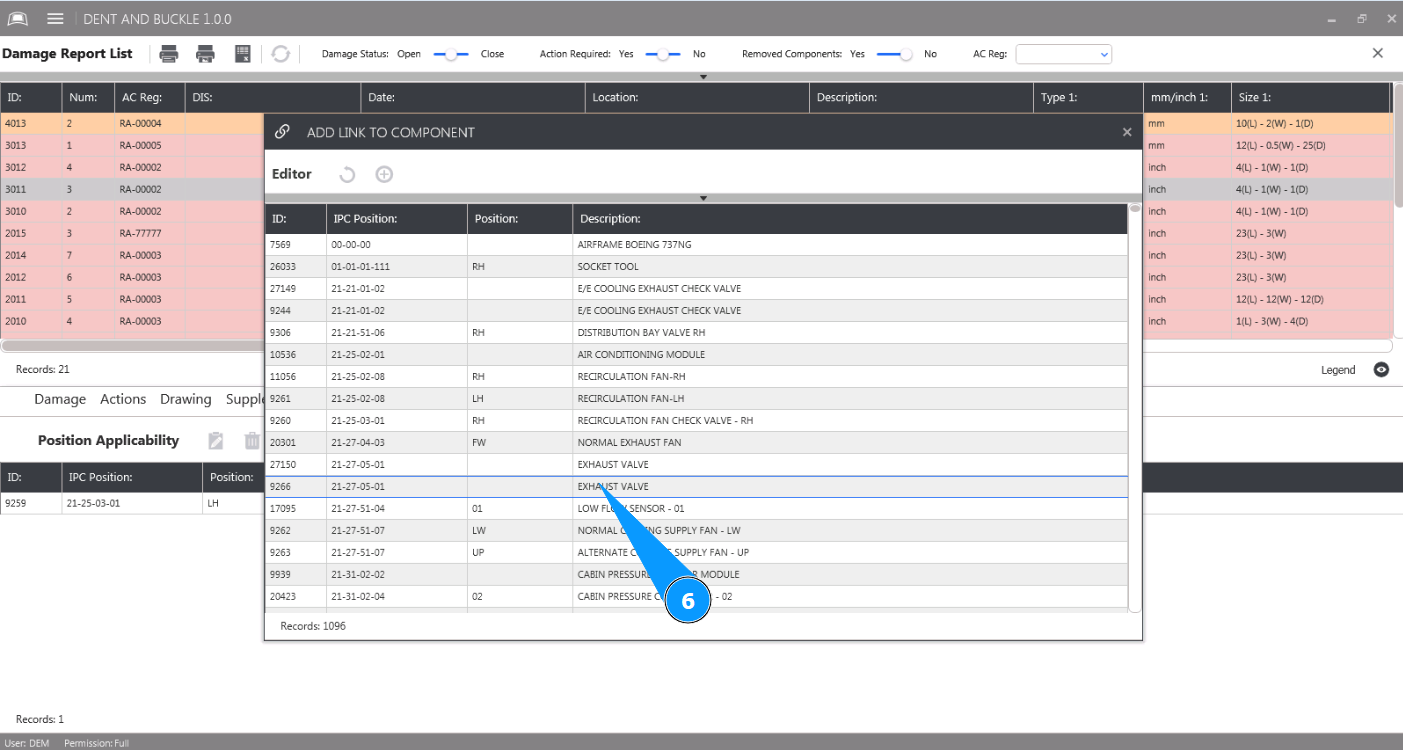
6. Select the component from the list to which you want to link the damage and click on the corresponding line.
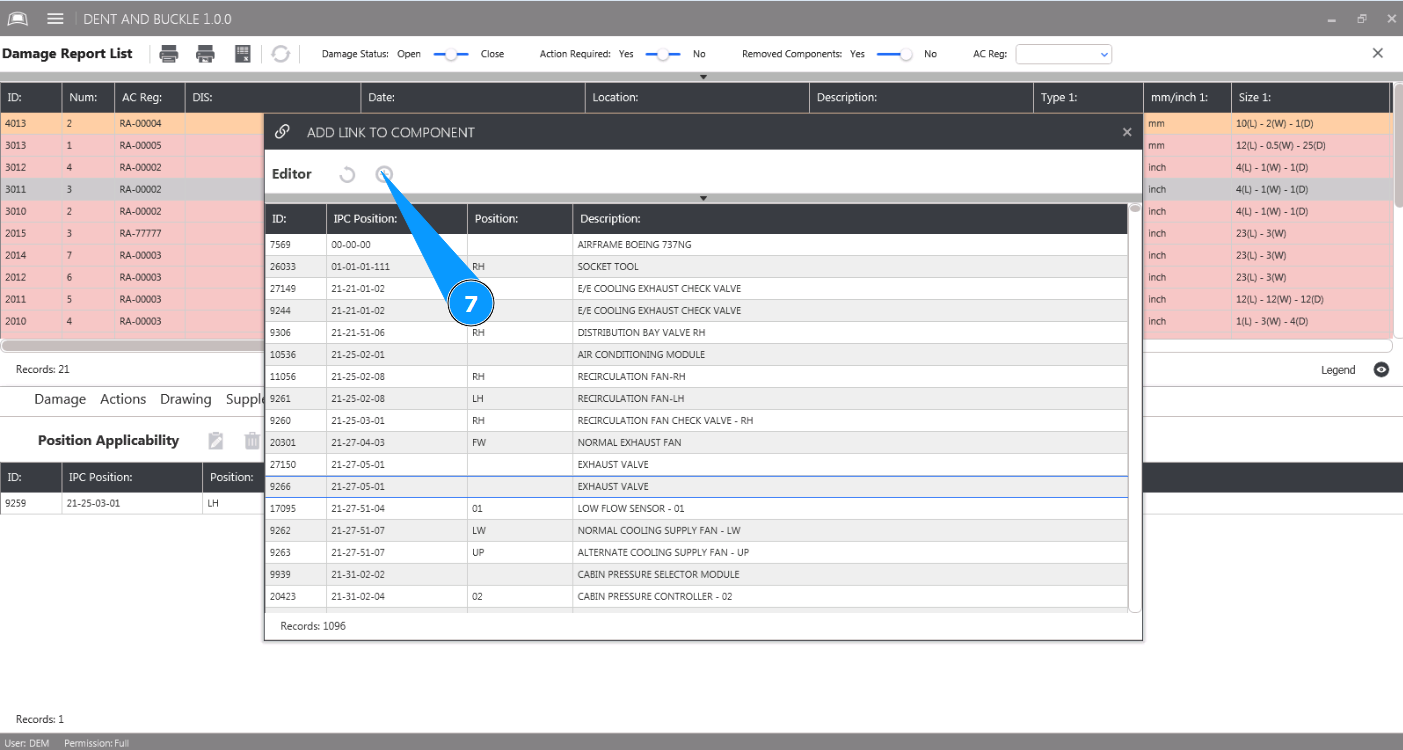
7. Click on the button "Add" to save the component damage link to the program.
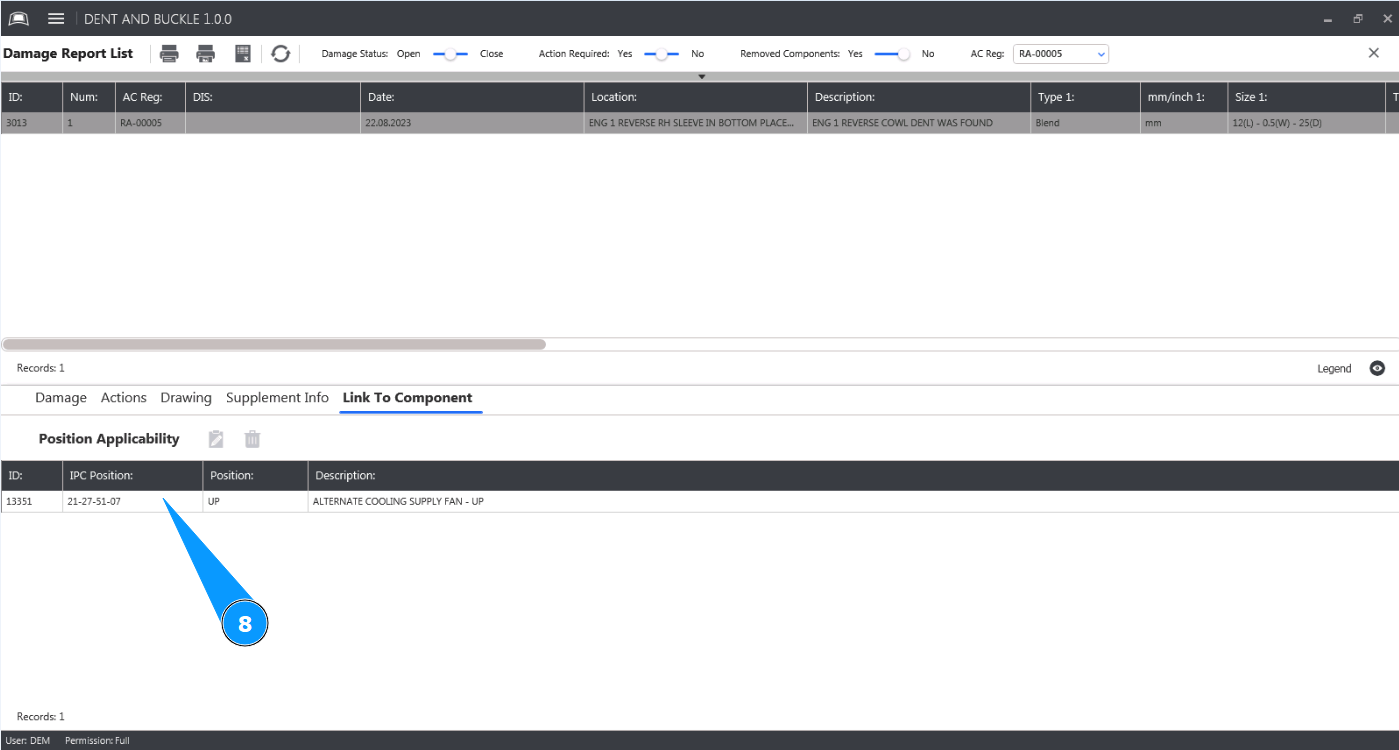
8. Check that the component-damage link is displayed in the window "Position Applicability".