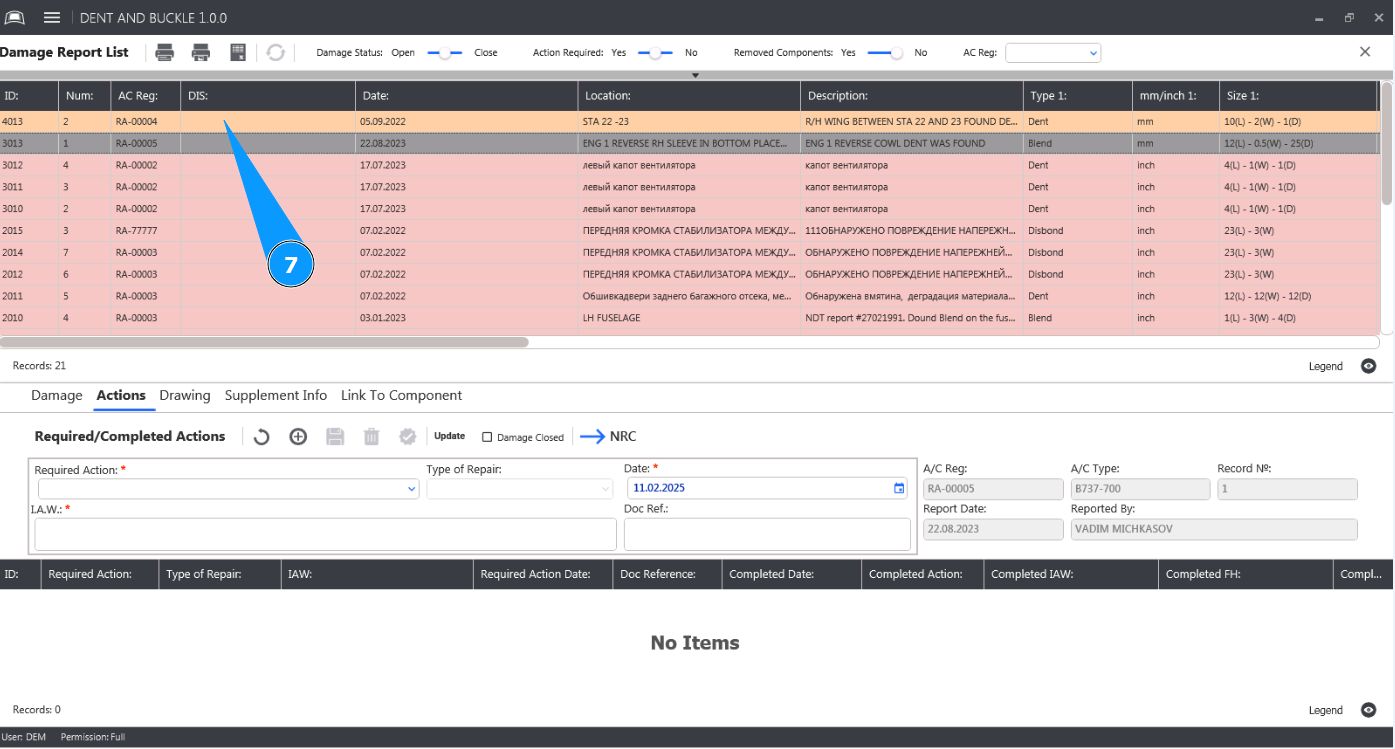
How to close damage
1. In order to close a damage, go to the submodule "Dent and Buckle".
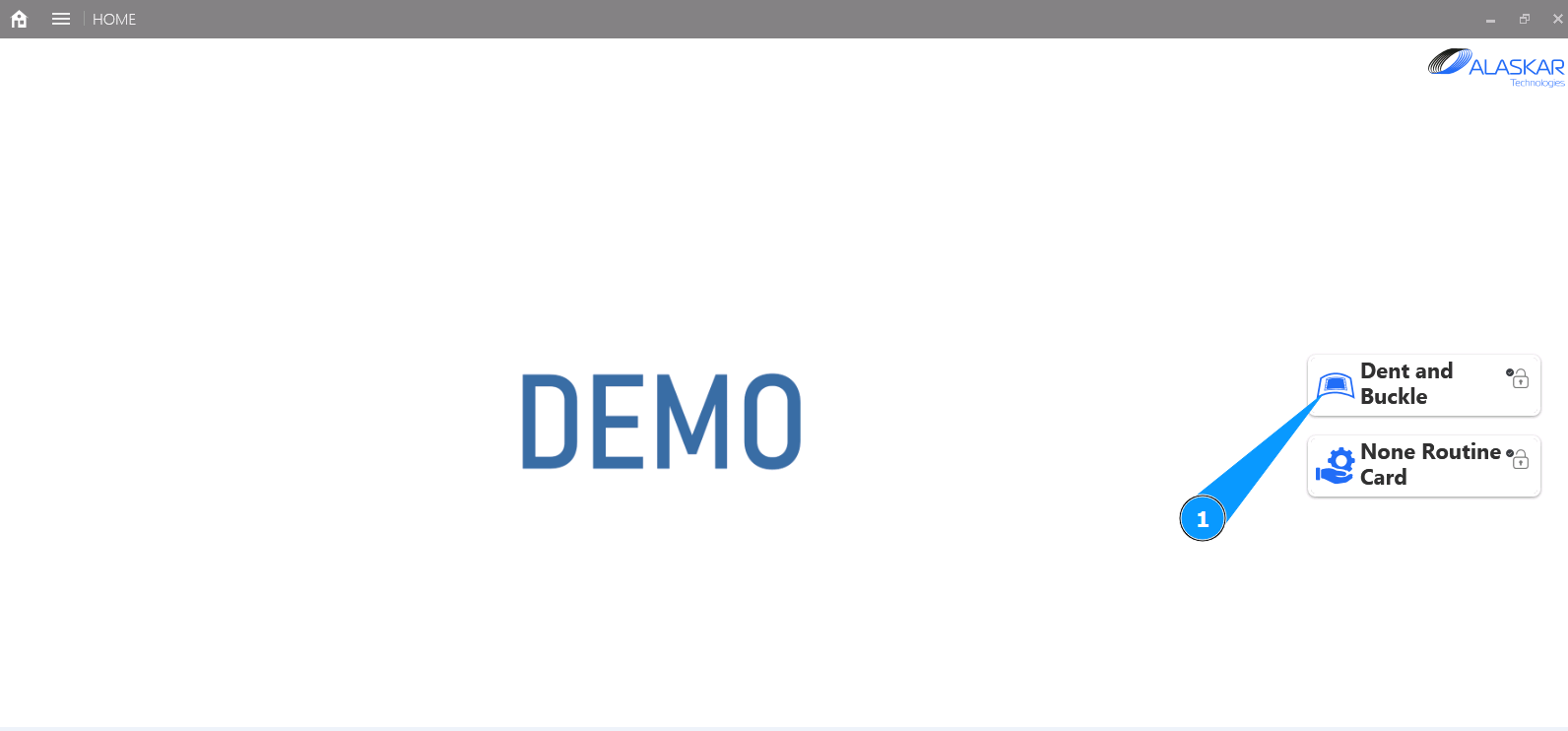
2. Select the damage to close from the list and click on the corresponding line in the window "Damage Report List".
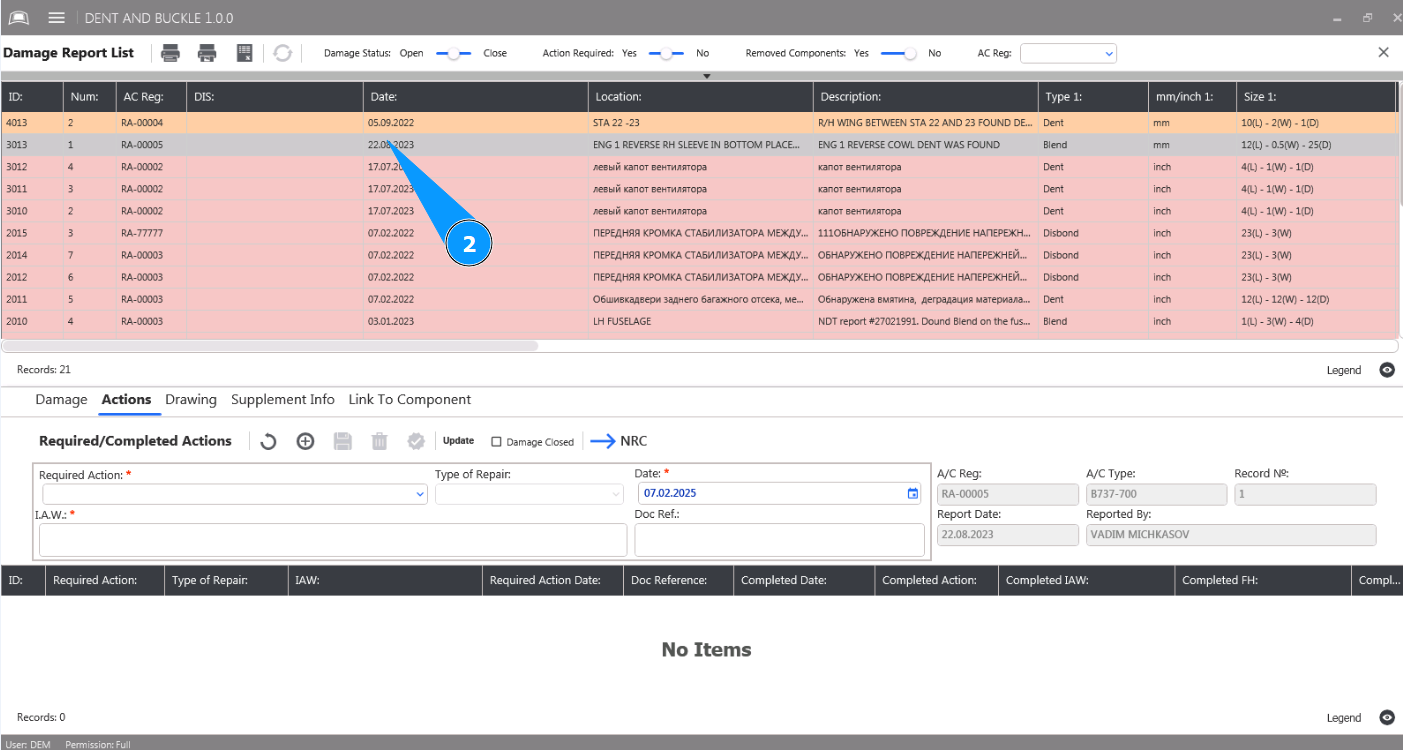
3. Then go to the tab "Actions".
4. Click in the field "Damage Close".
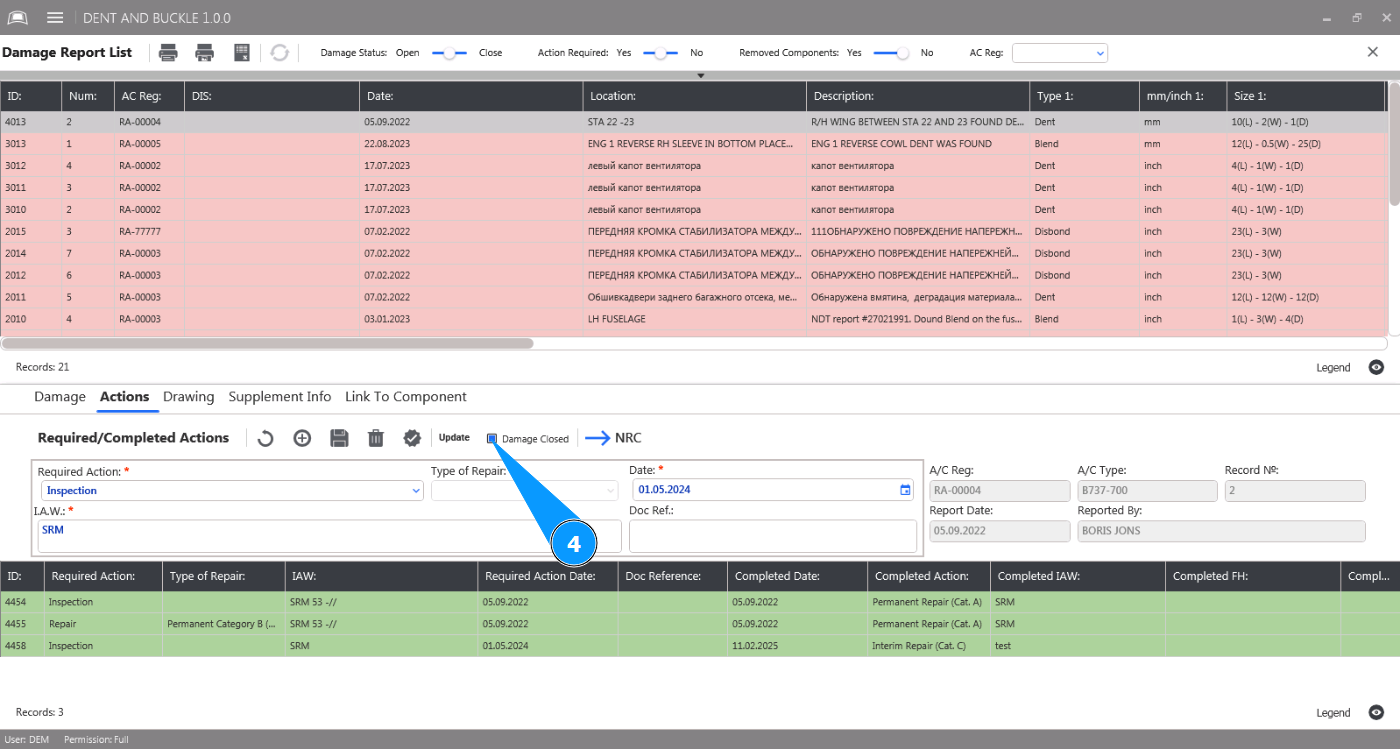
5. Click on the button "Update" to mark the damage as closed.
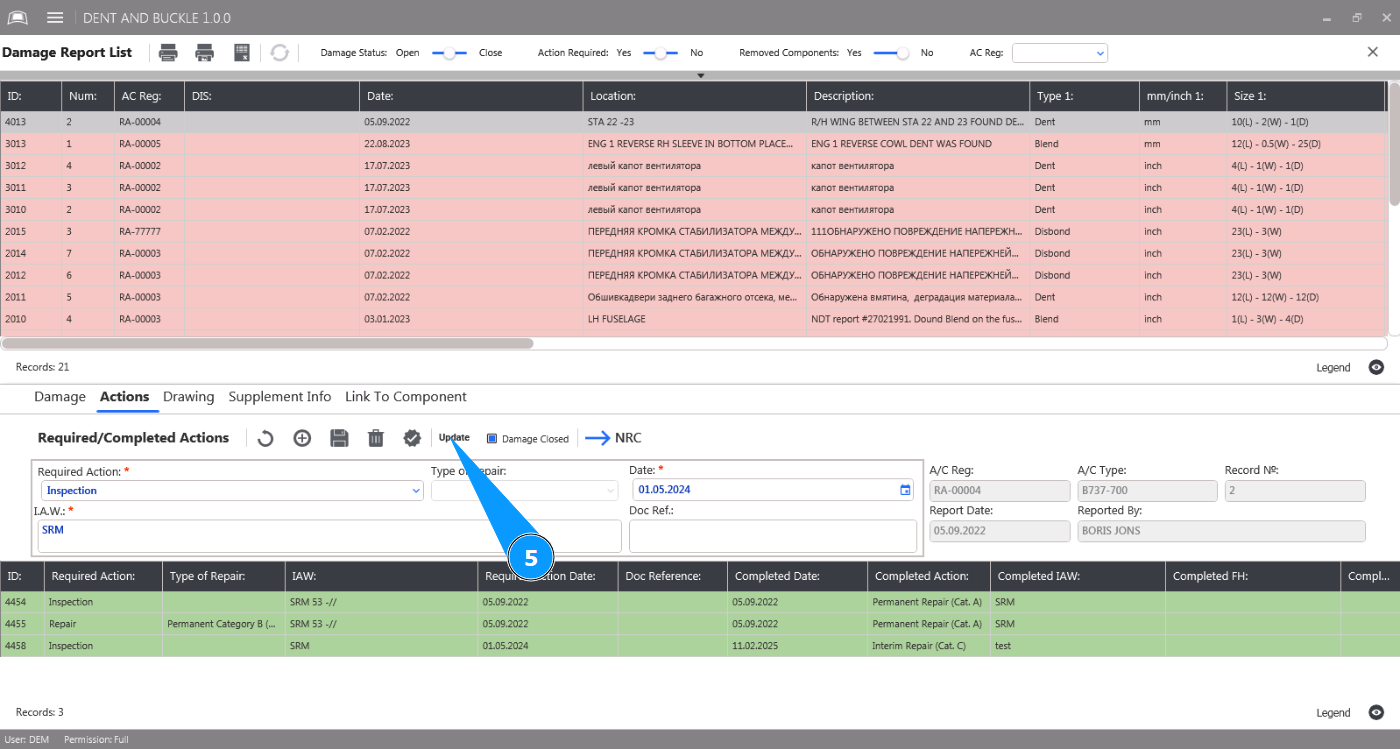
6. Click on the button "Yes" to confirm saving the closed state of the damage to the program.
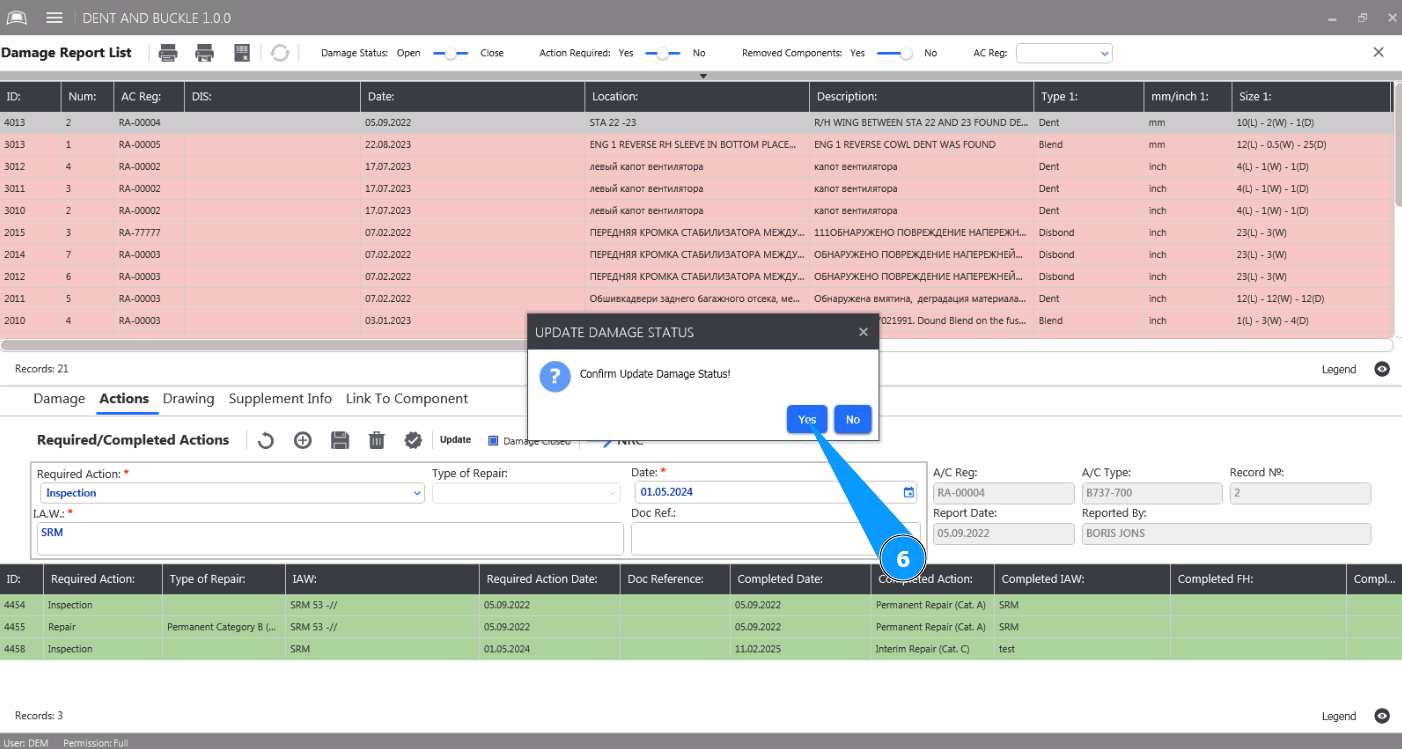
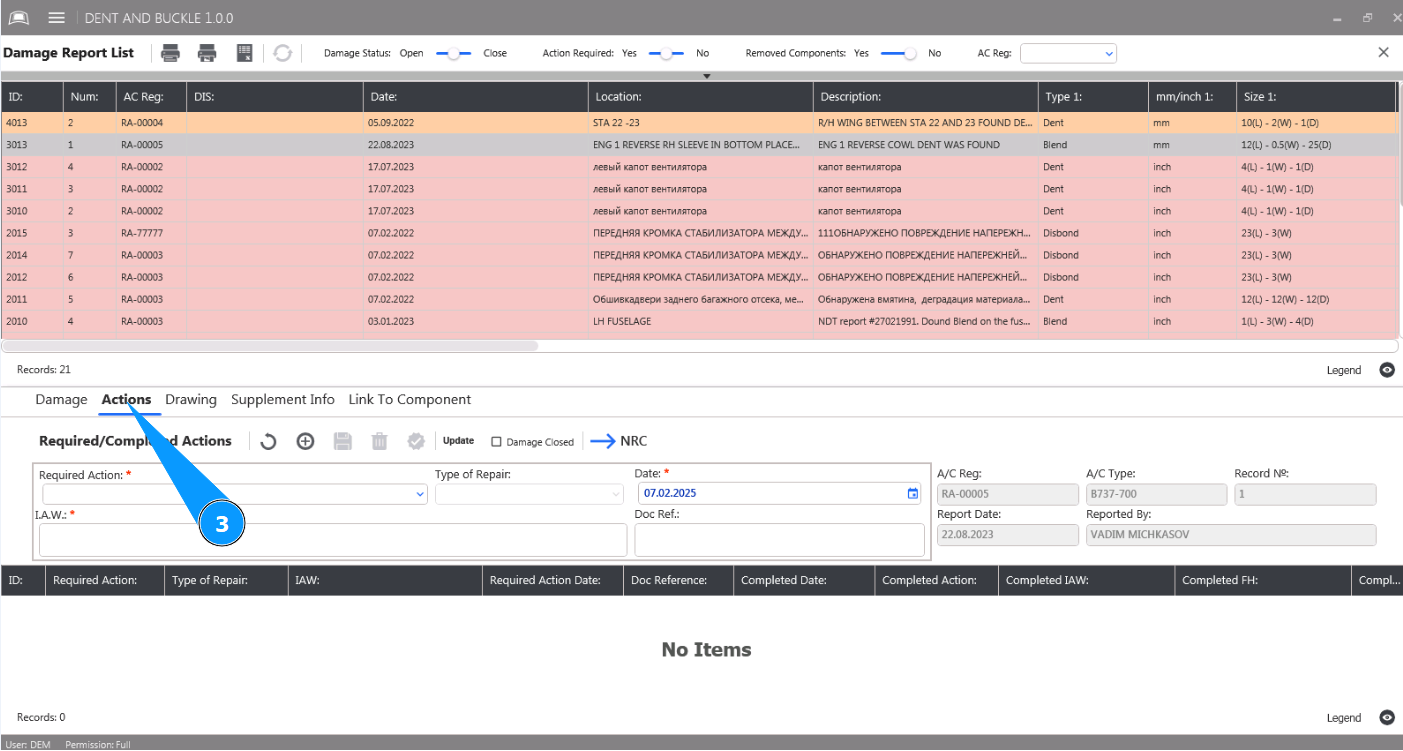
7. Check that the closed damage has changed color to peach in the window "Damage Report List".