How to add an action to NRC
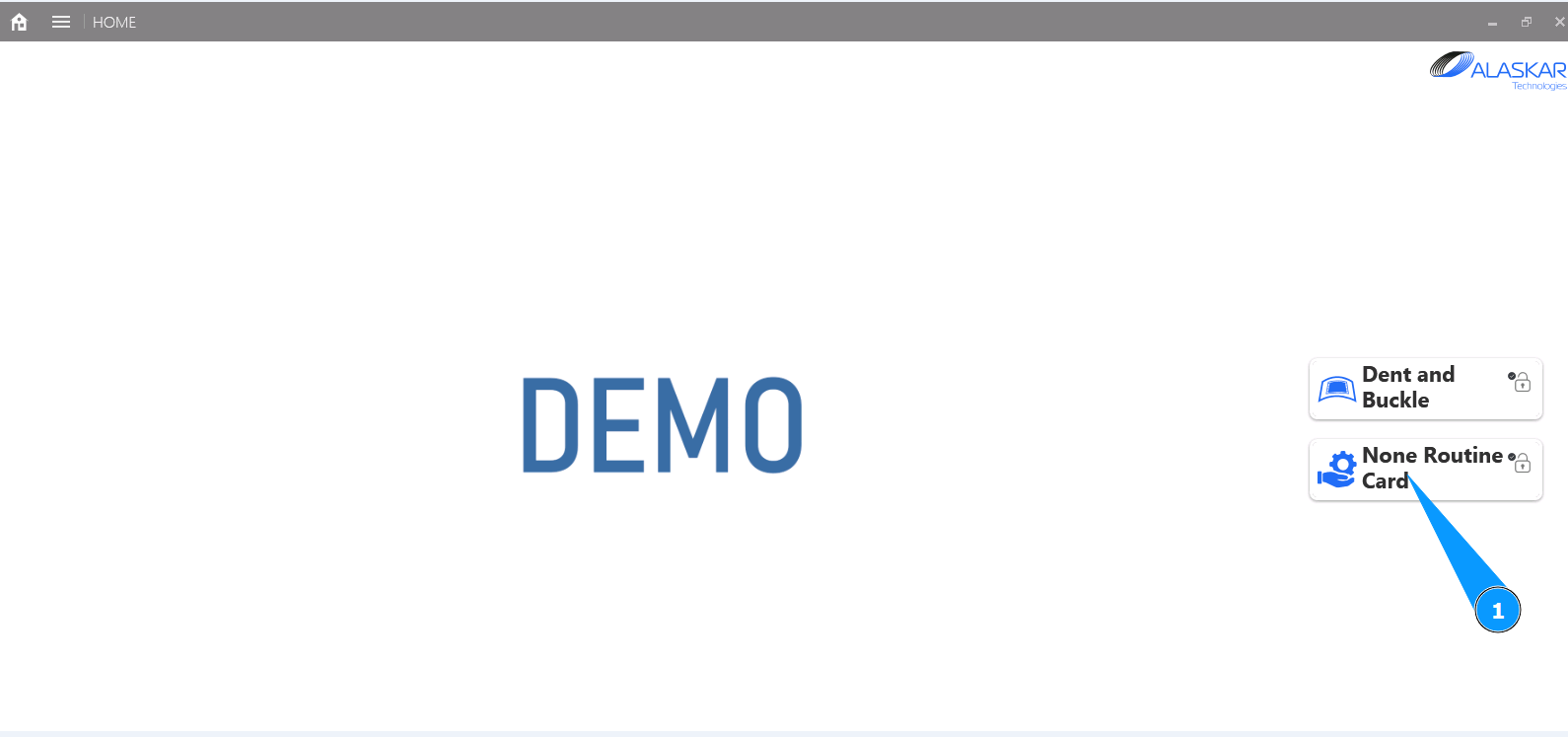
1. In order to add an action to NRC, go to the submodule "Non Routine Card".
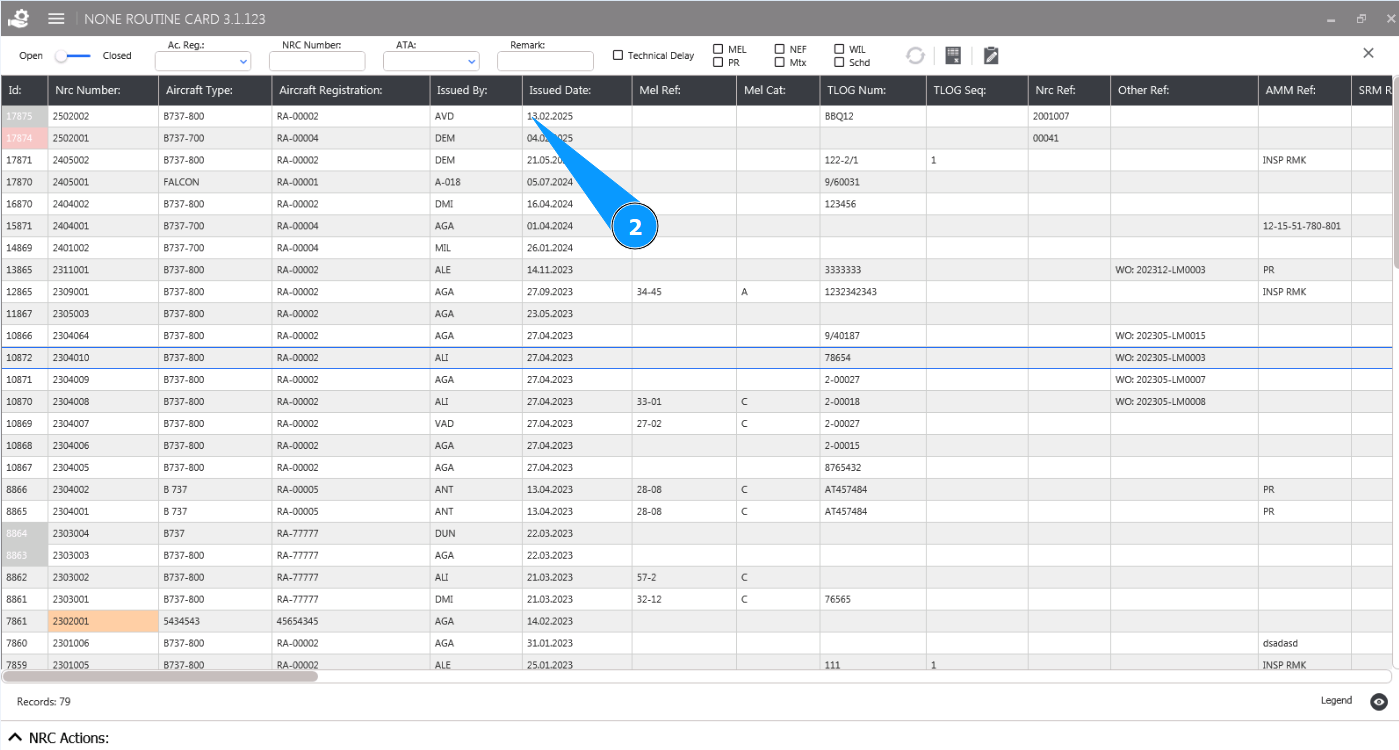
2. Select the NRC from the list to add an action and click on the corresponding line in the window "NRC List".
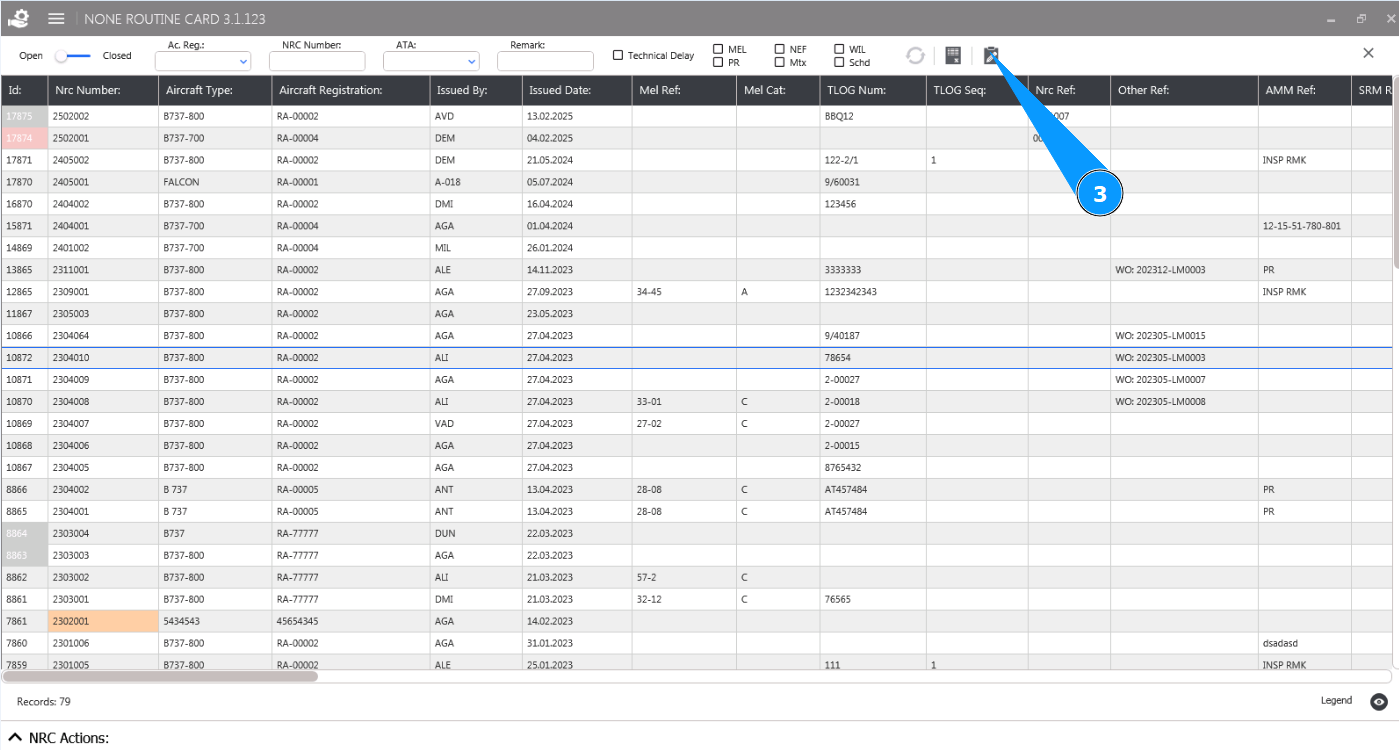
3. Click on the button "Open Editor" to open the Non Routine Card editor.
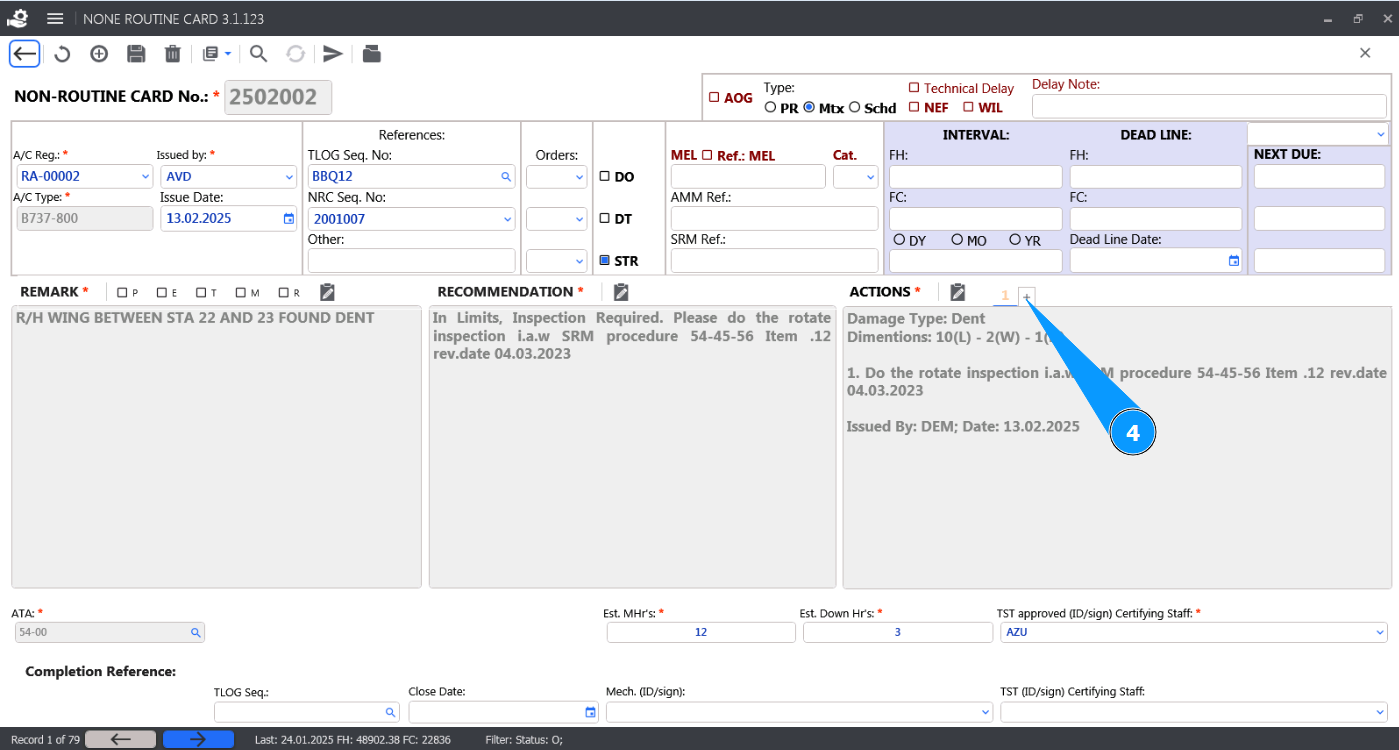
4. Click on the button "+" in the window "Actions" to open the Actions editor.
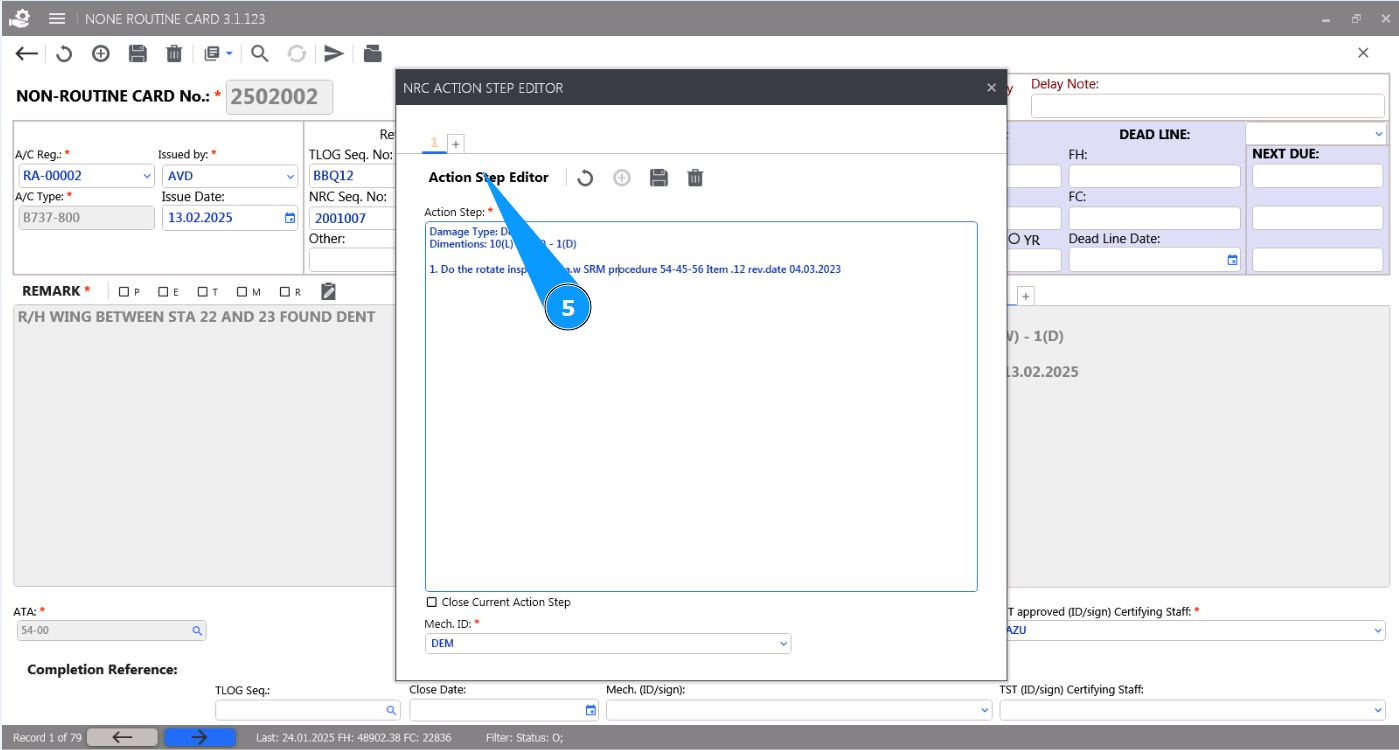
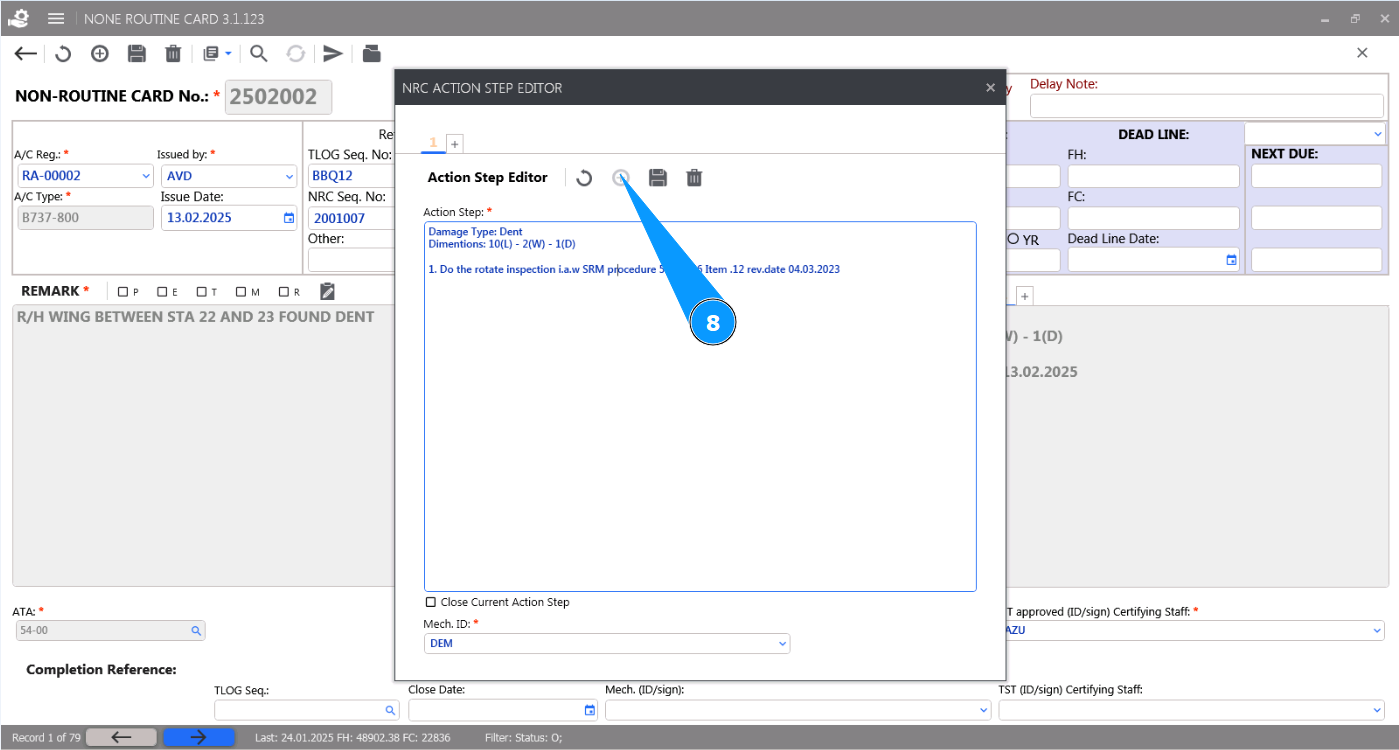
5. Make sure the "NRC Action Step Editor" is open and available for work.
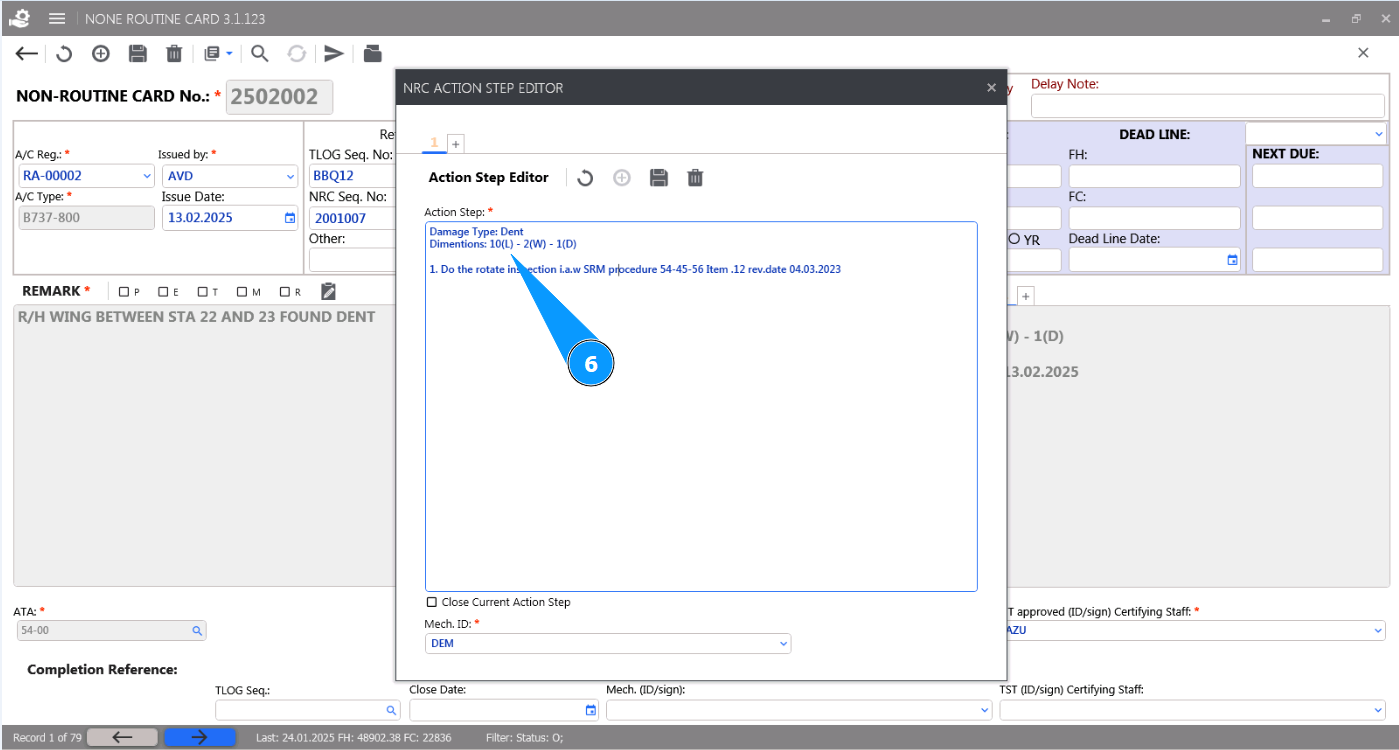
6. Enter the required information for performing the damage action in the field "Action Step".
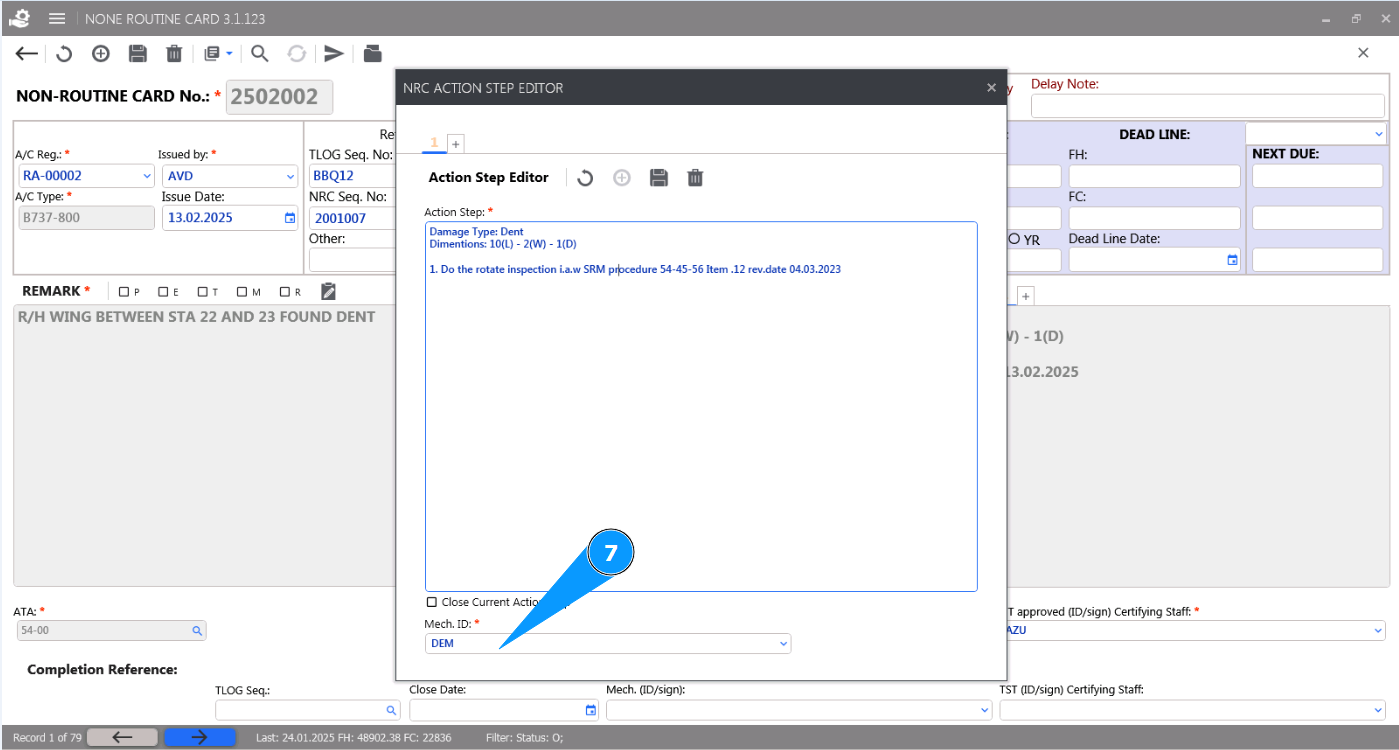
7. Enter the initials of the person completing the NRC (according to your company policy) in the field "Mech ID" or select from the dropdown list.
8. Click on the button "Add" to add the action to the NRC.
9. Click on the button "Yes" to confirm entering the data into the program.
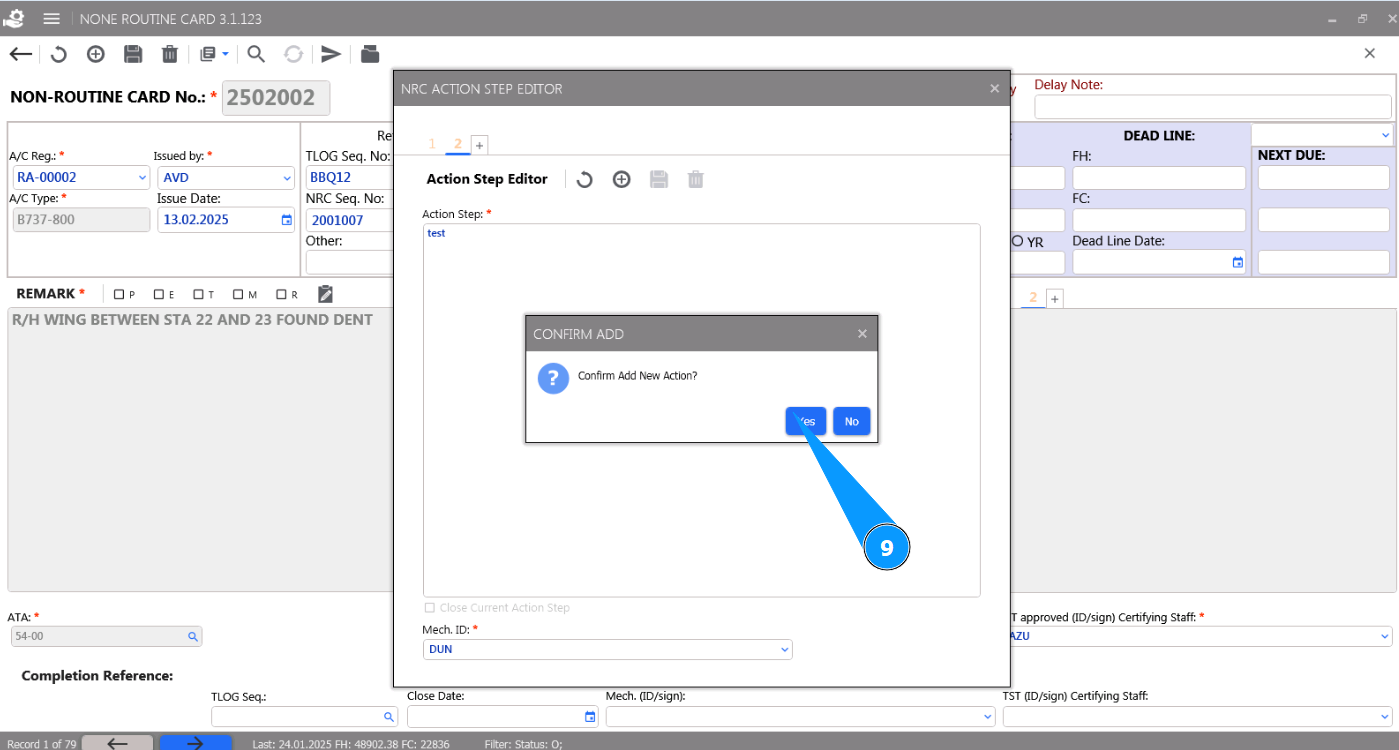
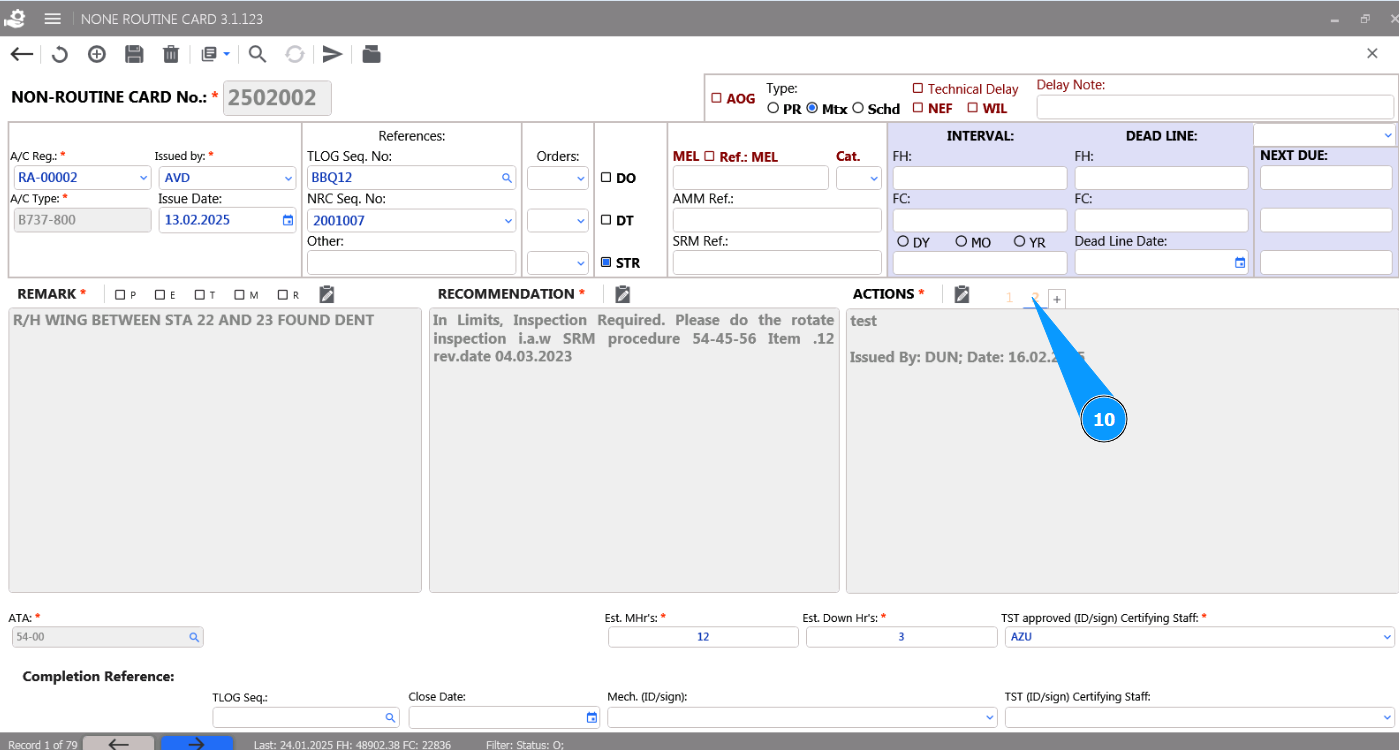
10. Check that the newly created action is displayed in the window "Actions".