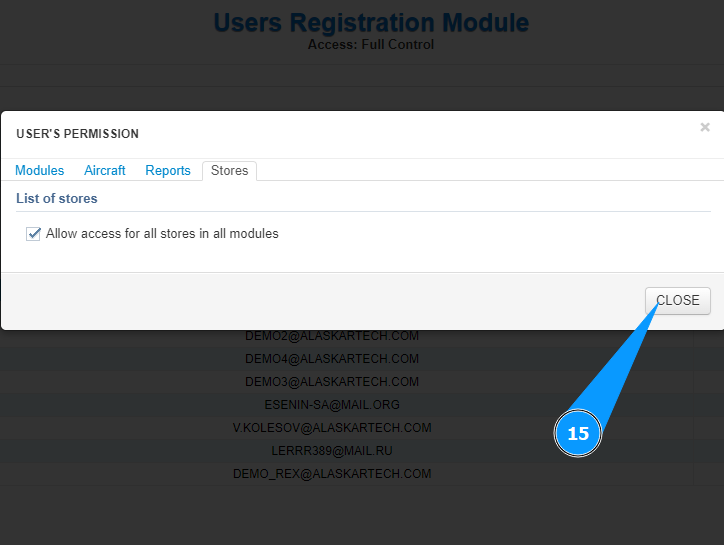
How to set permissions for a user
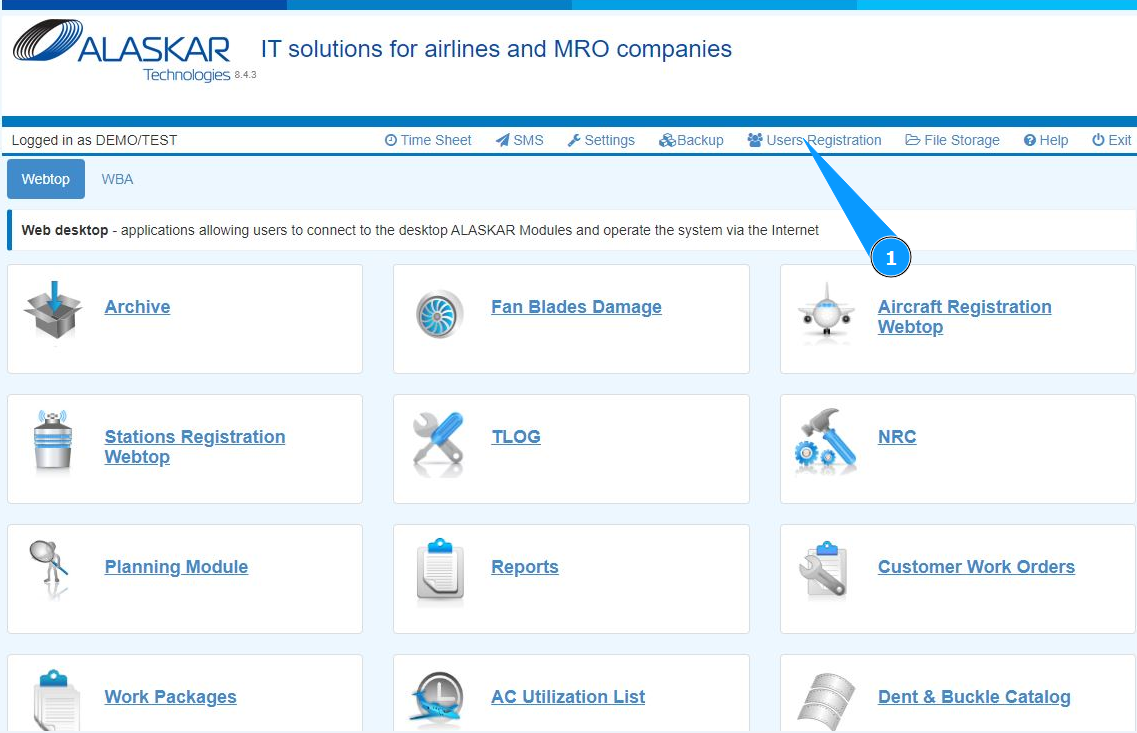
1. In order to set permissions for a user, go to the submodule "Users Registration" at the top of the open center.
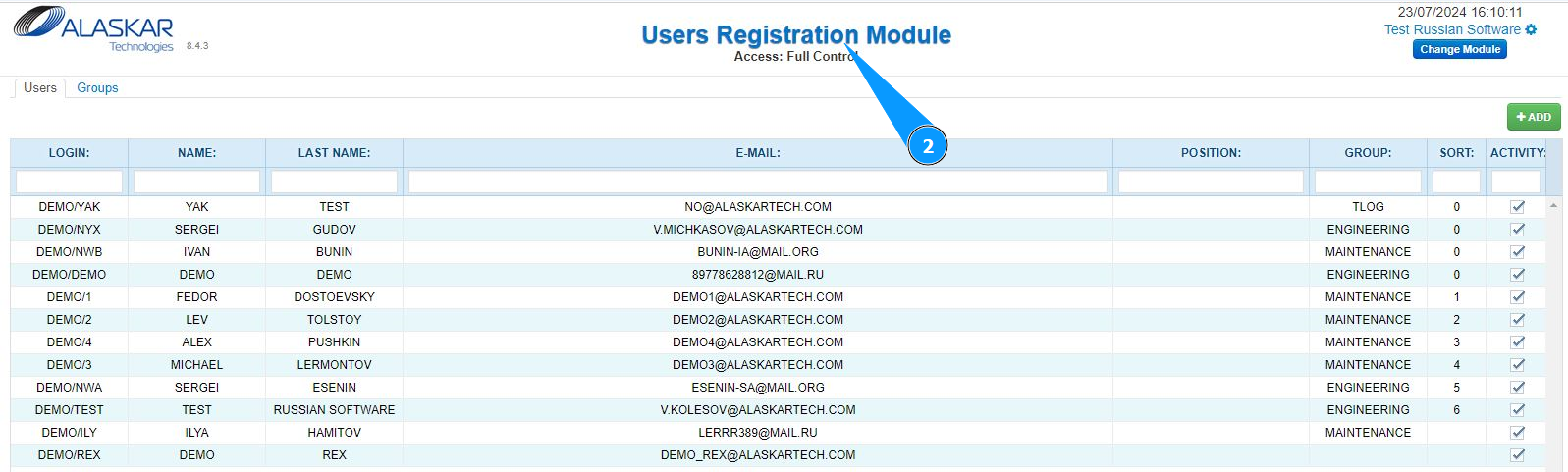
2. Check that the user management window has opened and is available in the window "User Registration Module".
3. Go to the tab "Users".
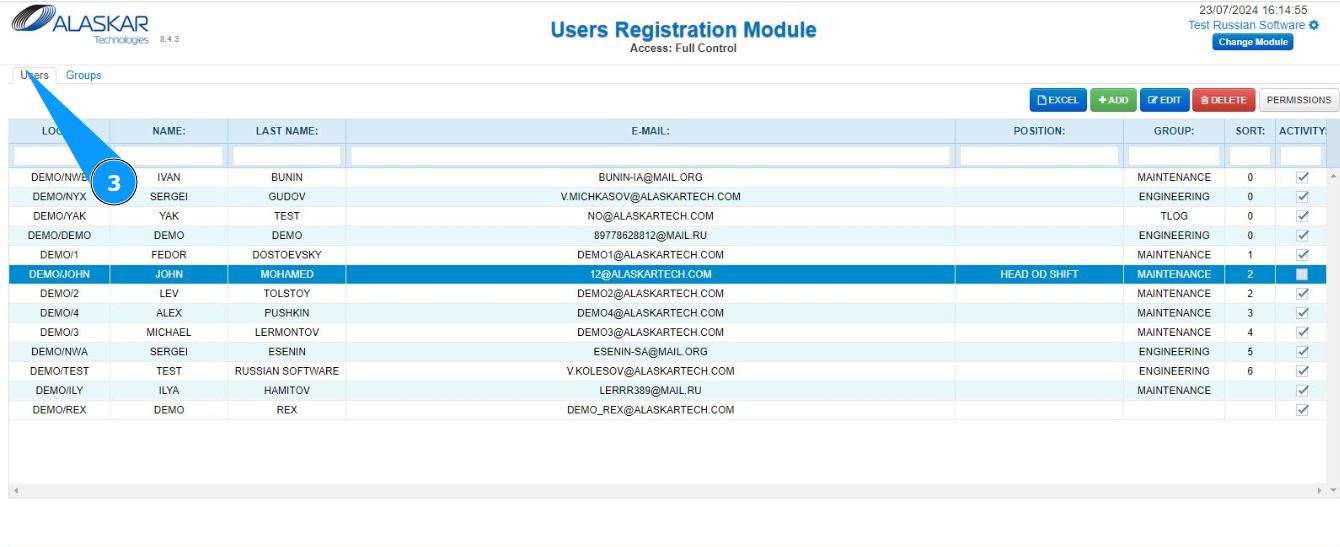
4. Select a user from the list to set permissions.
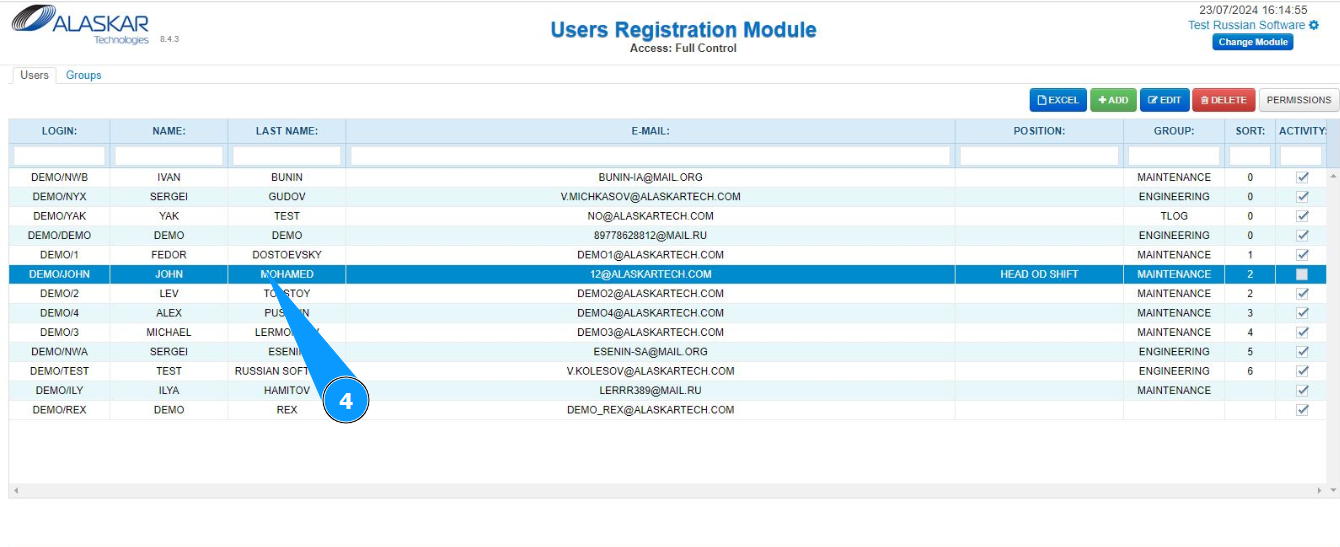
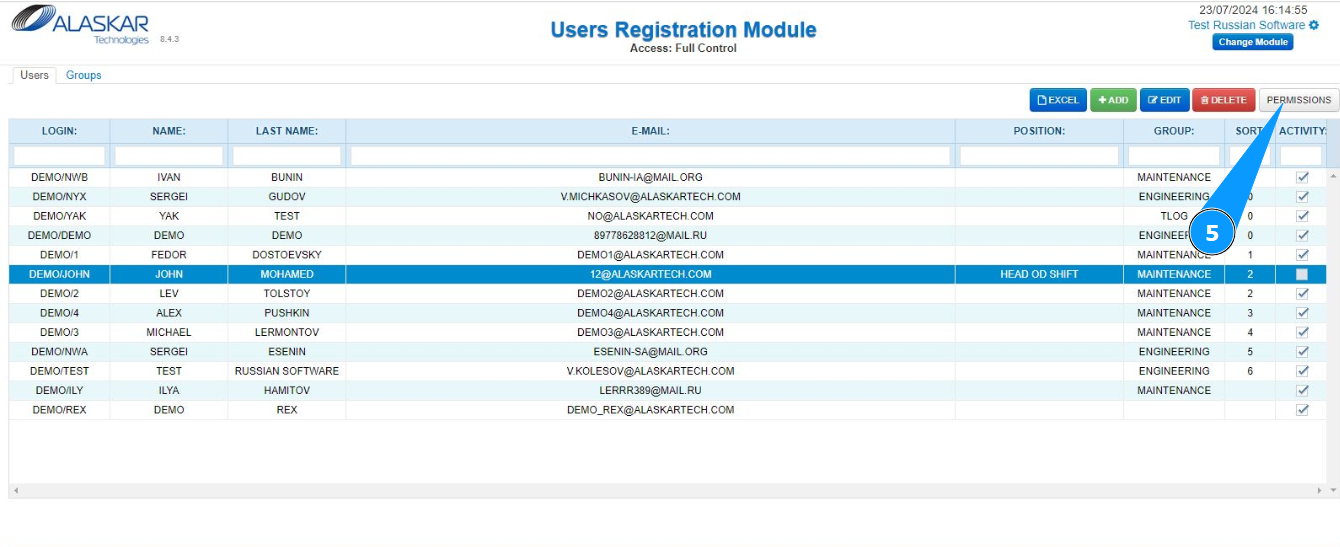
5. Click on the button "Permissions" to go to the permissions editor.
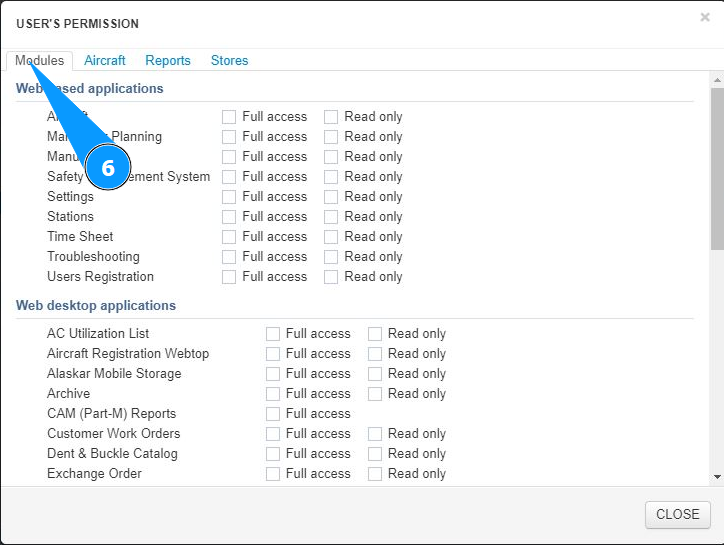
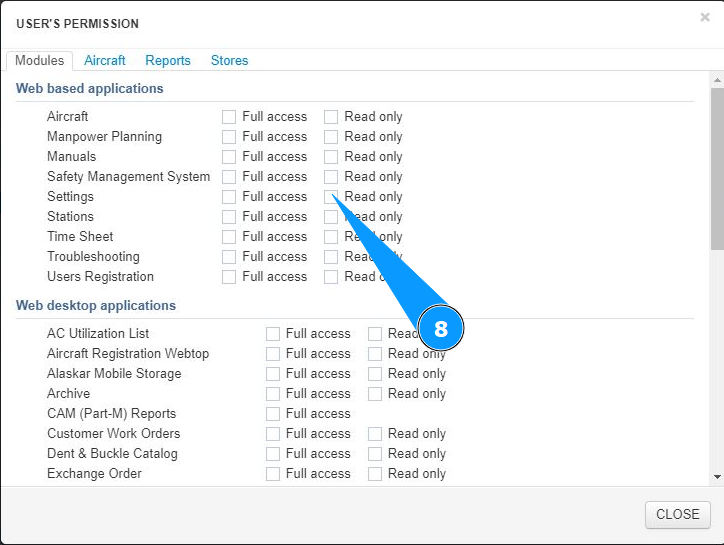
6. Go to the tab "Modules" to set permissions for the program modules.
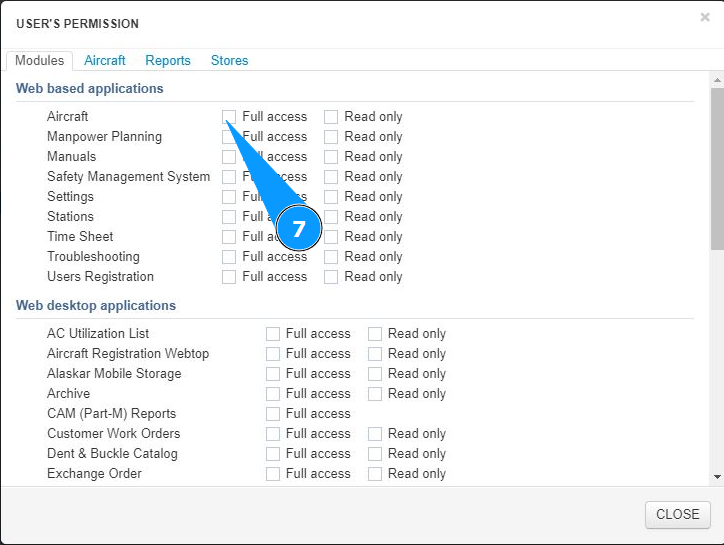
7. Tick in the window "Full access" to set full access to the modules.
8. Tick in the window "Read only" to set partial access (in read mode) to the modules.
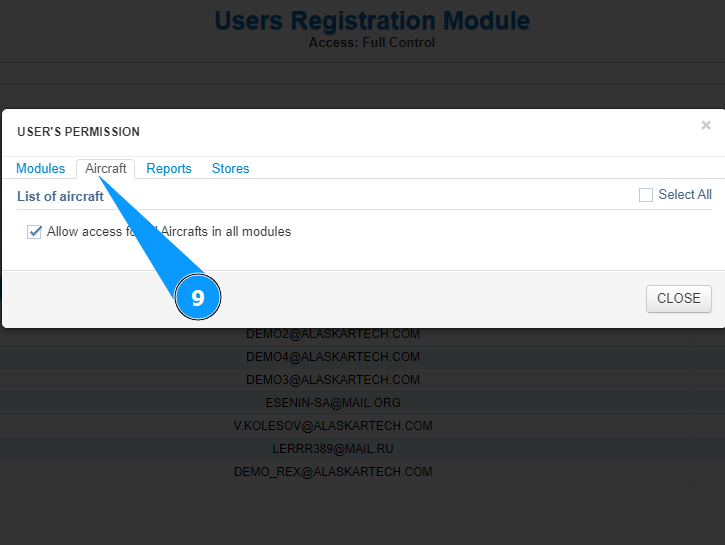
9. Go to the tab "Aircraft" to set permissions for aircraft.
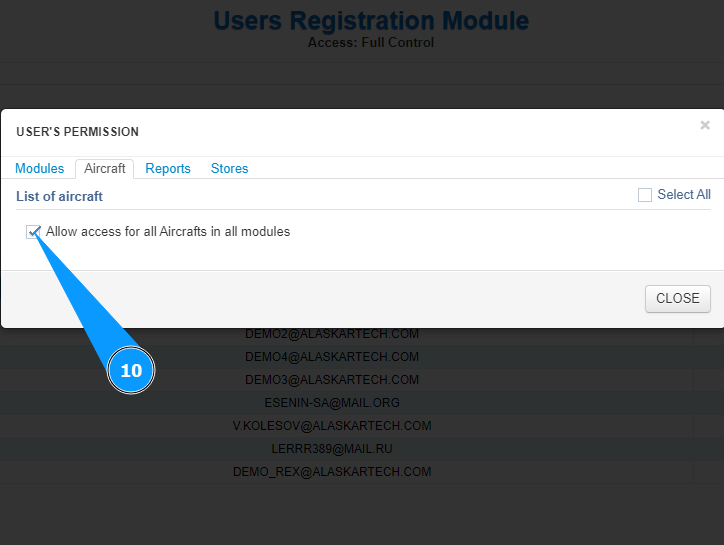
10. Tick in the window "Allow access for all aircraft in all modules" to set full access to all aircraft.
11. Go to the tab "Reports" to set permissions for reports.
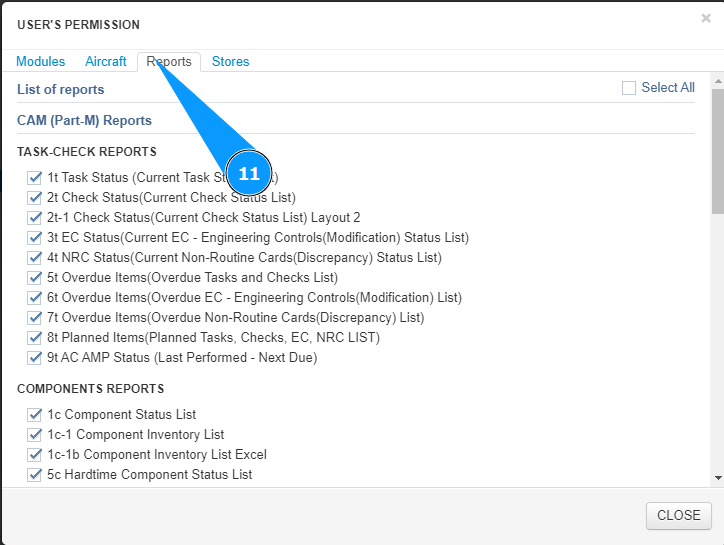
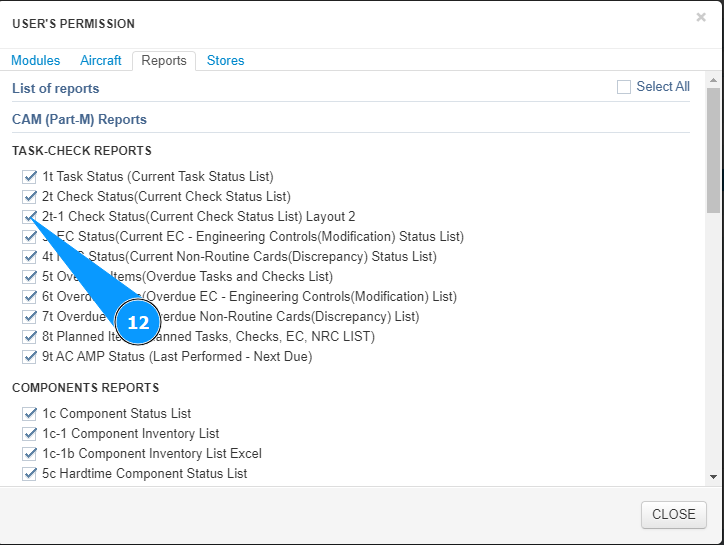
12. Tick the window for the required report in the window "List of reports".
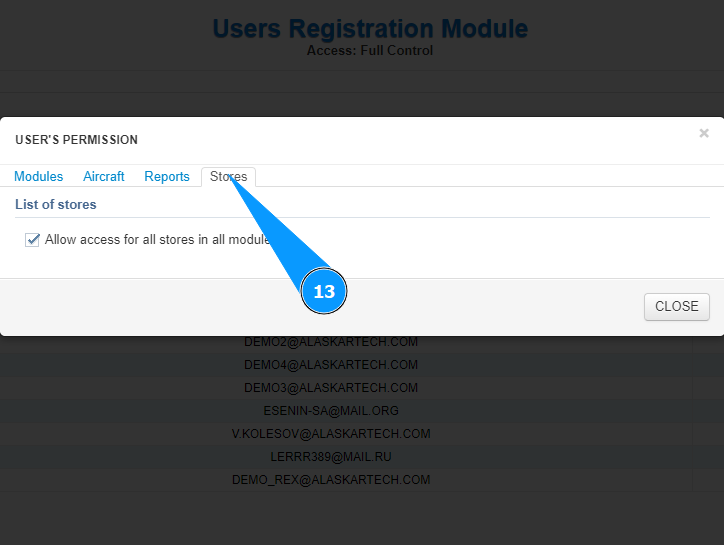
13. Go to the tab "Stores" to set permissions for stores.
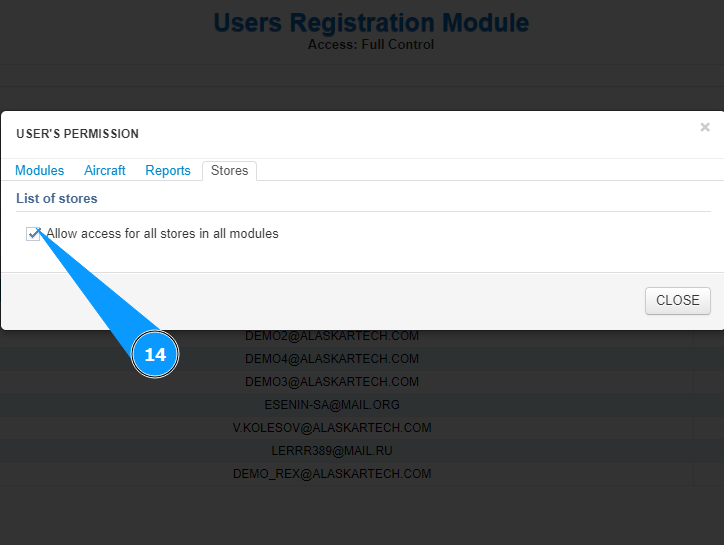
14. Tick in the window "Allow access to all stores in all modules" to set full access to all stores.
15. Click on the button “Close” to exit the permissions editor.