How to register a new station into program
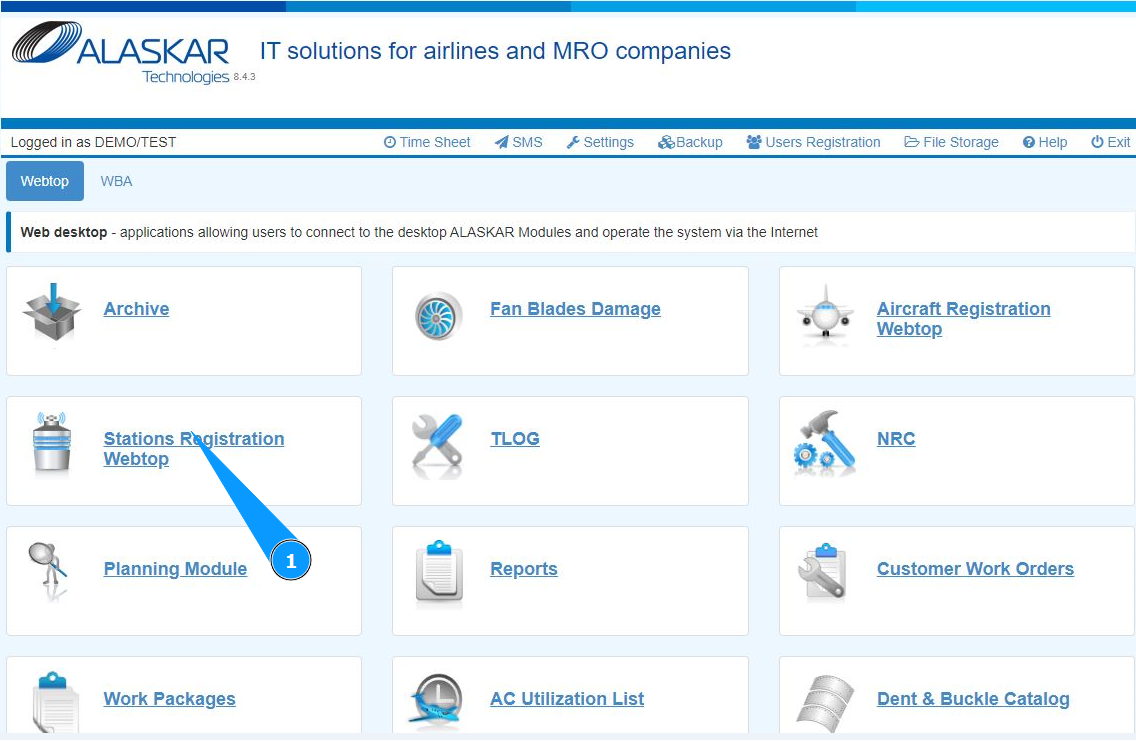
1. In order to registrate new station into program, go to the module "Stations Registration Webtop".
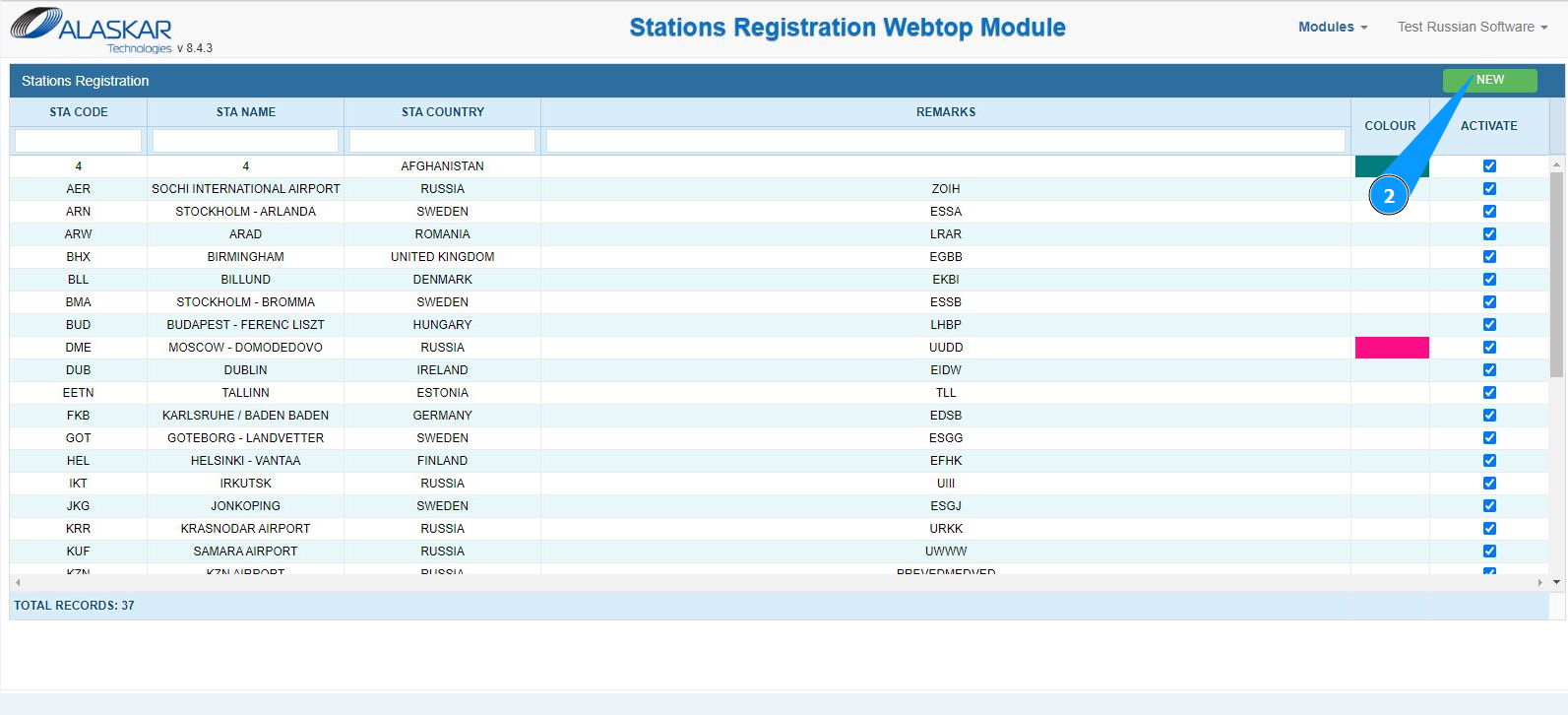
2. Click on the button "New", to begin entering data about the new station.
3. Make sure that the editor for creating a new station has opened and it is available in the window "Station".
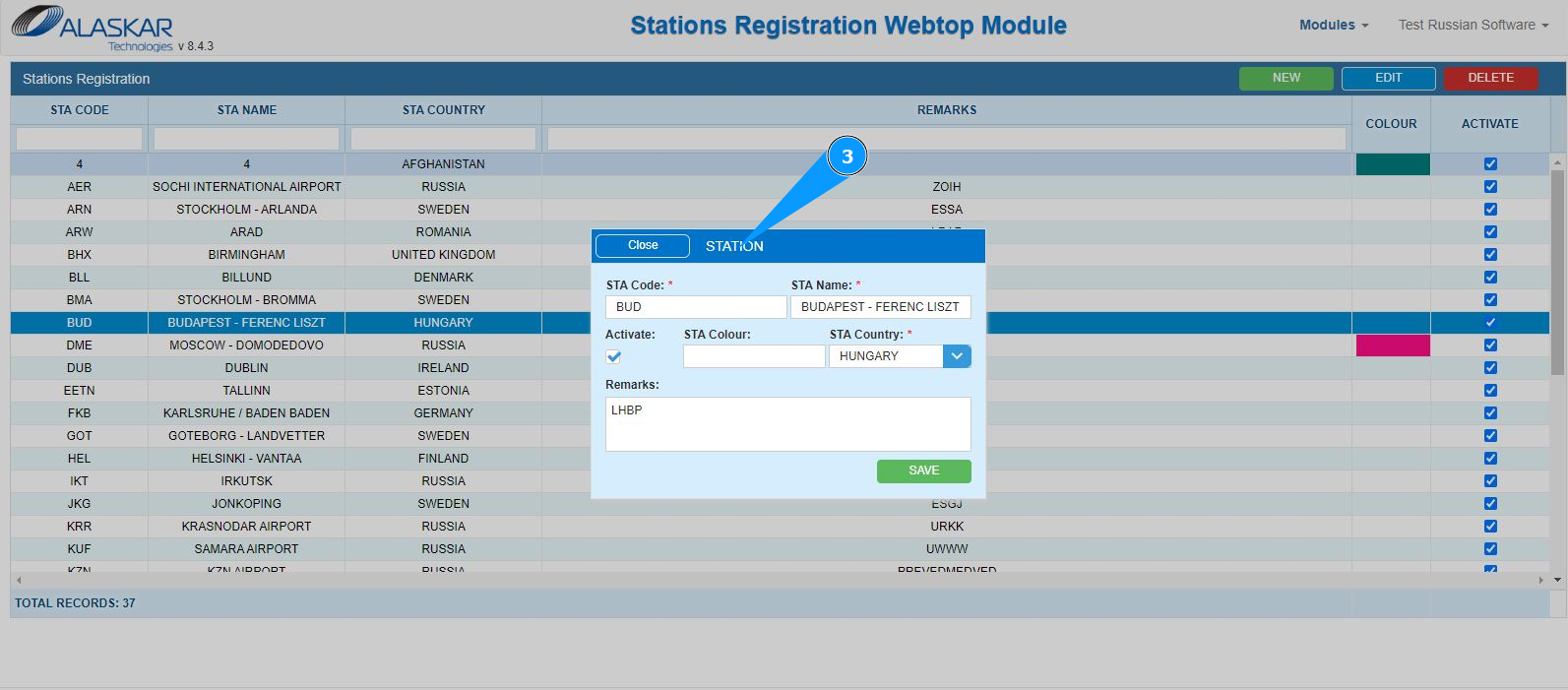
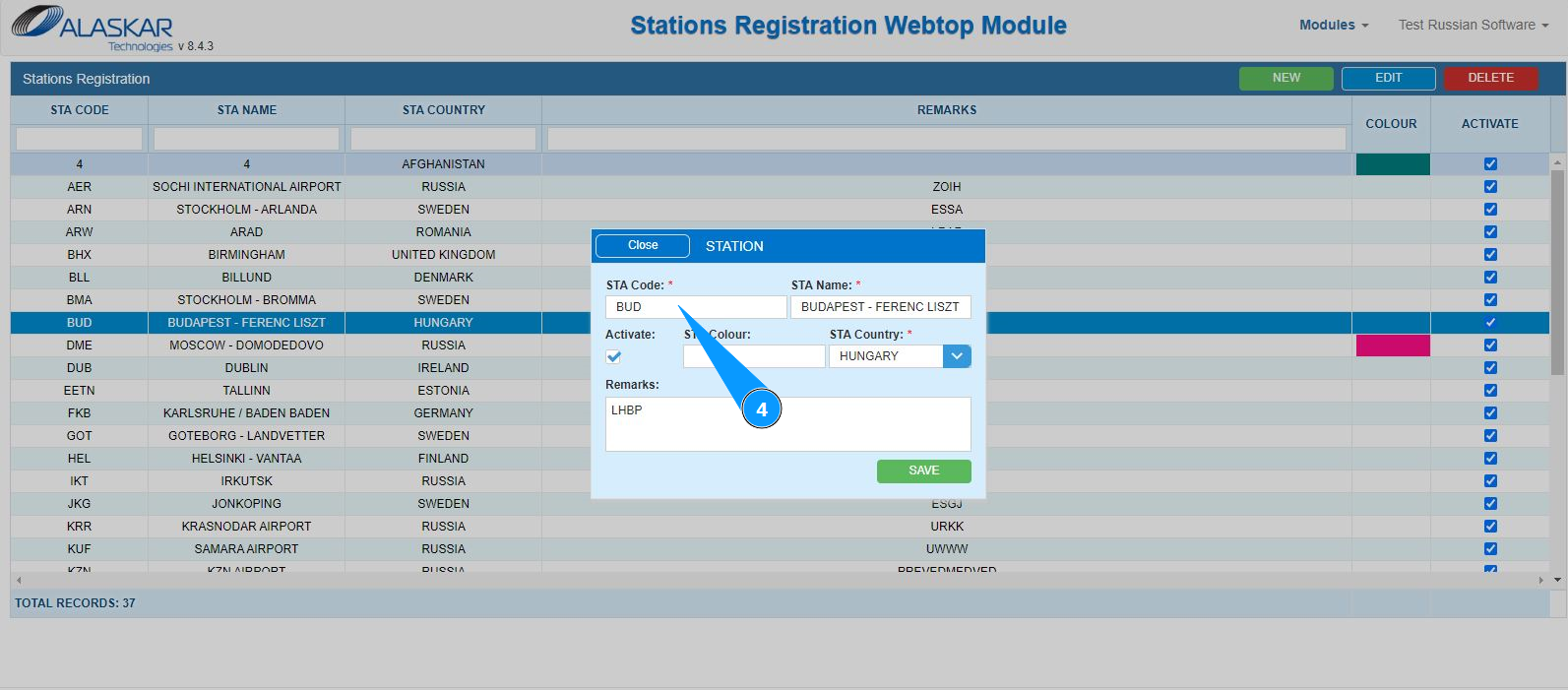
4. Enter ICAO code of the new station in the field "STA Code".
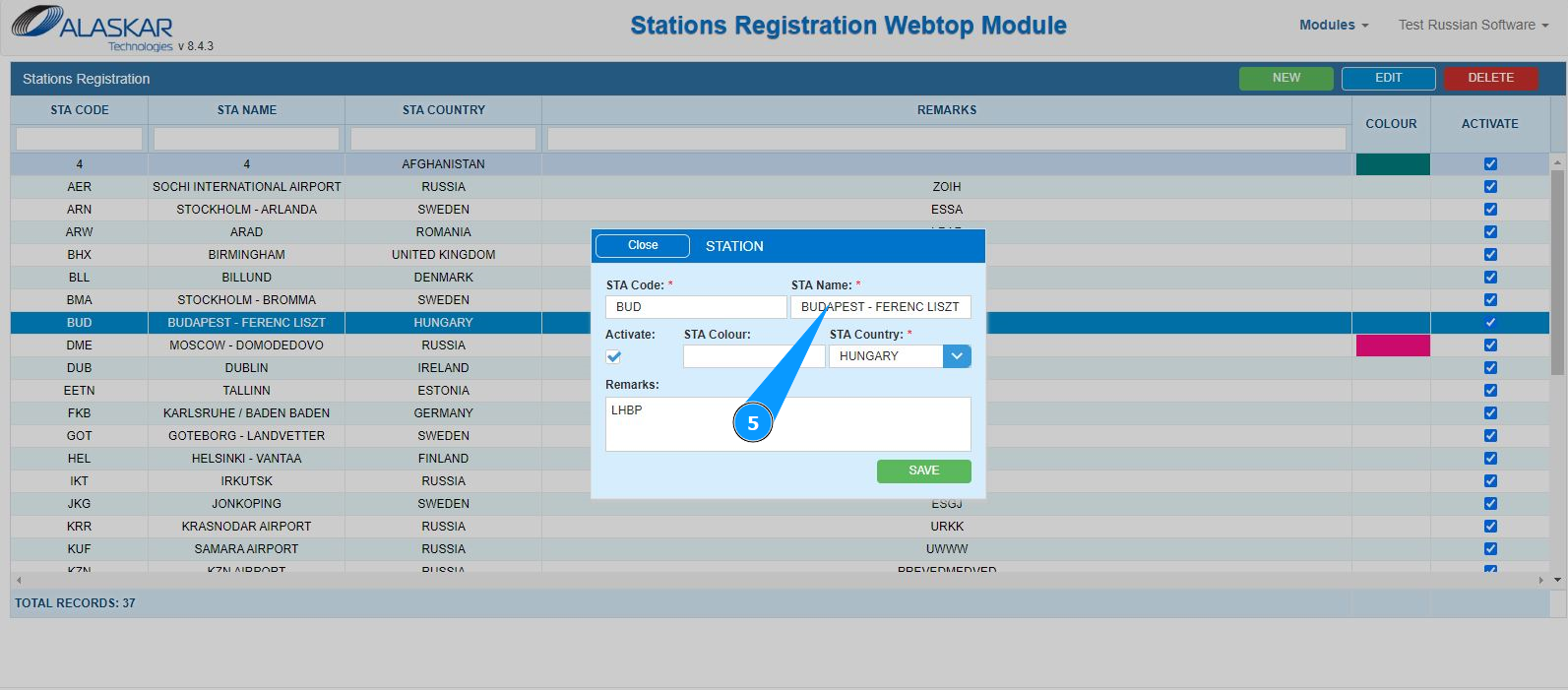
5. Enter a new station name in the field "STA Name".
6. Select the country of new station in the field "STA Country". Note: If necessary, mark the line station by color in the field "STA Colour".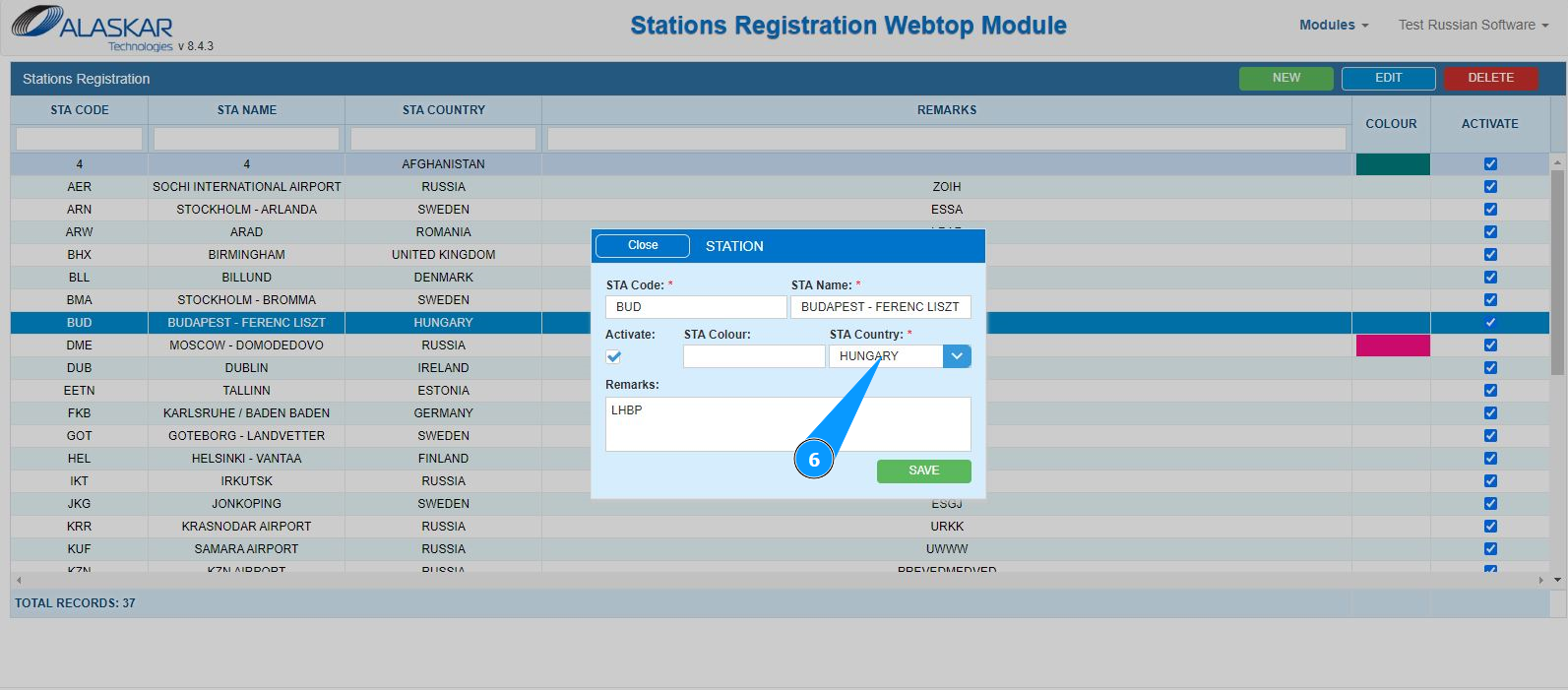
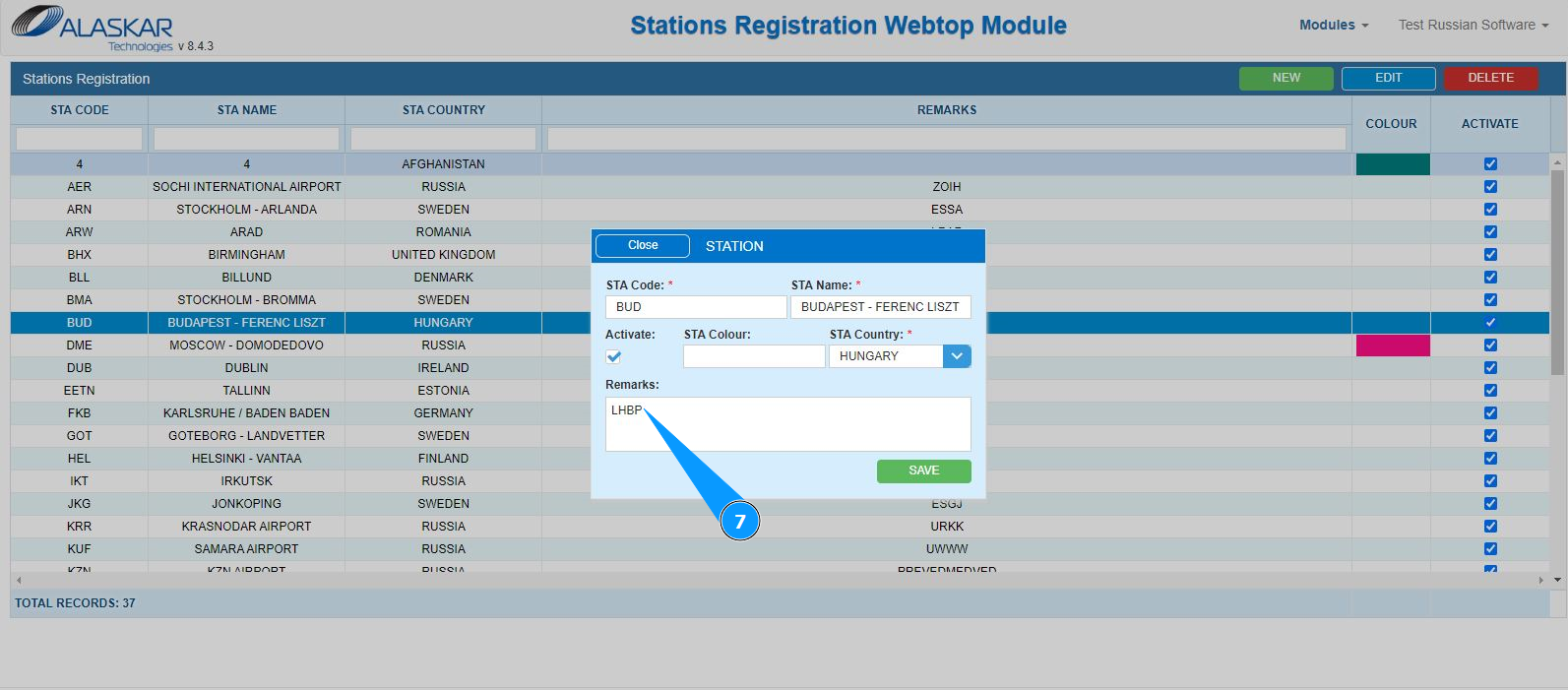
7. If necessary, add additional comments in the field: "Remarks".
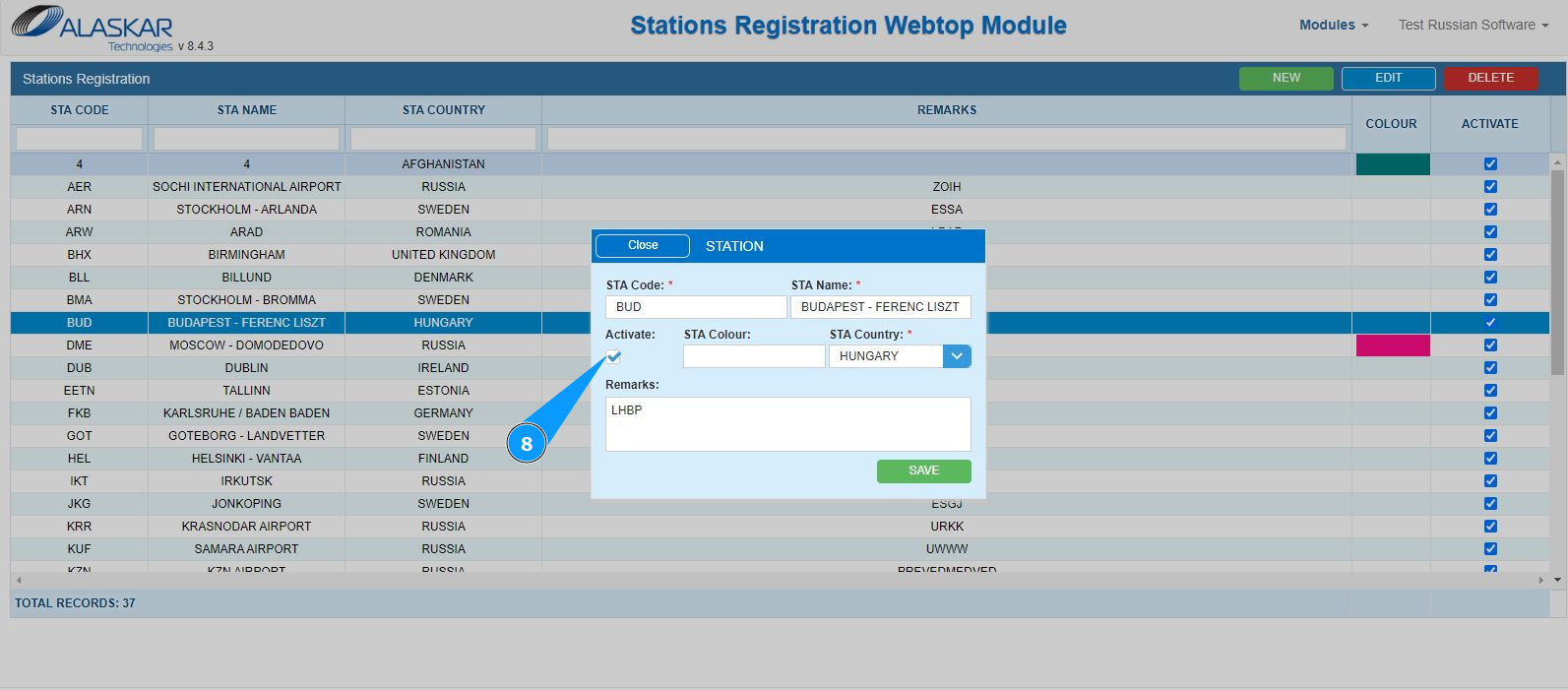
8. In order to activate a new aircraft, tick the box in the field "Activate".
9. Click on the button "Save", to save entering a new station into the program.
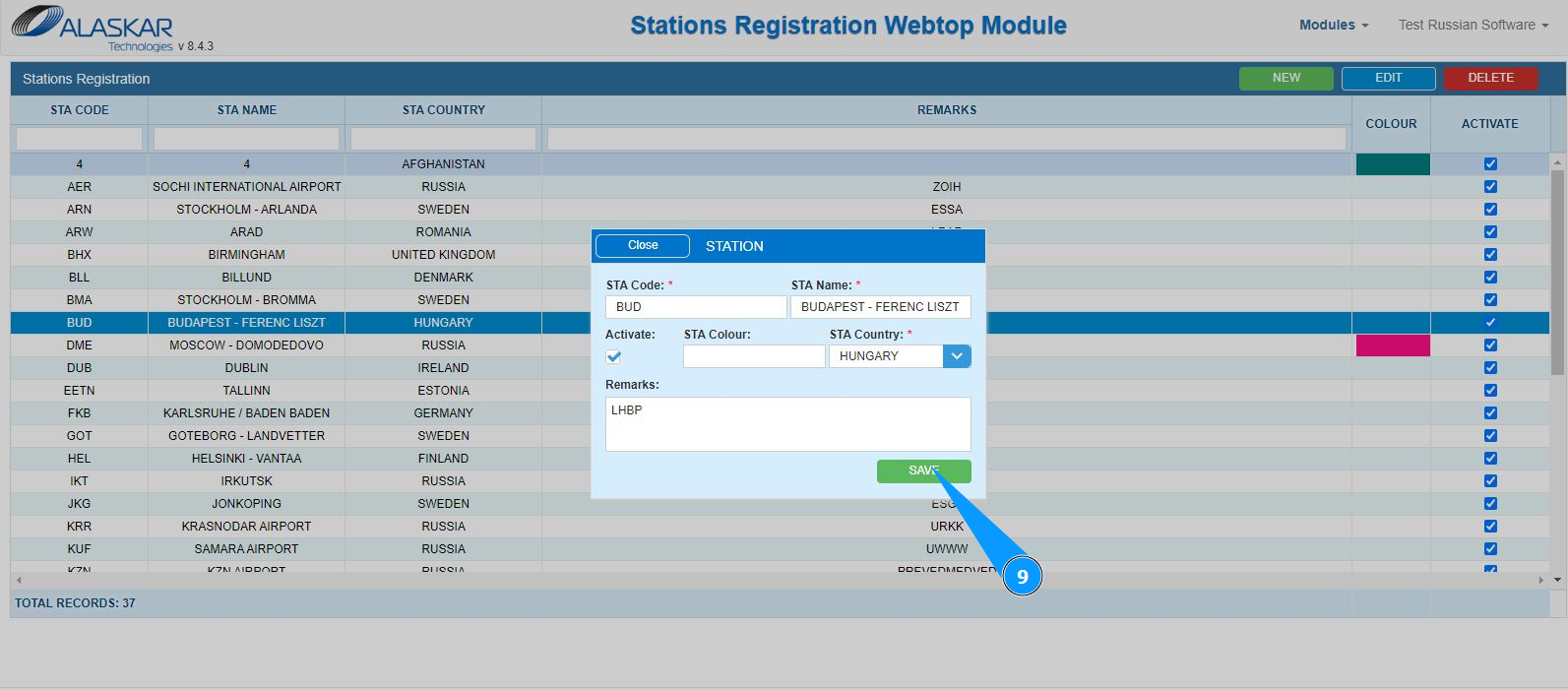
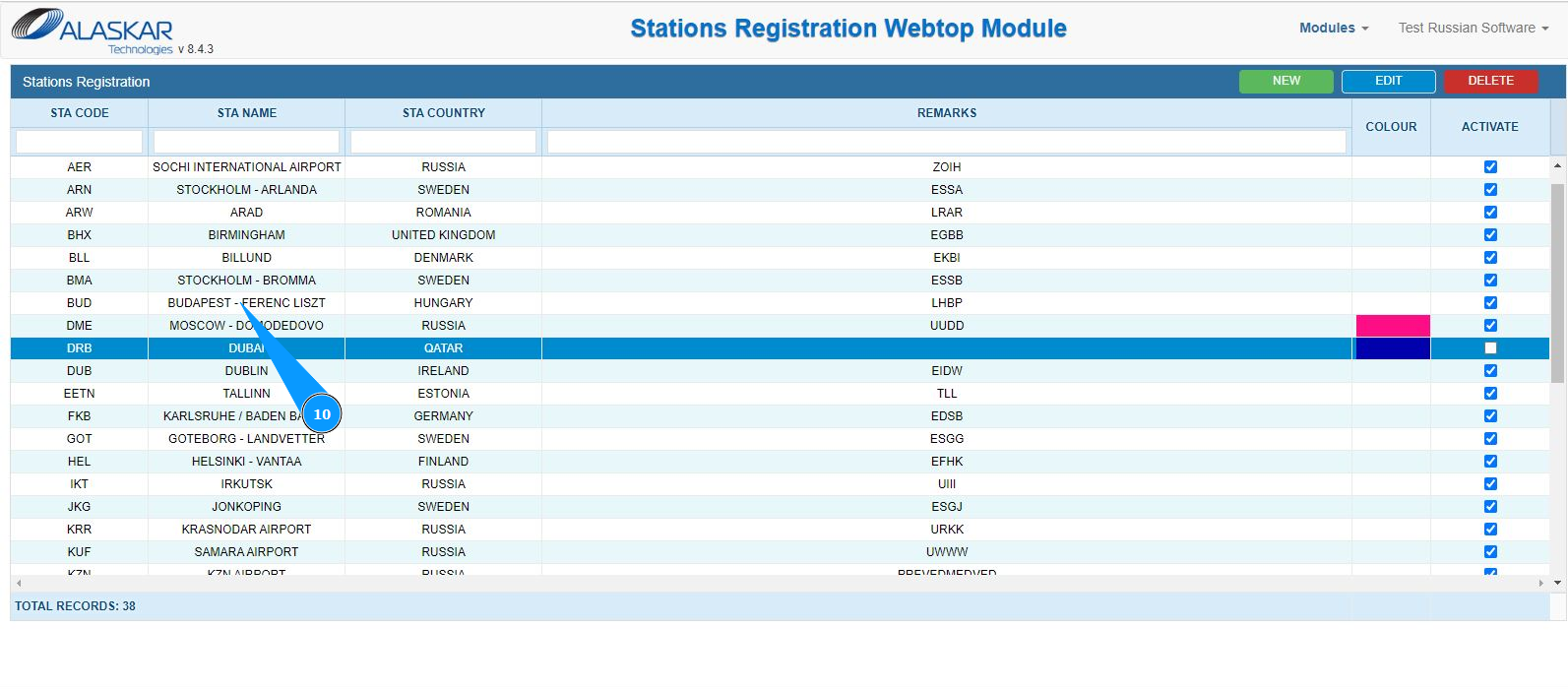
10. Check that the record with new station is displayed in the window "Station Registration".