How to enter to the WEB interface
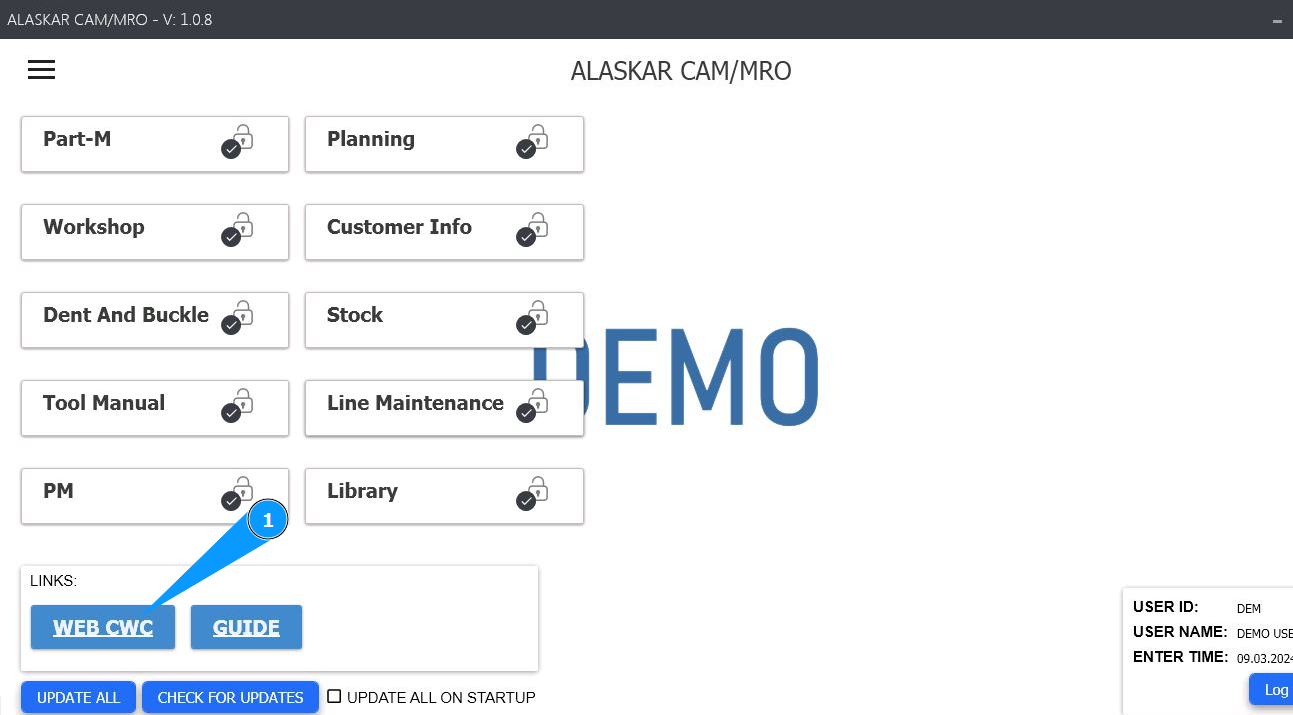
1. In order to enter to the WEB interface, go to the module "WEB CWC".
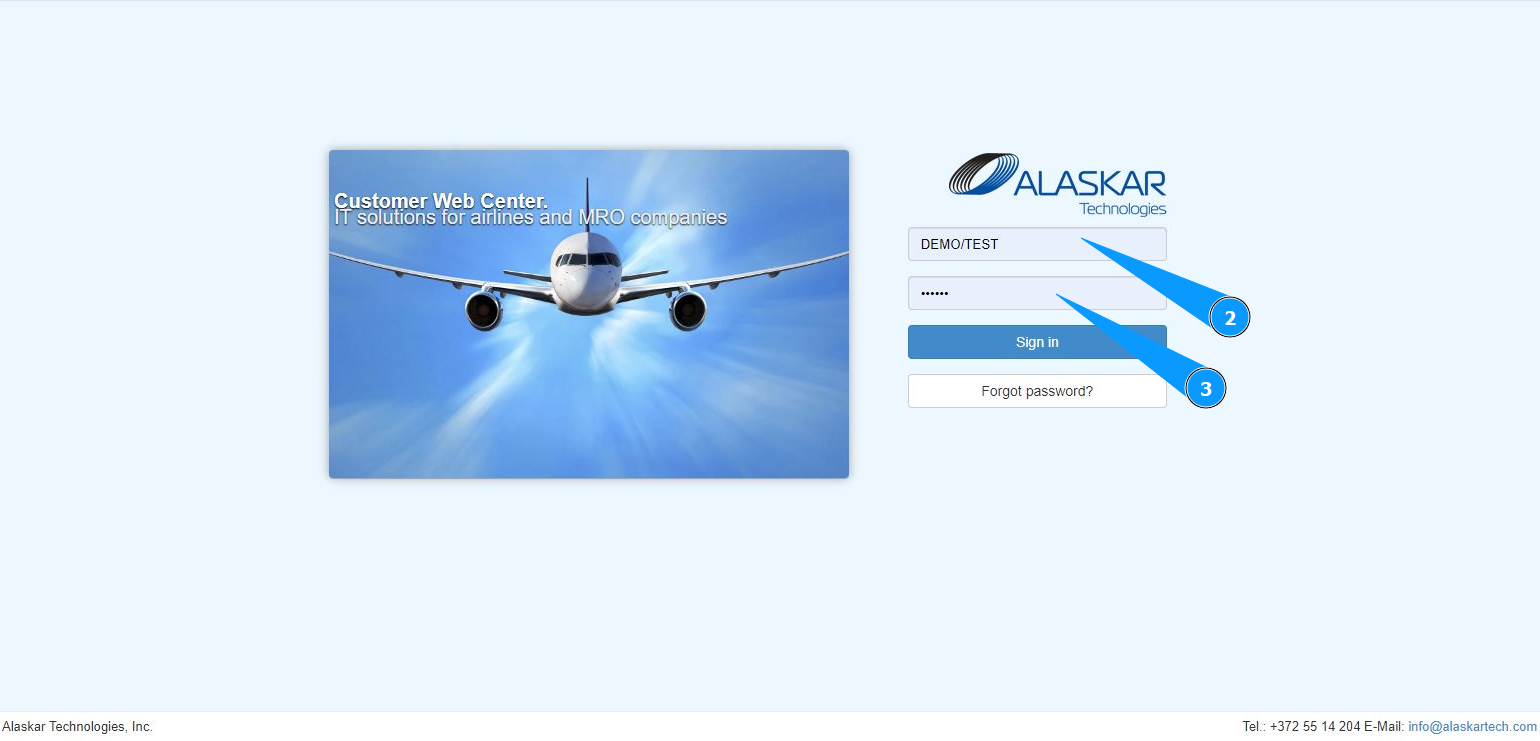
2. Then enter your Alaskar login.
3. Enter Alaskar password.
4. Click on the button "Sign in", to open the WEB interface general menu. Note: In order to go to the WEB interface, you can go to your browser at the following address https://cwc.alaskartech or follow the link "WEB center " .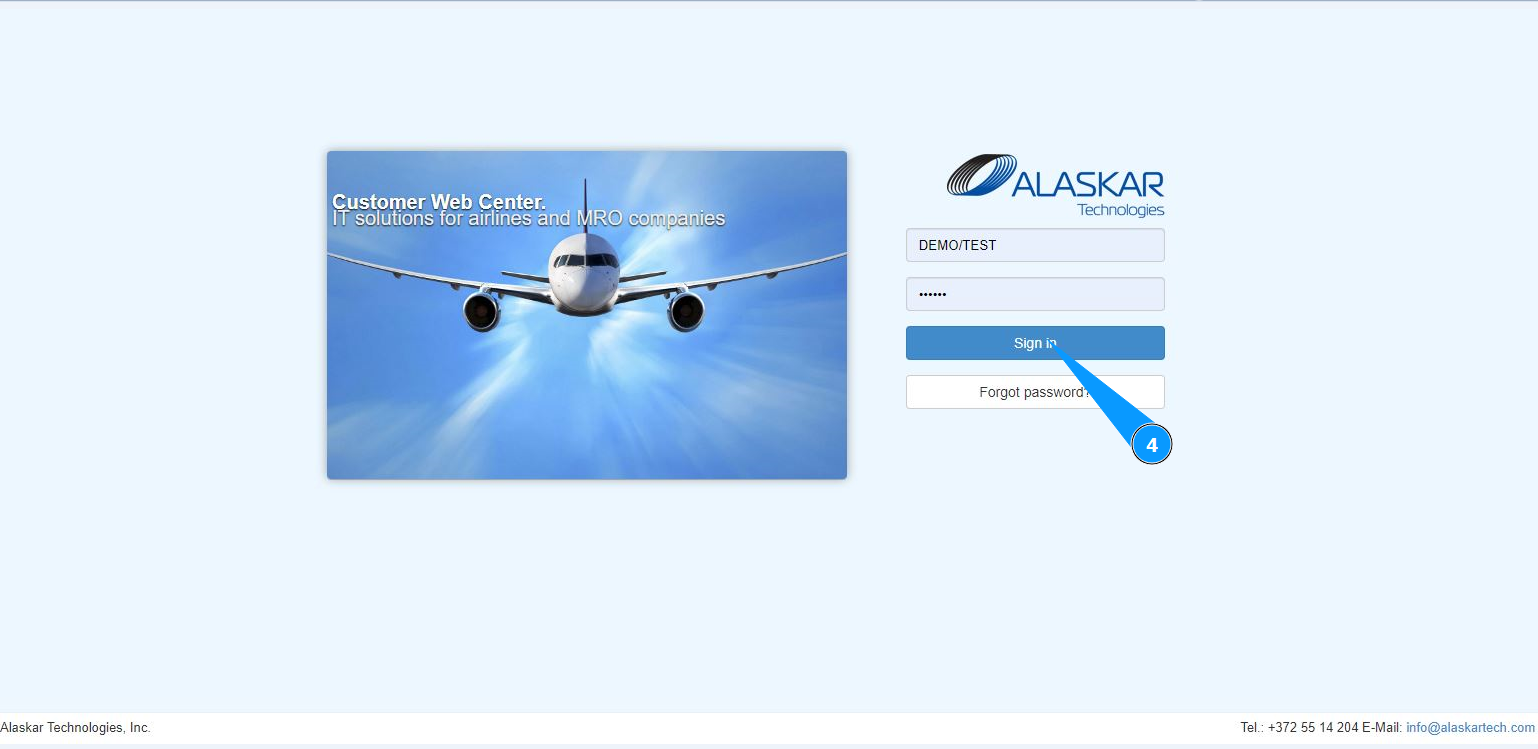
5. At the top of the web interface, general settings and capabilities of Alaskar WEB interface are presented.
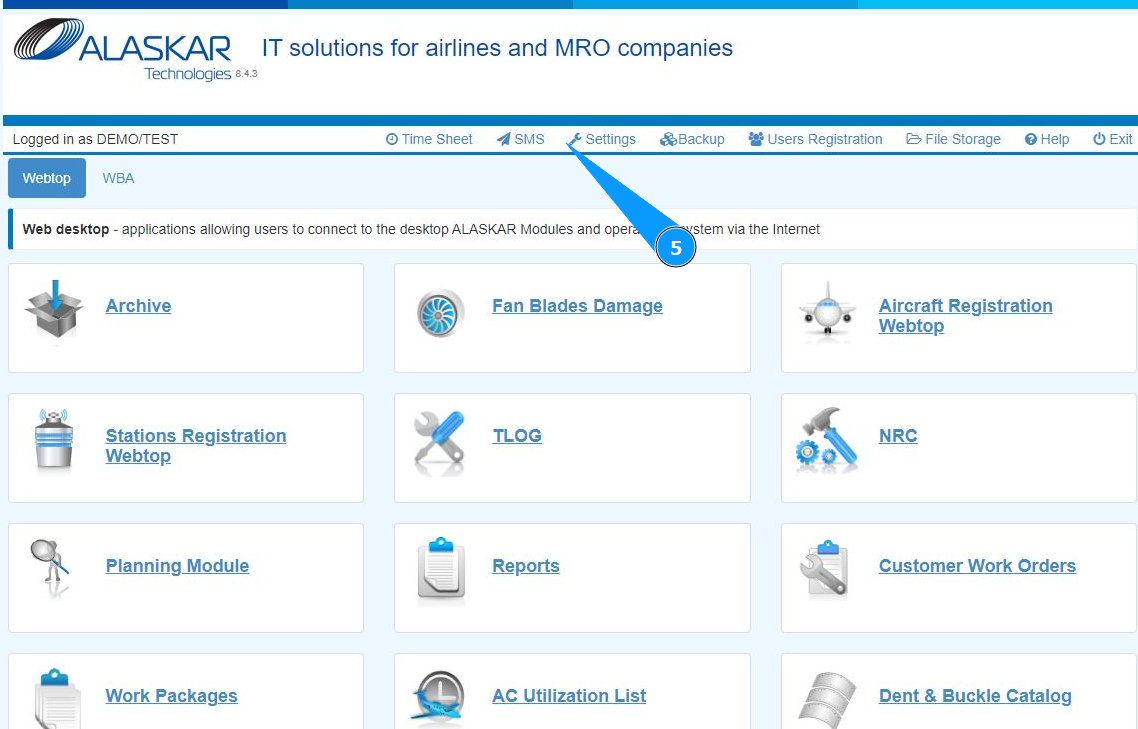
6. Click the button "Webtop" if you require information about transferring to Alaskar submodules, which are accessed via the Internet and WEB interface. Note: Click the button "WBA", if you require information about issuing documents in submodules managed via the Internet and WEB interface.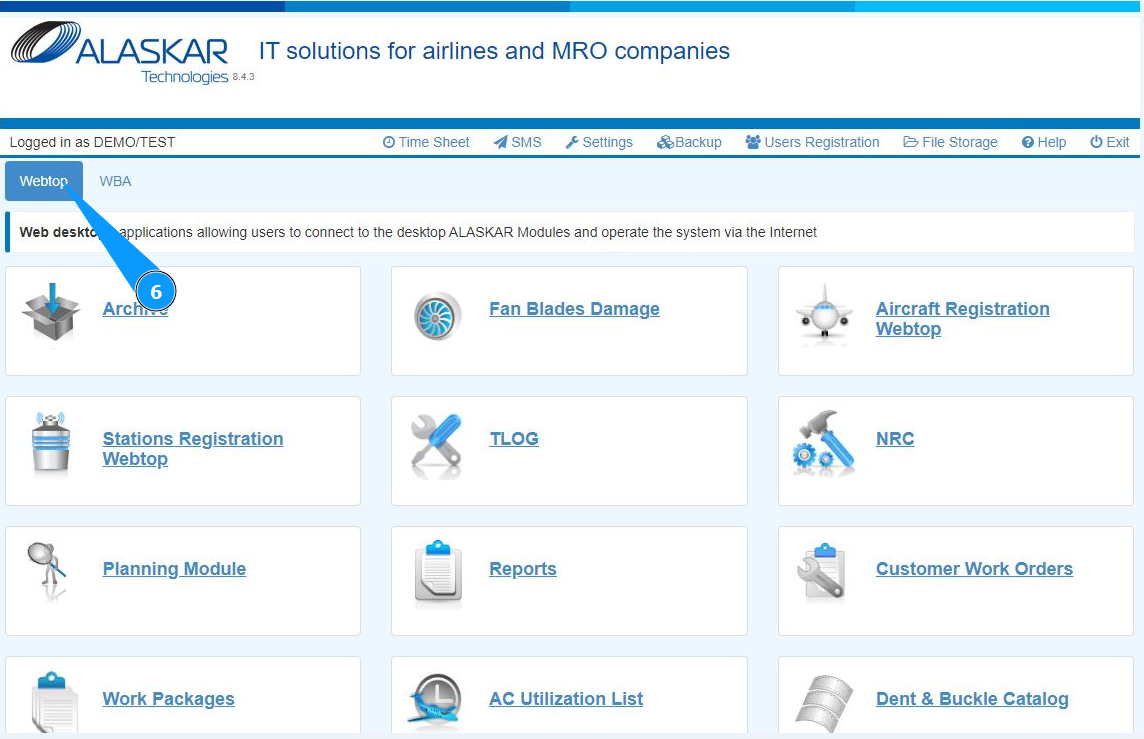
7. Click on the required submodule button to enter the submodule to view or edit data.
