How to add an aircraft
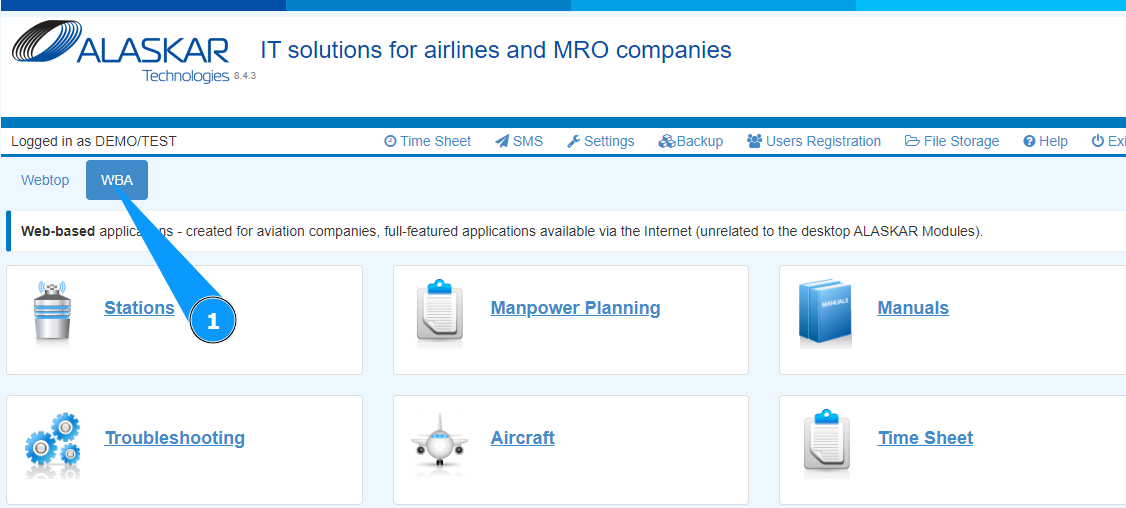
1. In order to add an aircraft, go to the tab "WBA".
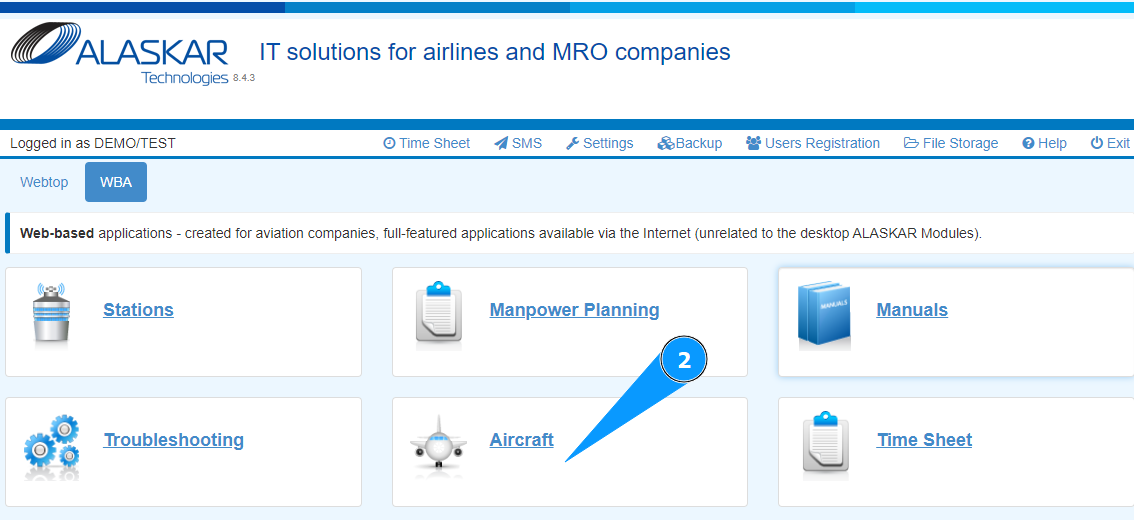
2. Go to the submodule "Aircraft".
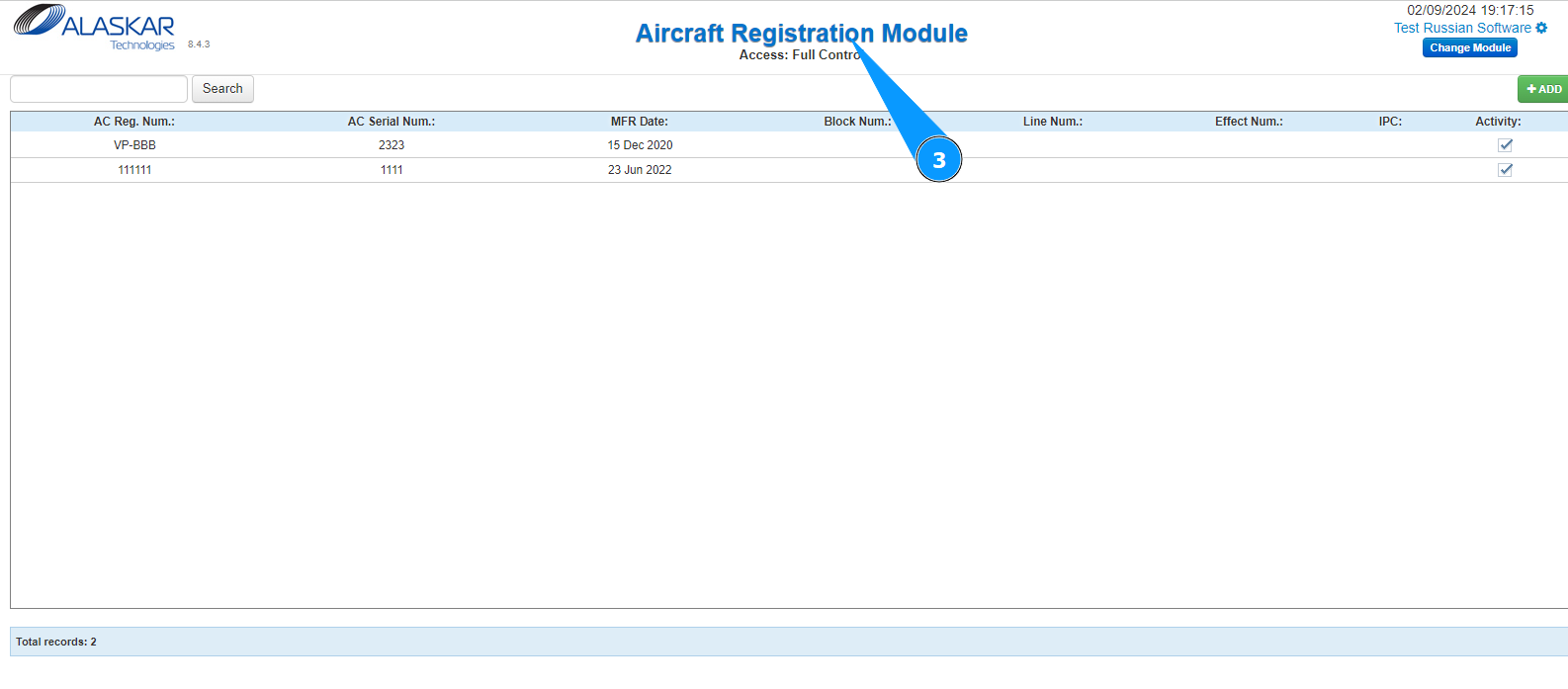
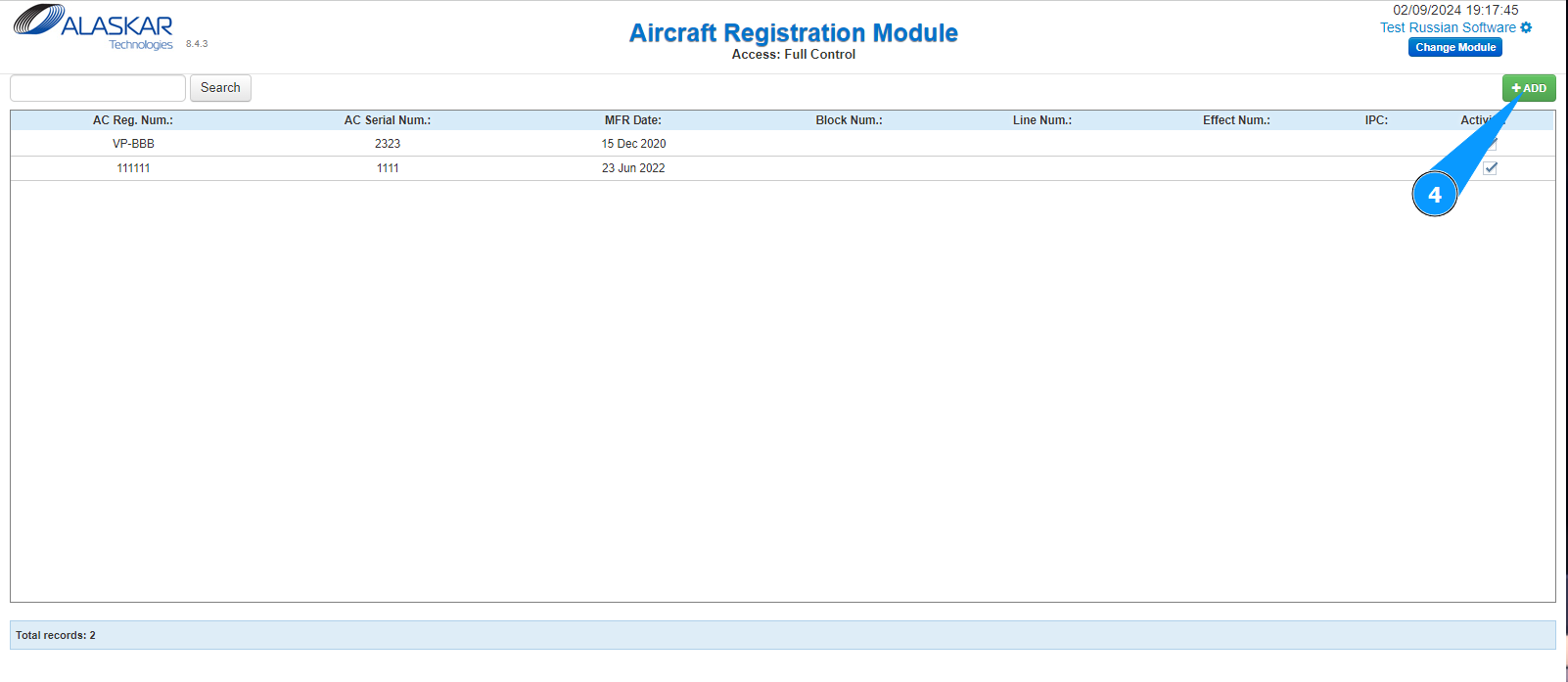
3. Check that the window for working with aircraft has opened and is available in the window "Aircraft Registration Module".
4. Click on the button "Add" to open the aircraft creation editor.
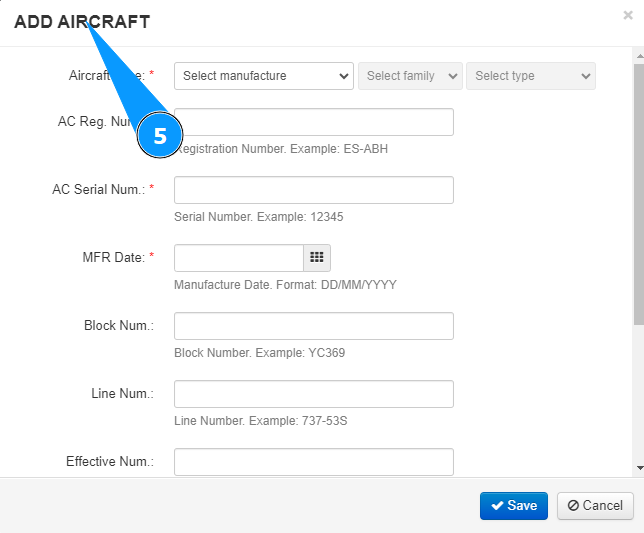
5. Check that the aircraft creation editor has opened and is available in the window "Add Aircraft".
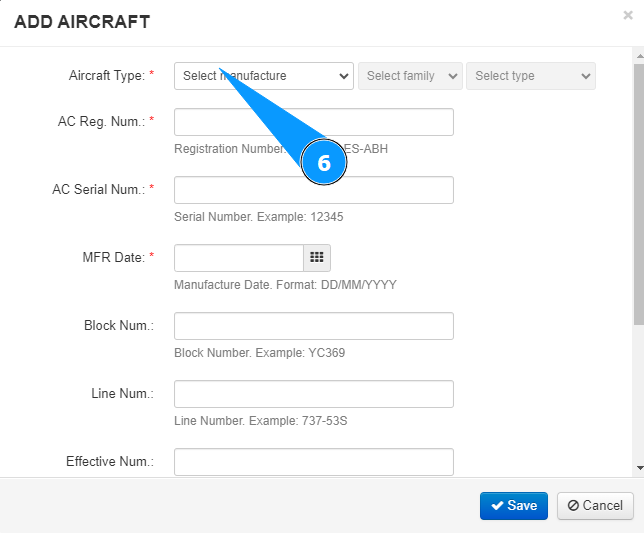
6. Select the aircraft manufacturer name from the dropdown list in the field "Aircraft Manufacturer".
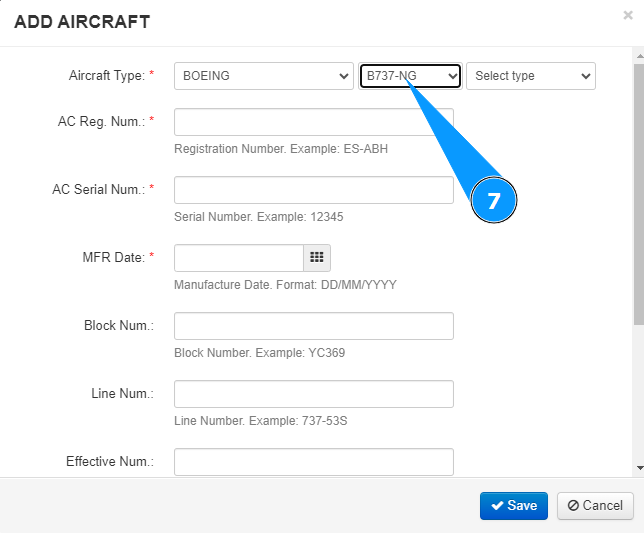
7. Select the aircraft family from the dropdown list in the field "Aircraft Family".
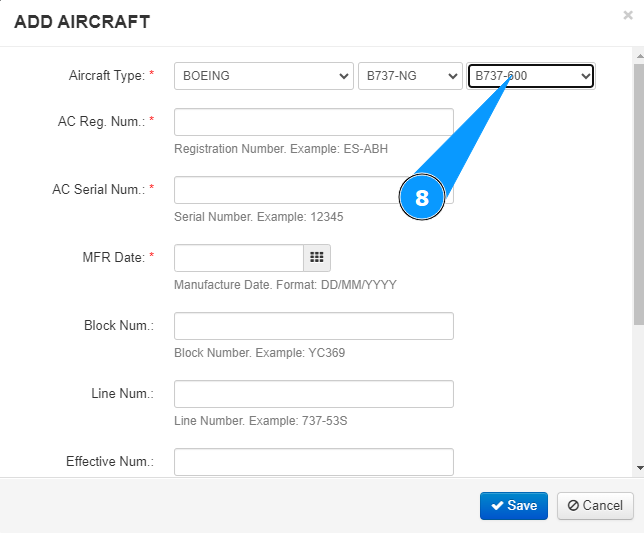
8. Select the aircraft type from the dropdown list in the field "Aircraft Type".
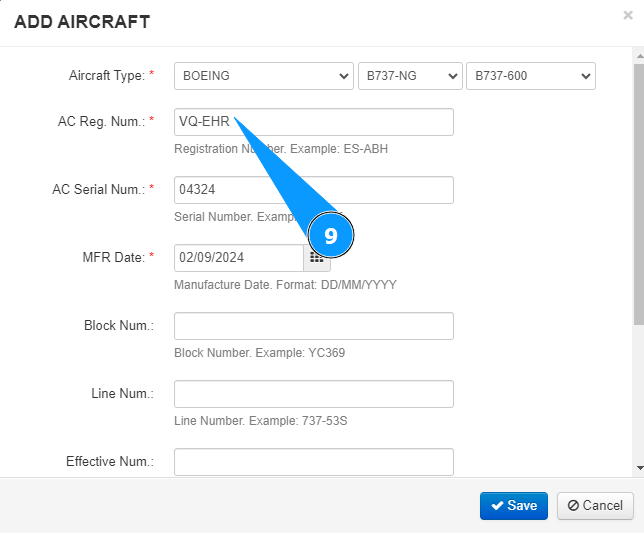
9. Enter the aircraft registration in the field "Aircraft Reg. Num".
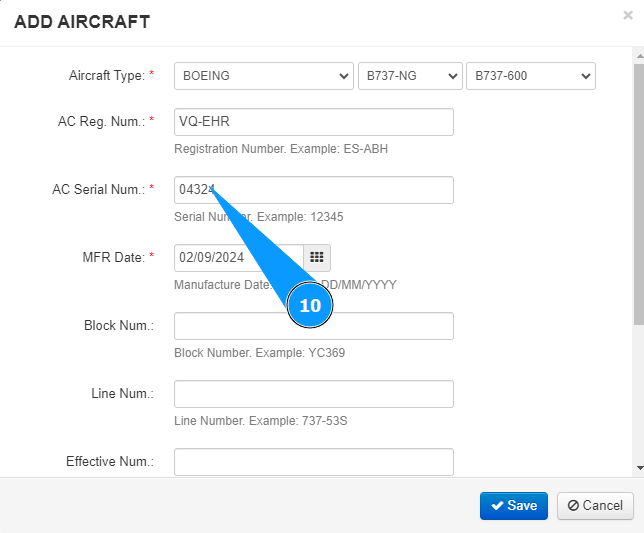
10. Enter the aircraft serial number in the field "Aircraft Serial Num".
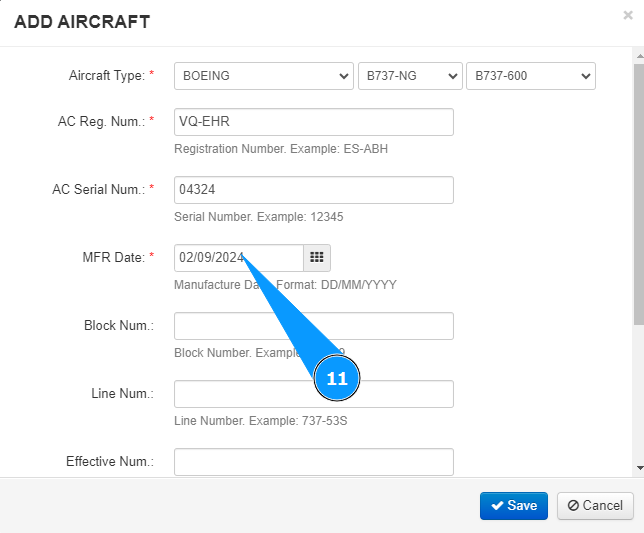
11. Enter the aircraft manufacture date in the field "MFR Date".
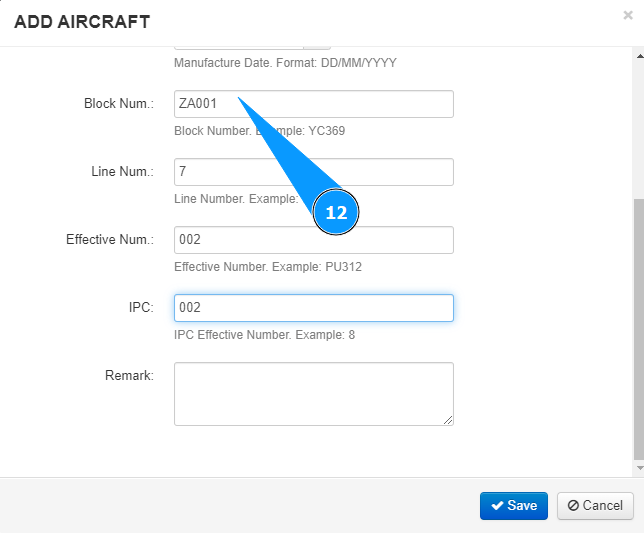
12. If necessary, enter the aircraft block number in the field "Block Num.".
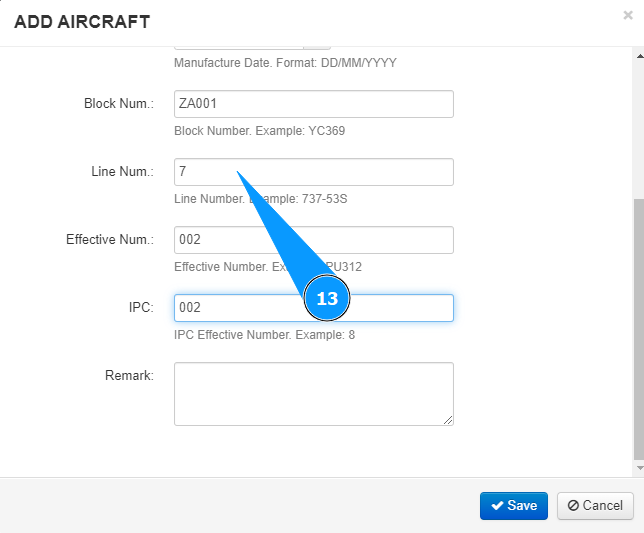
13. If necessary, enter the aircraft line number in the field "Line Num.".
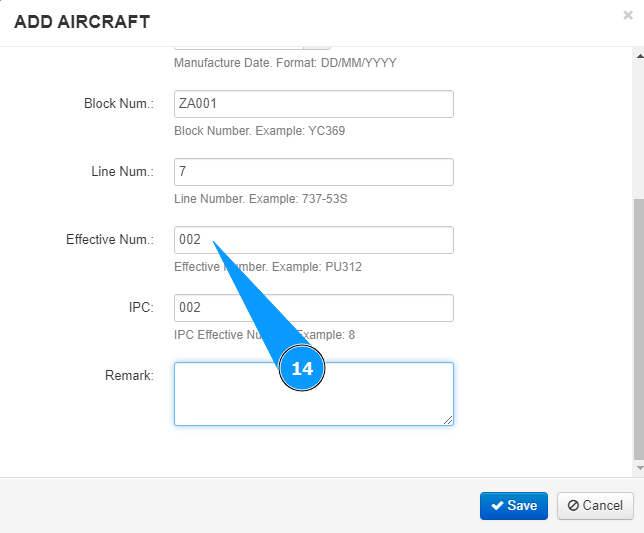
14. If necessary, enter the aircraft effectivity in the field "Effective Num.".
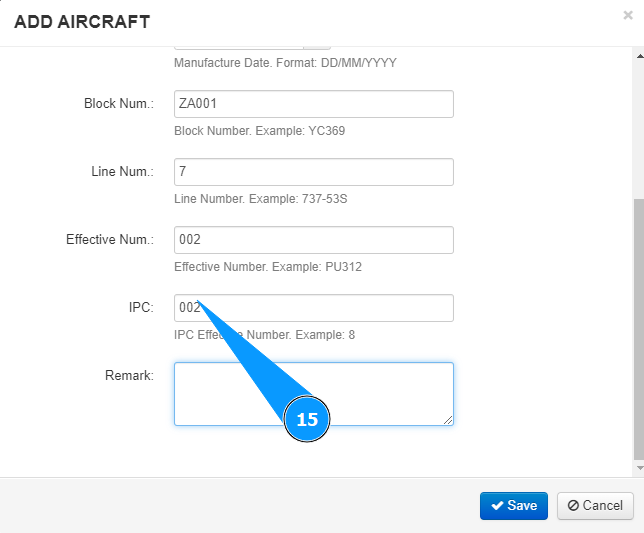
15. If necessary, enter the aircraft number in catalog of IPC in the field "IPC".
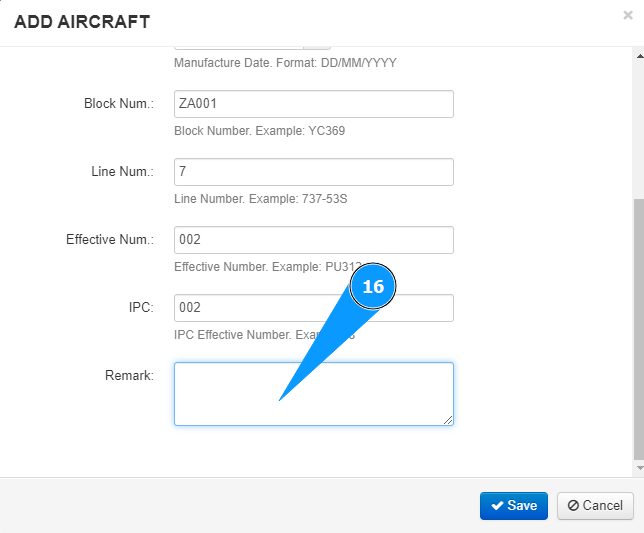
16. If necessary, enter any comments in the field "Remarks".
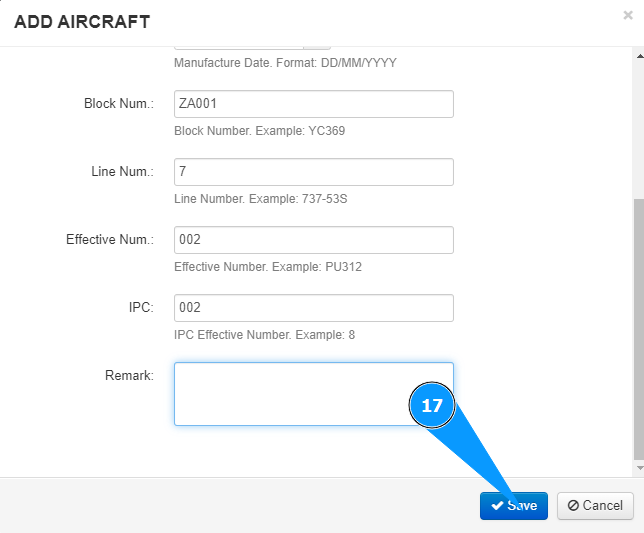
17. Click on the button "Save" to add the data to the program.
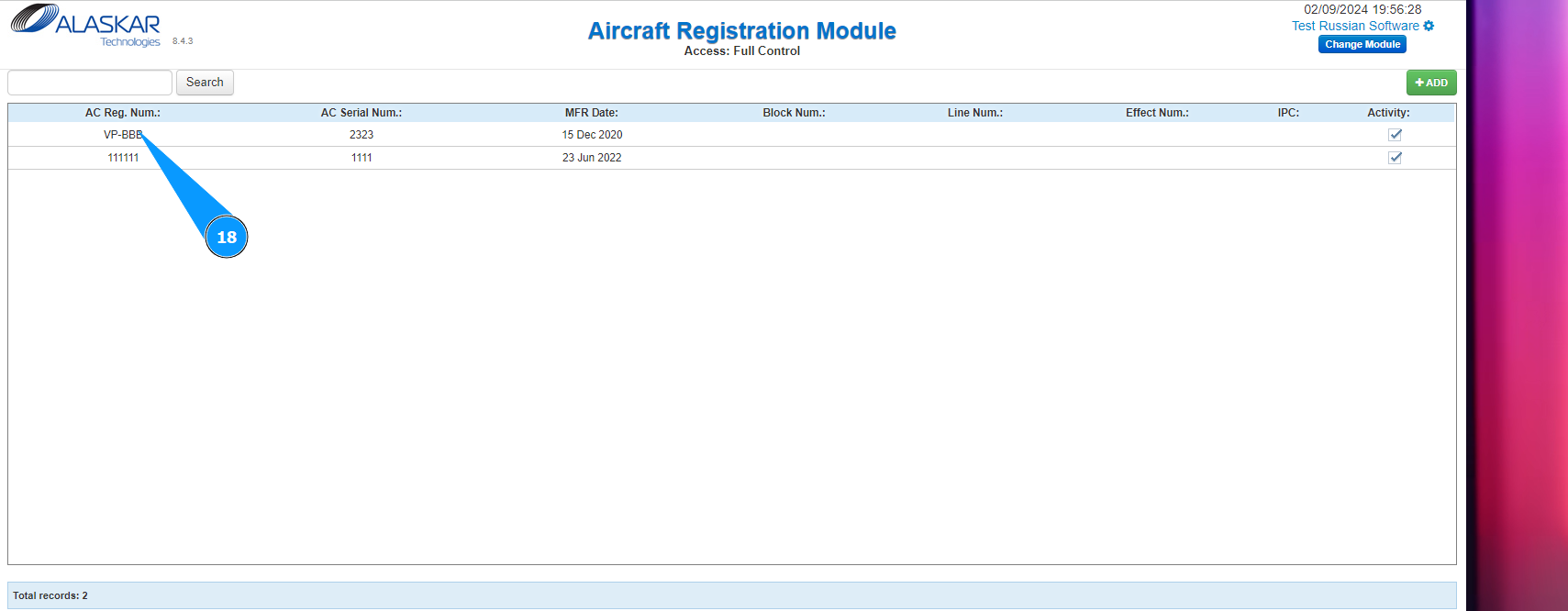
18. Check that the newly created aircraft is displayed in the window "Aircraft Registration Module".