How to check components previously received to store
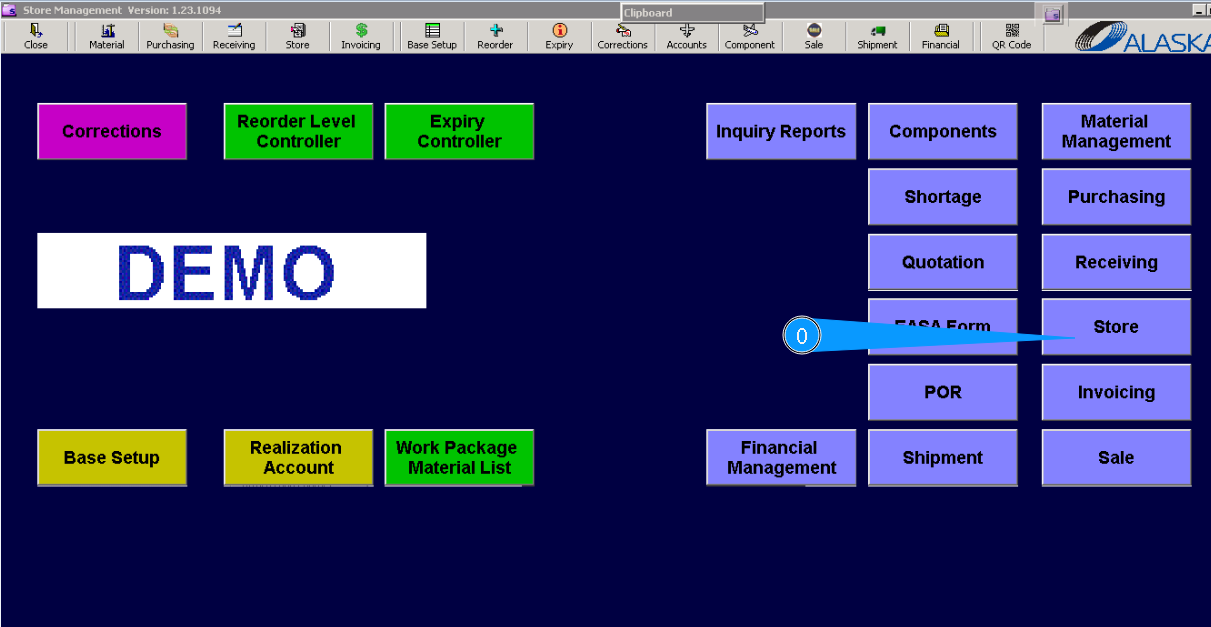
0. For checking components previously received to store, go to submodule "Store".
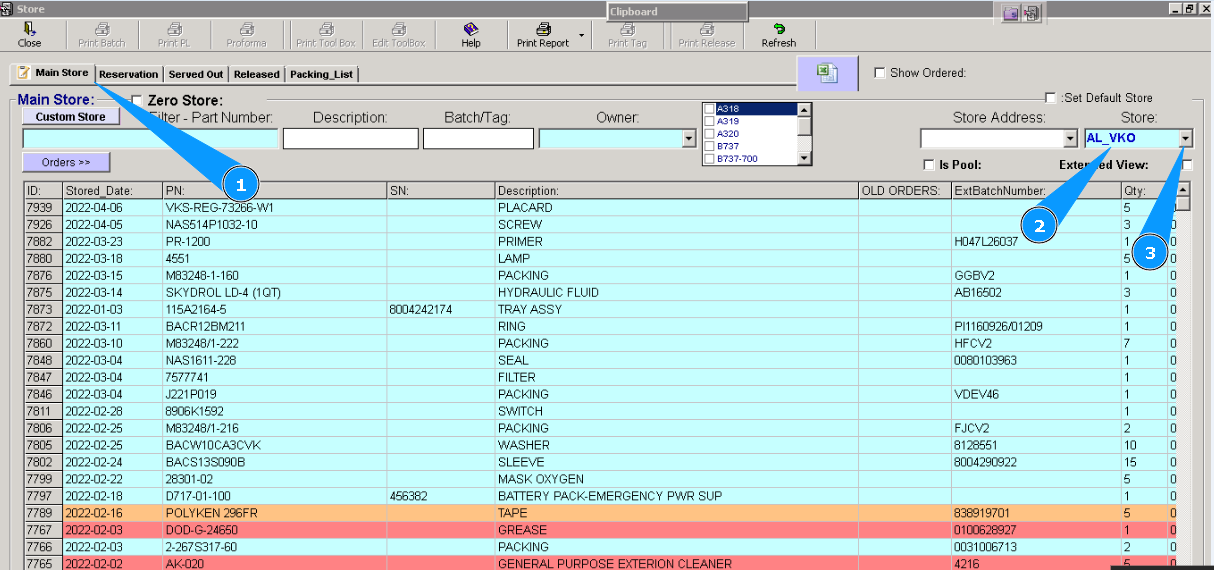
1. Then, please go to tab "Main Store" .
3. Or select applicable store from dropdown list.
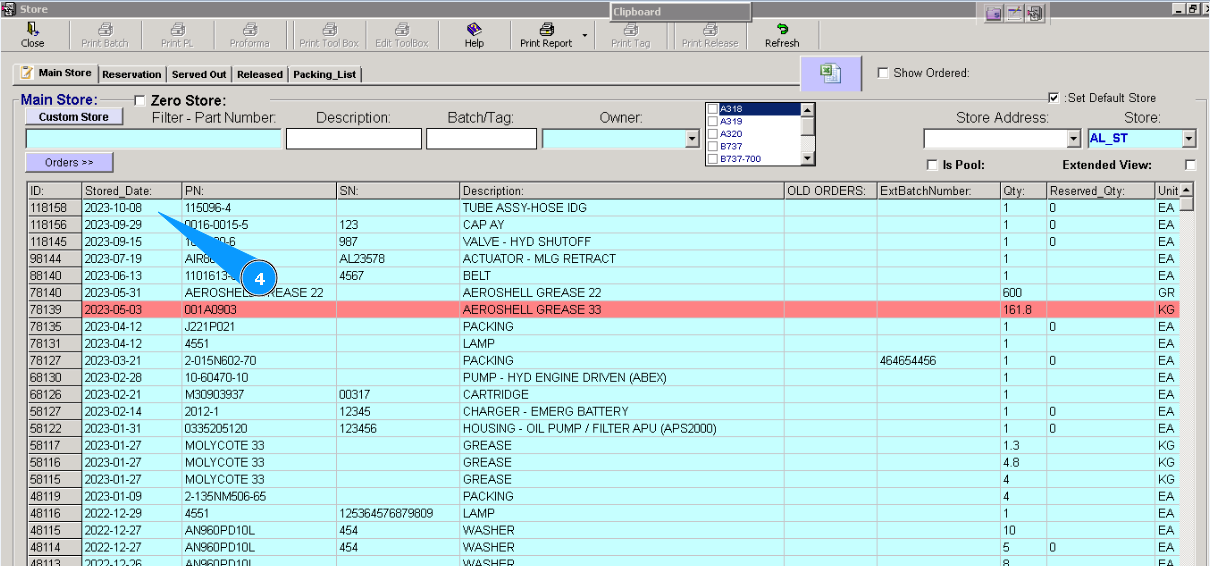
4. All components are sorted by receiving date. Last received items are in the top.